· fonts · 14 min read
29 Best Cricut Design Space Fonts (+ Tips) in 2026
Discover the 29 best Cricut Design Space fonts for 2026 — connected scripts, monoline lettering, farmhouse styles, bold display fonts, clean sans serifs, condensed cuts and casual handwriting.

A font is half the project. The name on a mason jar, the quote on a vinyl decal, the wordmark on an HTV t-shirt, all of it lives or dies on the lettering you pick. But in Cricut Design Space, a font has to do more than look good on screen. It has to cut cleanly, weed without shredding, and hold together when you peel it off the mat.
That is the real test of the best cricut design space fonts. A gorgeous script with hair-thin swashes looks great in the preview window, then falls apart the second the blade finishes. A sturdy monoline or a bold sans serif, by contrast, tends to come off the mat in one clean piece.
This list brings together 29 fonts that behave well in Design Space. They all download as TTF or OTF files, install to your system, and show up under the System tab. You will find connected scripts for names, monoline lettering, farmhouse styles, bold display faces, clean sans serifs, condensed cuts, and casual handwriting. Then I cover the practical side: how to upload fonts, system fonts versus Cricut fonts, welding script letters, single-layer writing fonts, and licenses.
How Fonts Work in Cricut Design Space
Before the list, a quick tour of how fonts actually load, because this is where most beginners get stuck.
When you add a text box and open the font dropdown, you get two tabs. The first is Cricut fonts, the built-in library that ships with Design Space. A portion is free, but most require a Cricut Access subscription or a one-off purchase. If you cancel Access, access to those paid Cricut fonts disappears.
The second tab is System fonts. This is where any font you have installed on your computer or device lives, and it is completely free to use inside Design Space. This is the key detail: any font you download from a marketplace, unzip, and install to your operating system will appear here, not in the Cricut tab.
If your new font does not show up, the fix is usually to fully close and reopen Design Space. On iPhone and iPad, fonts are installed through a configuration profile or a font app rather than a double-click.
One more distinction worth knowing. Writing fonts, sometimes called single-layer fonts, are drawn by a pen in a single stroke. You find them by filtering the font menu for “Writes.” Regular cut fonts, by contrast, are cut as outlines. For pen projects like hand-lettered cards, you want a writing font; for vinyl and HTV, you want a cut font.
The takeaway: downloadable fonts from marketplaces are system fonts, and they cost you nothing extra inside Design Space.
29 Best Cricut Design Space Fonts in 2026
These are the picks, grouped by style and running 1 through 29. Each one installs as a system font and drops into the System tab.
1. Buttermilk Biscuits
Buttermilk Biscuits leans into southern charm with a warm, slightly rustic script that reads like hand-painted porch lettering. It makes a kitchen sign or a mason jar label feel instantly cozy without trying too hard.
Best for: farmhouse signs, mason jar labels, cozy home decor. By: designingdigitals
2. Oakleigh

Oakleigh is a flowing script with graceful, connected letters that suit elegant name pieces and gift tags. Its smooth curves are forgiving to weld, so the joins stay clean when you run a name as one piece.
Best for: name decals, gift boxes, elegant signage. By: Pukka De
3. Ever After

Ever After is a romantic calligraphy face with soft flourishes and a timeless, hand-lettered feel. It works well for short romantic phrases and keeps its character even at small sizes on tags.
Best for: romantic signage, short quotes, gift tags. By: Ayca Atalay
4. Strawberry Smoothie

Strawberry Smoothie is a sweet, bouncy script that is all playfulness. The rounded, friendly forms make it a great pick for kids’ projects and party pieces where you want a cheerful, approachable look.
Best for: kids’ decals, party favors, playful mugs. By: stacysdigitaldesigns
5. Juliet

Juliet is a classic, graceful script that never feels dated. Its balanced strokes and clear letterforms make it a reliable choice for names and short words that need to stay legible after cutting.
Best for: name pieces, classic signage, everyday lettering. By: genesislabstudio
6. Aleeya

Aleeya brings a modern, stylish edge to the script category with confident, contemporary lines. It suits trendy makes where you want the lettering to feel current rather than traditional.
Best for: modern signage, trendy decals, brand-style lettering. By: Maenjari Studio
7. Bestie Monoline Script
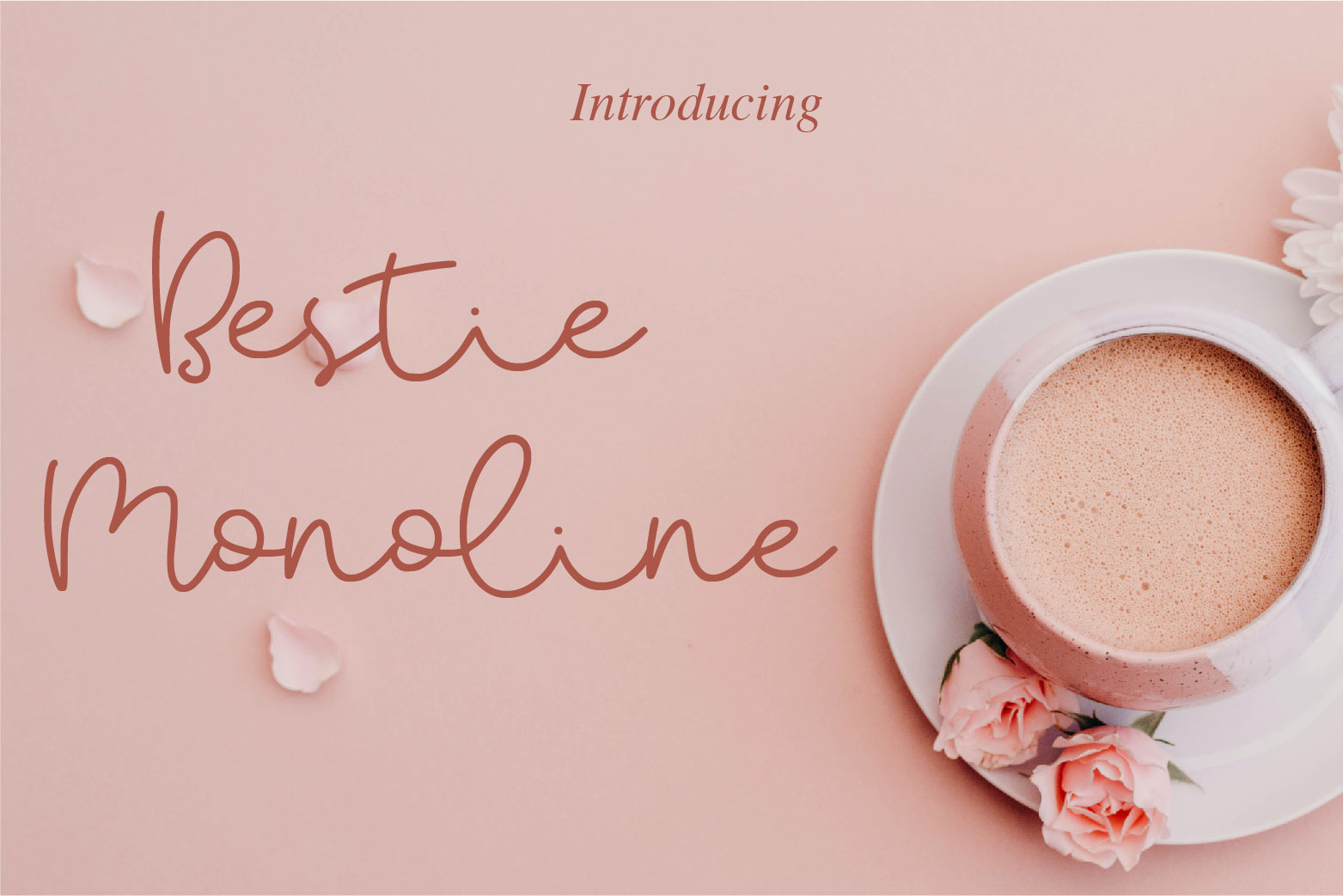
Bestie Monoline Script is an even-stroke monoline, which is exactly what you want for clean cutting. A monoline font uses a uniform line weight throughout, so there are no thin points to tear. The result welds and cuts cleanly, making it a dependable pick for connected names on vinyl and HTV.
Best for: connected names, vinyl lettering, HTV t-shirts. By: WAP
Download Bestie Monoline Script
8. Cowgirl in Town

Cowgirl in Town is a western-flavored monoline with a rustic, rodeo-ready attitude. The even strokes keep it cut-friendly while the styling gives it a distinct country character.
Best for: western signs, rodeo projects, rustic decals. By: Natural Ink
9. Front Porch

Front Porch is a farmhouse face built for porch signs and home decor. Its relaxed, hand-drawn lettering feels right at home on a wooden board or a painted sign, and it reads clearly from a distance.
Best for: porch signs, home decor, rustic boards. By: designingdigitals
10. Farmhouse Handwritten

Farmhouse Handwritten is a casual, rustic handwritten style that brings warmth to farmhouse projects. The loose, natural lettering keeps things from feeling too formal, which is perfect for cozy home accents.
Best for: farmhouse accents, casual signs, home decor. By: rotterlabstudio
Download Farmhouse Handwritten
11. Strong Farmhouse

Strong Farmhouse is a bold, sturdy rustic face with thick strokes. Those heavier lines are a real advantage for vinyl cutting, because thicker lettering is far less likely to shred during weeding than thin, delicate forms.
Best for: bold farmhouse signs, vinyl lettering, sturdy decor. By: MaxArt
12. Cricut Bold

Cricut Bold is a heavy workhorse sans designed for clean cuts. It is the dependable face you reach for when you want strong, no-fuss lettering that behaves predictably on the mat.
Best for: bold decals, HTV text, everyday signage. By: GraphicsNinja
13. Bubble Pop
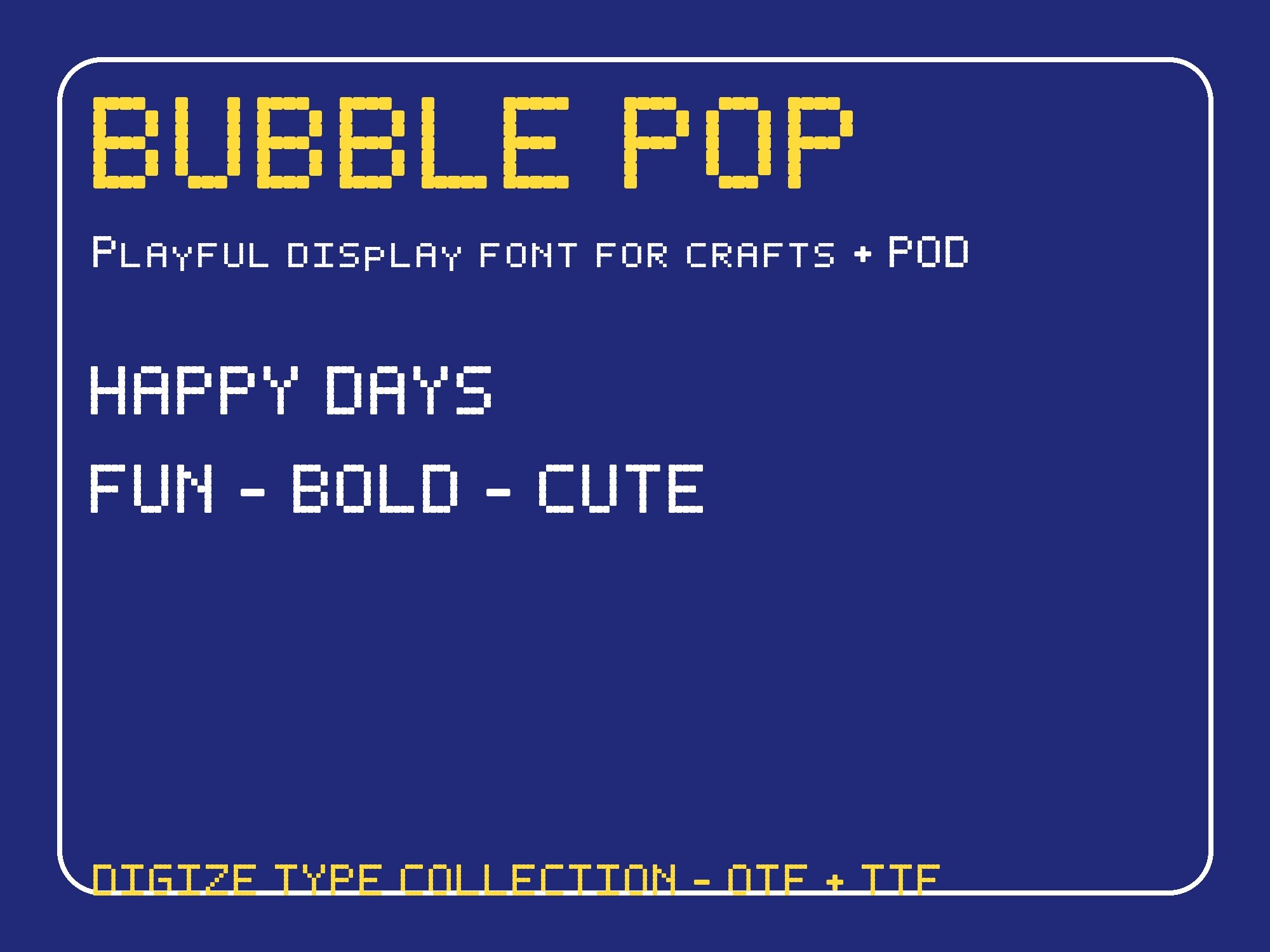
Bubble Pop is a rounded, bubbly lettering style that is playful and friendly. The chunky, closed shapes make it easy to weed, and the look lands well on kids’ and party projects.
Best for: kids’ decals, party projects, playful mugs. By: Digize
14. Bold Kiddo

Bold Kiddo is chunky and kid-friendly, with solid shapes that are easy to weed. It is a go-to for classroom and kids’ makes where you want the lettering to be sturdy and fun.
Best for: kids’ projects, classroom signs, easy-weed decals. By: Minimalist Eyes
15. Super Bold

Super Bold is an extra-heavy display face built for maximum impact. The thick, solid strokes make it ideal for decals and HTV where you need lettering that is bold, durable, and impossible to miss.
Best for: bold decals, HTV t-shirts, statement signs. By: Dreamspace.studio
16. Boston School

Boston School is a varsity, school-spirit face that brings that classic athletic lettering feel. It is a strong match for sports makes, team names, and pep-rally style projects.
Best for: sports makes, team names, school spirit decals. By: riki.studio
17. Sanser

Sanser is a clean, all-purpose sans that works across almost any project. Its neutral, readable letterforms make it a safe, versatile choice for everyday cuts where you want something that always looks right.
Best for: everyday cuts, labels, versatile signage. By: CraftedType Studio
18. Good Paper

Good Paper is a neat, readable sans that suits cards and labels. It is tidy and clear, the kind of face that keeps small text legible without getting in the way.
Best for: cards, labels, small readable text. By: CraftedType Studio
19. Rustic Perfect

Rustic Perfect is a rustic, textured sans that brings a hand-made quality to farmhouse signs. It pairs a clean structure with a slightly rough edge, giving your cuts a warm, artisanal feel.
Best for: farmhouse signs, rustic decor, artisanal labels. By: Minimalist Eyes
20. Paris Treat

Paris Treat is a chic, stylish sans that leans into a boutique, fashion-forward look. It is a great pick when you want your lettering to feel polished and on-trend.
Best for: boutique makes, trendy decals, stylish labels. By: blushfontco
21. Modern Luxury

Modern Luxury is a premium, modern sans with an upscale feel. It is well suited to high-end gifts and branding-style projects where you want the lettering to read as refined and intentional.
Best for: upscale gifts, brand-style lettering, premium decals. By: Jasm (7NTypes)
22. Wild Olive
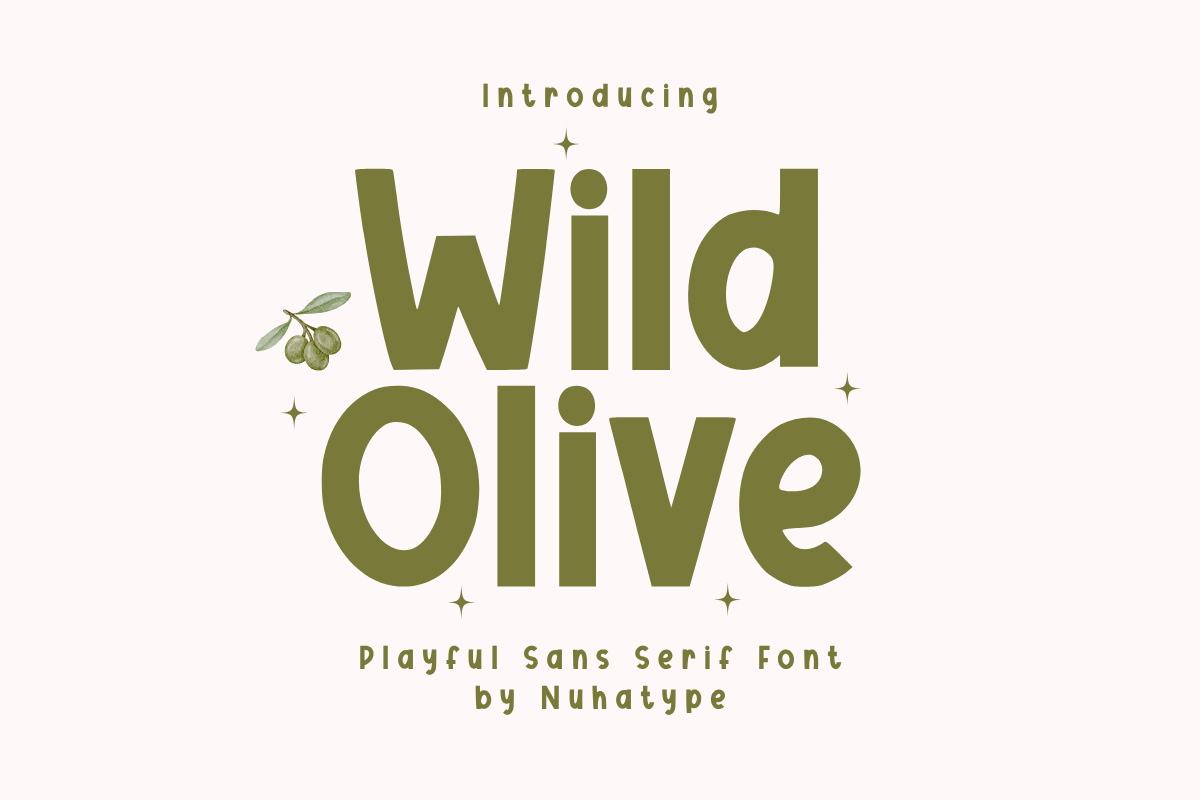
Wild Olive is a soft, organic sans that suits botanical and natural themes. Its gentle, rounded character makes it a lovely match for plant-themed and earthy home projects.
Best for: botanical themes, natural decor, soft signage. By: Nuhatype
23. Hillbone

Hillbone is a tall, narrow condensed sans. You reach for this when a long name or phrase has to fit on a small blank. The narrow letterforms let you pack more characters into a tight space without losing readability.
Best for: long names, small blanks, condensed cuts. By: Mockmenot
24. Sakeru

Sakeru is a slim, clean condensed sans that works well for multi-line quote designs. Its narrow, tidy shapes keep stacked text looking balanced and easy to read.
Best for: multi-line quotes, stacked text, condensed signage. By: Funtype Co.
25. Gohigher

Gohigher is a tall, geometric condensed sans with a clean, modern structure. Its vertical emphasis makes it a strong choice for bold, narrow lettering that needs to stand out.
Best for: bold narrow lettering, modern signage, statement cuts. By: Situjuh
26. Bronze Sign

Bronze Sign is a signage-style condensed sans with a classic, letter-spaced look. It is built for sign lettering where you want a traditional, evenly spaced feel in a narrow width.
Best for: sign lettering, letter-spaced cuts, classic signage. By: TriDraw
27. Natural Handwriting
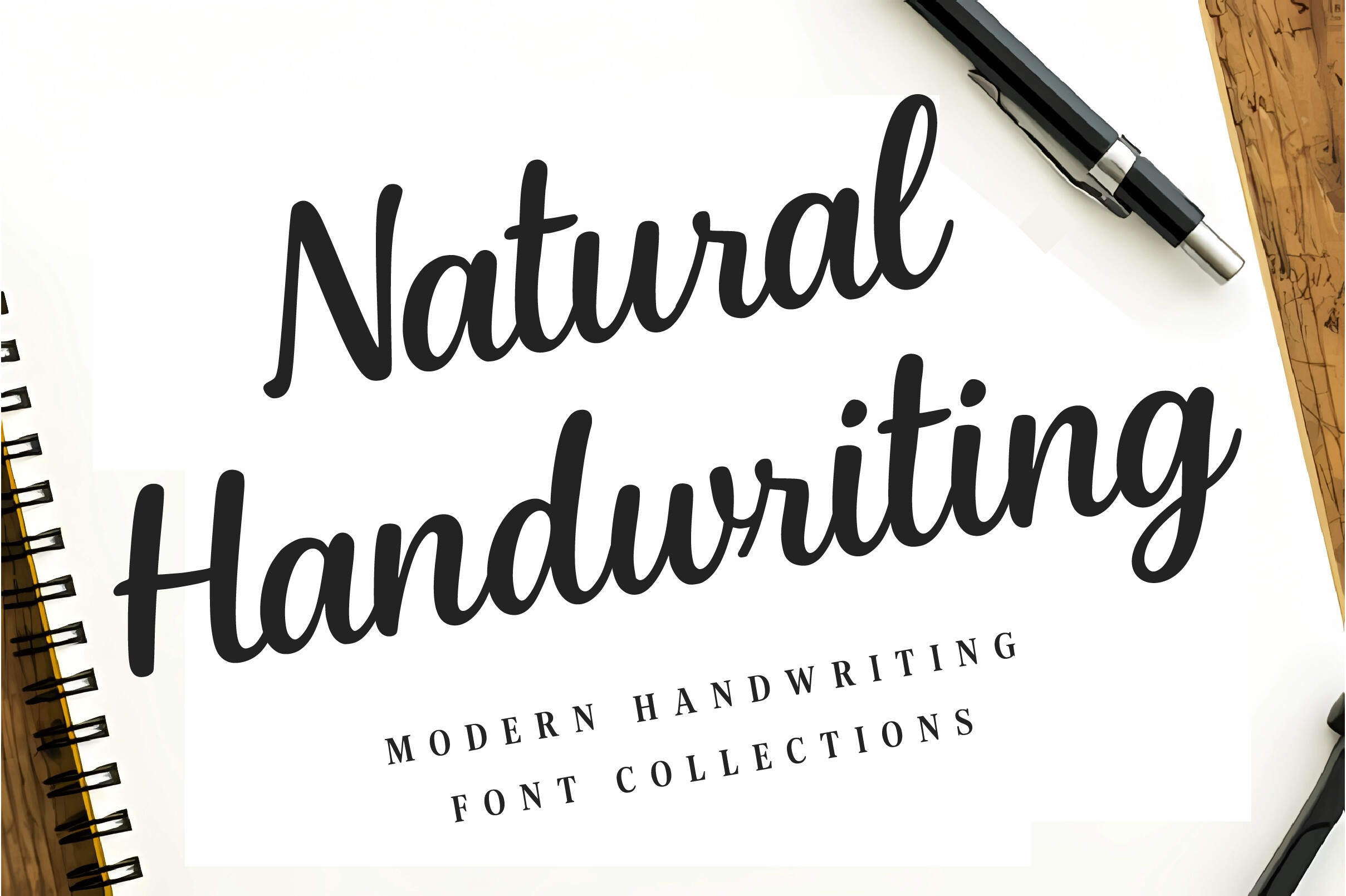
Natural Handwriting is a relaxed, everyday handwriting look. It feels casual and personal, like someone wrote it by hand, which makes it a warm fit for informal signs and notes.
Best for: casual signs, personal notes, friendly labels. By: Craft Artist
28. Neokid Handwriting Font
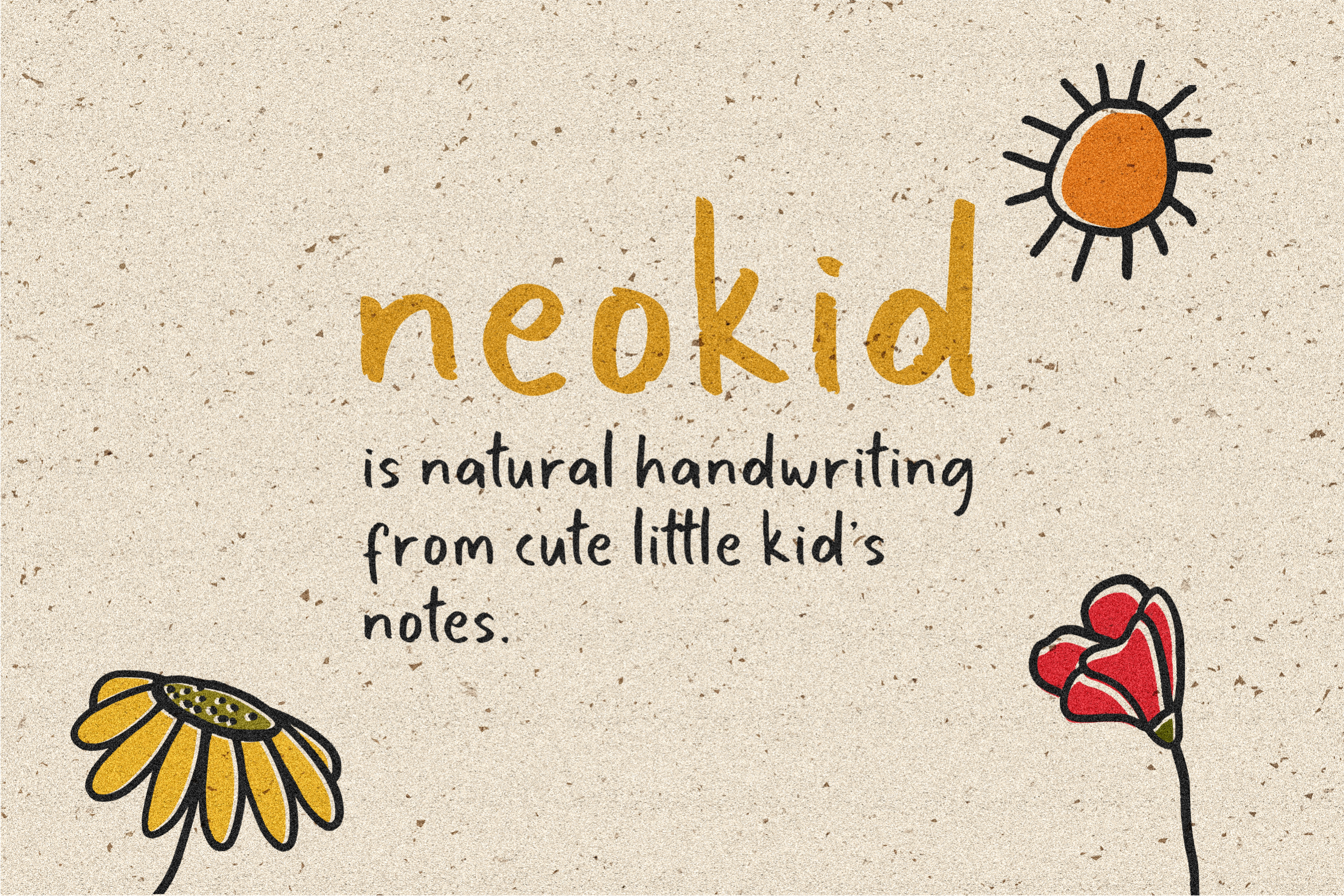
Neokid Handwriting Font is a playful, kid-style handwriting face. Its wobbly, childlike character makes it a natural match for school and classroom projects where a fun, young look is the goal.
Best for: school projects, classroom signs, playful kids’ makes. By: 24Design Studios
Download Neokid Handwriting Font
29. Sultony Marker Handwriting Font

Sultony Marker Handwriting Font is marker-drawn lettering with a casual, confident feel. The bold, drawn strokes give it a hand-lettered energy that works great on quote signs and casual decor.
Best for: quote signs, casual decor, hand-lettered looks. By: Vunira
Download Sultony Marker Handwriting Font
Tips for Using Fonts in Cricut Design Space
Now the practical part, the stuff that separates a clean cut from a frustrating one.
How to upload fonts to Cricut Design Space. First, download the font; it usually arrives as a .ttf or .otf file inside a zip archive. Unzip it. On Windows, right-click the font file and choose Install. On a Mac, double-click it and choose Install in Font Book. Then fully close and reopen Design Space. Add a text box, open the font dropdown, and look under the System tab, not the Cricut tab. On iPhone and iPad, fonts install through a configuration profile or a font app. If a font still will not appear, check that it is installed for all users and restart the app again.
System fonts versus Cricut fonts. Cricut fonts are licensed inside Design Space; a portion is free, and most come with Cricut Access, so if you drop your subscription you lose access to the paid ones. System fonts live on your own device and stay available to you at all times, no subscription required. The trade-off is that you cannot filter system fonts by “writing” or “kerned” as reliably as you can the built-in Cricut fonts.
Weld and kerning for script fonts. This is the fix for the classic problem of script letters not connecting. Design Space cuts each letter of a script font separately, with gaps between them. To connect them, select the text, set Letter Space to 0, then either nudge the letters together by hand or turn on kerning, which works for fonts marked as kerned. Then use Weld to merge the overlapping letters into one solid cut. Attach, by contrast, keeps your layout but still cuts letter by letter, so for a connected script word you need Weld, not Attach. Monoline and thick script fonts also weed and transfer better than thin, delicate ones.
What cuts best. Bold sans serifs and monoline fonts cut the cleanest, because they have solid shapes with no thin hairlines or decorative tails. Thin, ornate fonts tend to tear when you pull them off the mat and transfer poorly. Reach for condensed fonts when a long name or quote will not fit on a small blank. For pen projects like hand-lettered cards, use single-layer writing fonts, which you find by filtering the font menu for “Writes”; regular fonts are drawn as outlines instead.
Licenses. A free font is not automatically a font you can sell with. If you are selling finished products, like t-shirts, decals, mugs, or signs, you need a commercial license. Check the product page before you download. Fonts purchased from marketplaces with an explicit commercial license are safe for small business, while a personal-use license does not cover selling items.
Try Studio AI on Your Own Design
Want to see a font on your own text before you cut it? Creative Fabrica Studio is a browser-based tool with AI features: preview fonts on real designs, generate graphics, and export cut-ready files.
Try Studio AI Free →Where to Find Fonts for Design Space
You have a few reliable places to source fonts. The built-in Design Space library, the Cricut fonts tab, is the easiest starting point, and you can filter it by writing and cutting. Google Fonts is a free resource, but always check the license file for commercial use before selling anything. Free-font sites like DaFont and 1001 Fonts are handy, though most of those faces are personal use only, so read the license carefully.
For a deeper, curated selection with clear licensing, indie designer marketplaces like Etsy and Creative Fabrica (browse all fonts for Design Space on Creative Fabrica) are worth a look. They carry large libraries of fonts with explicit licenses, including commercial-use options, organized by categories like script, monoline, farmhouse, and sans serif.
One habit that saves a lot of trouble: before you download, check the file format (TTF or OTF), the license (personal versus commercial), and the reviews, because not every free font cuts cleanly.
If you want more to browse, the FontPro blog has a range of font roundups and guides for creators. There is also a broader Best Fonts for Cricut list, and for designers preparing SVG files by hand, a guide to the Best Adobe Illustrator Alternatives Free and Paid.