· fonts · 13 min read
18 Best Fonts for Cricut in 2026
The best fonts for Cricut projects: bold sans serifs for clean vinyl cuts, weldable scripts, decorative craft faces, and monoline writing fonts.
Here are 18 of the best fonts for Cricut projects in 2026, organized by style: bold sans serifs that cut and weed cleanly, connected scripts you can weld, decorative craft display faces, and monoline fonts for Cricut pens.
What Makes a Font Work for Cricut?
The biggest factor is stroke thickness. Fonts with thick, even strokes cut cleanly on vinyl and weed without tearing. Bold sans serifs are the safest choice for beginners because there are no thin serifs or delicate hairlines to fight with during weeding.
Script fonts are popular for personalized projects, but they need extra attention. In Cricut Design Space, you have to weld connected script letters so they cut as one piece instead of individual characters. Look for scripts where the letters naturally overlap. Monoline fonts are a different category entirely. They draw a single clean stroke with Cricut pens, which is perfect for addressing envelopes and writing on cards.
Avoid fonts with distressed textures or ultra-thin details. Every tiny crack or hairline becomes its own cut path, and that means hours of weeding for a messy result. If you want free options to start with, Google Fonts offers Bebas Neue for a bold condensed sans, Montserrat for a clean geometric option, and Lobster for a connected script.
Bold Sans Serif Fonts for Cricut
Bold sans serifs are the workhorses of Cricut projects. They cut fast, weed easily, and read clearly on vinyl decals, shirts, mugs, and signs. If you are new to Cricut or working with small text, start with this group.
These seven fonts all have the kind of weight and clean edges that make vinyl cutting straightforward. I reach for bold sans serifs first whenever the design needs to be readable at a distance.
1. Strong Roots
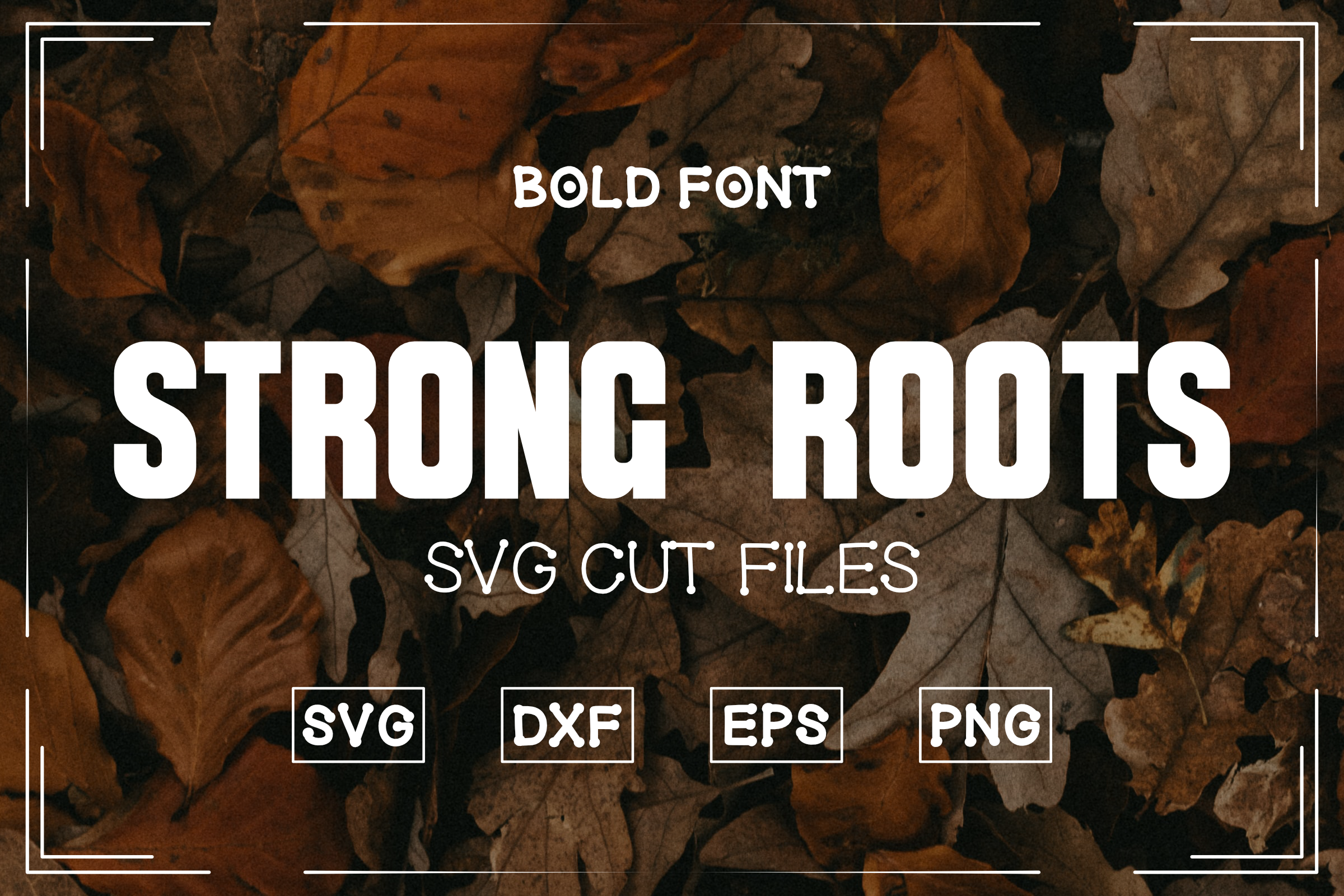
Strong Roots is a heavy bold font with thick, solid strokes that hold up well on any cutting material. The letters are wide and confident, which makes them easy to weed even at smaller sizes. I like it as a go-to headline font for Cricut signs and shirts.
Best for: vinyl decals, T-shirt designs, large signs. By: RADesigns21
2. Edition
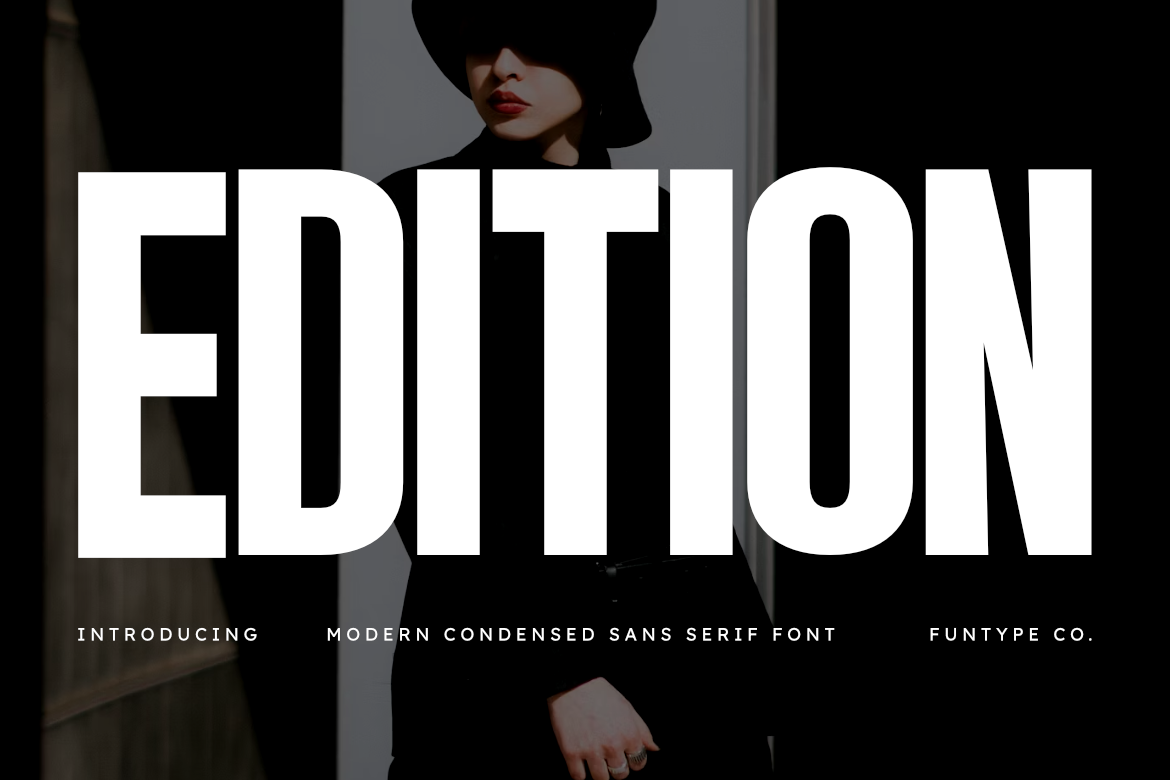
Edition is a clean, modern sans serif with strong weight and balanced proportions. It has a polished look that works for both casual crafts and more professional projects like custom tumblers and business signage.
Use it when you want a bold Cricut font that does not scream “craft project.” It is refined enough for a small business logo or a clean monogram.
Best for: tumblers, business signage, monograms. By: Funtype Co.
3. Gothic Bold
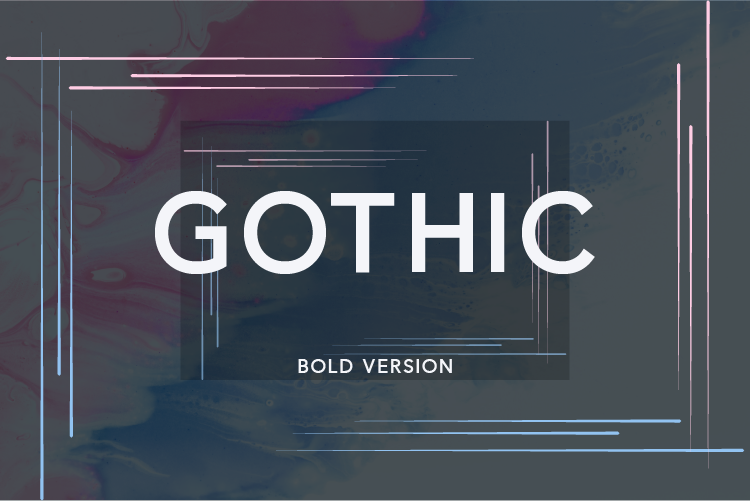
Gothic Bold is a condensed sans serif with a classic gothic structure and plenty of weight. The narrow letterforms let you fit longer words into tight spaces, which is useful for names on ornaments, water bottles, and narrow label areas.
It weeds cleanly because the strokes are thick and consistent. I recommend it when the layout is tight and you need every letter to stay legible.
Best for: ornaments, water bottles, narrow labels. By: Nan Design
4. Thick Bold
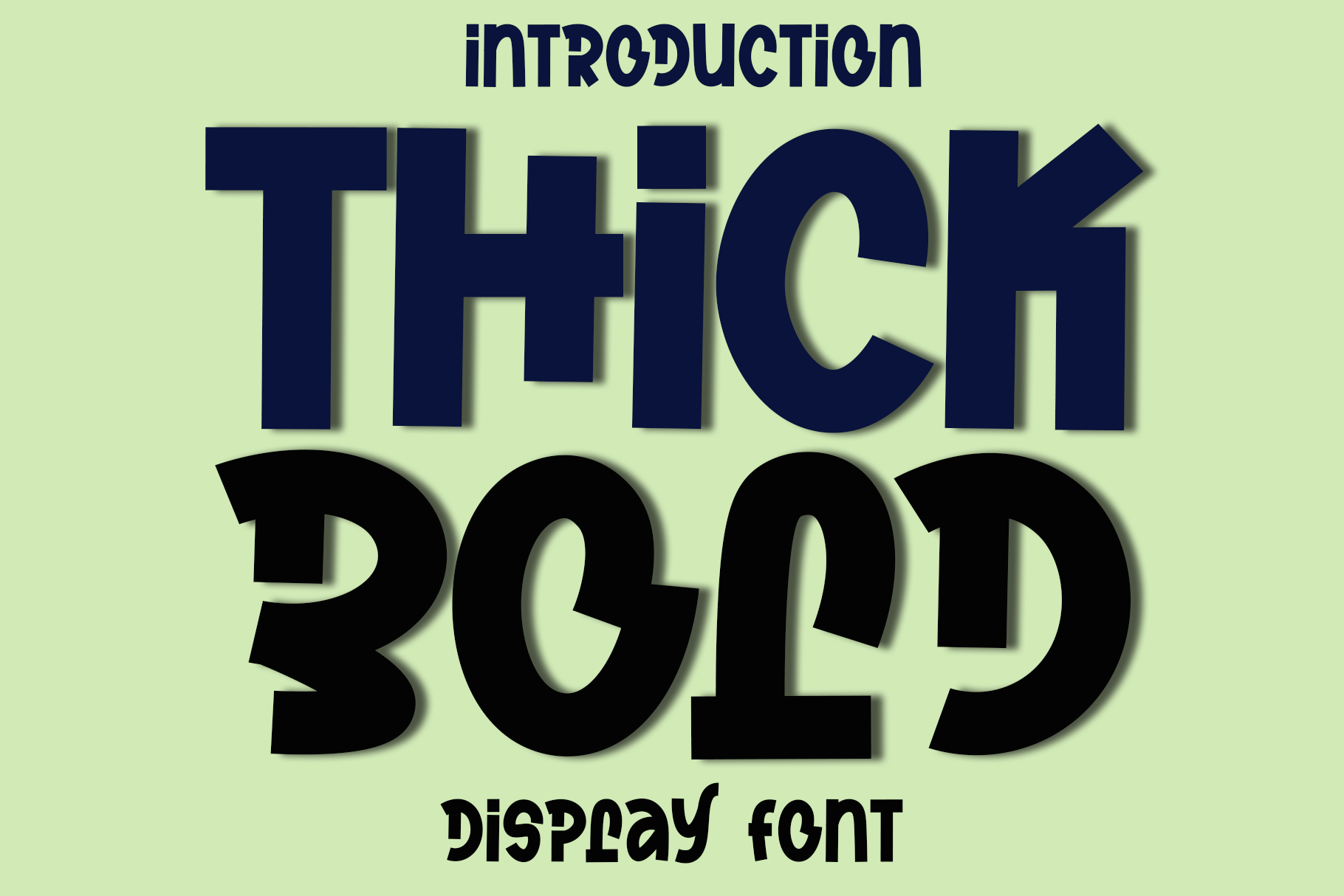
Thick Bold does exactly what the name promises. The strokes are extra heavy, making it one of the easiest fonts to weed on this list. If you are working with heat transfer vinyl (HTV) for shirts, this kind of weight holds up well after pressing and washing.
It is a simple, no-fuss choice for beginners who want a reliable cut every time.
Best for: HTV shirts, iron-on transfers, beginner projects. By: Preketek texs
5. Cracked Bold
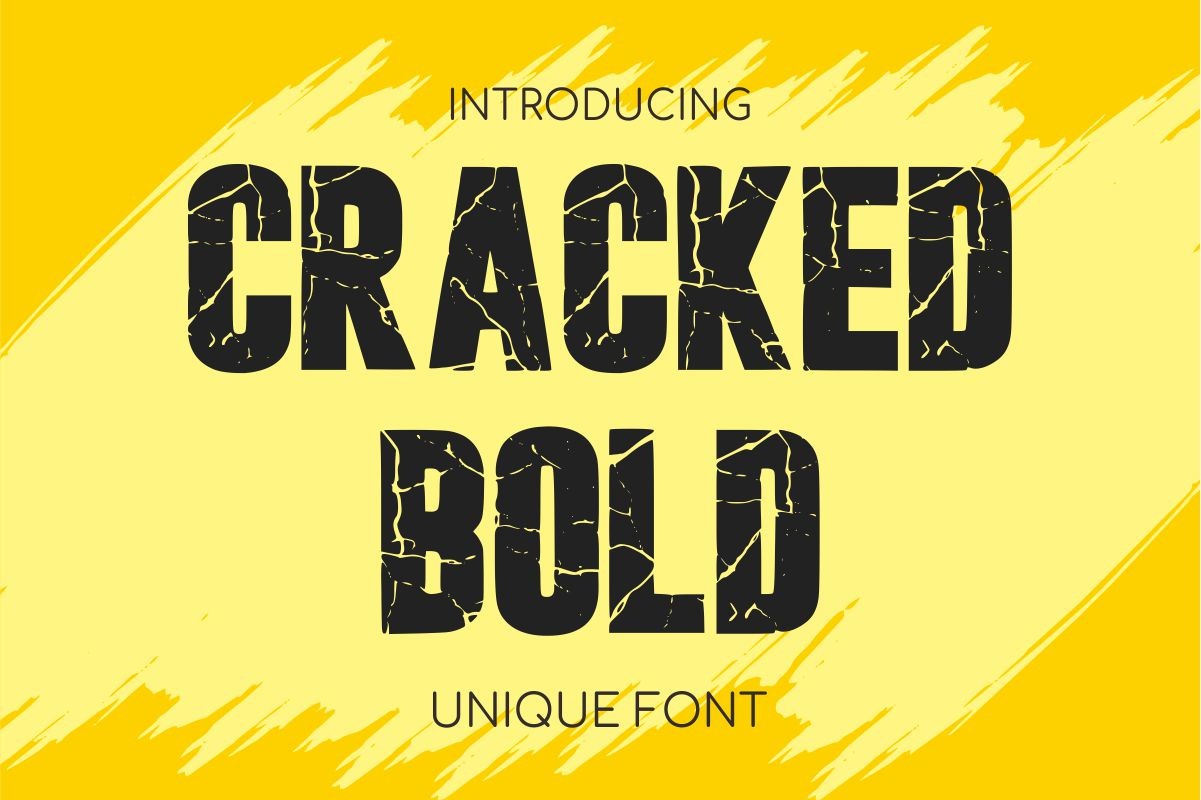
Cracked Bold adds a subtle cracked texture to a bold display structure. The texture gives finished projects a weathered, rustic feel without creating the weeding nightmare that heavily distressed fonts produce.
Test it at your planned size before committing to a full sheet. At larger sizes the cracked details add character. At very small sizes they may complicate weeding.
Best for: rustic signs, farmhouse decor, textured decals. By: riki.studio
6. Akira Expanded
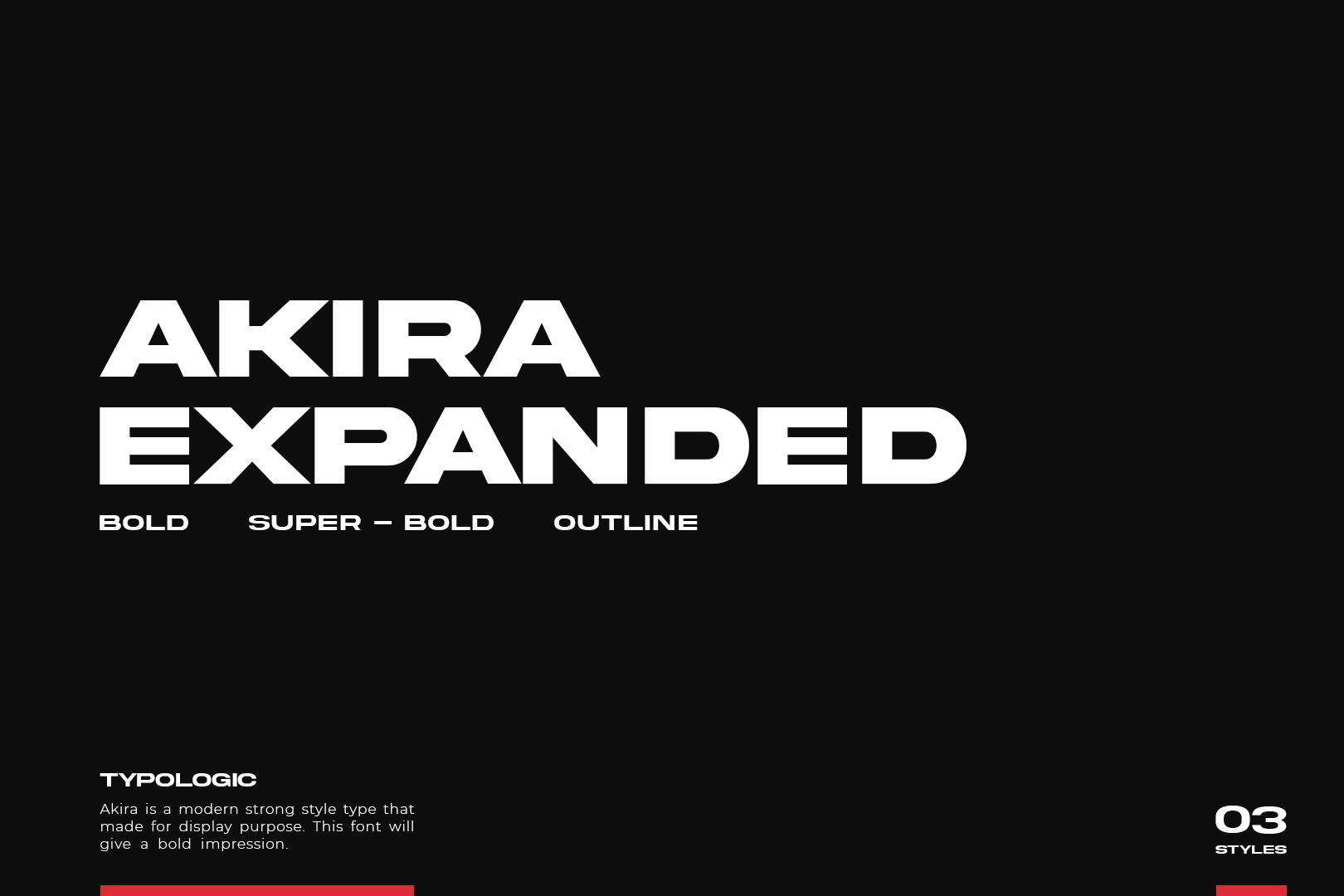
Akira Expanded is a wide, bold sans serif with a modern streetwear feel. The expanded letter shapes give it a strong presence on oversized designs like car decals, wall quotes, and large poster prints. Each letter takes up space, so it reads from a distance.
Keep the wording short. This font is built for impact, not paragraphs.
Best for: car decals, wall quotes, oversized signs. By: Nan Design
7. Gobold
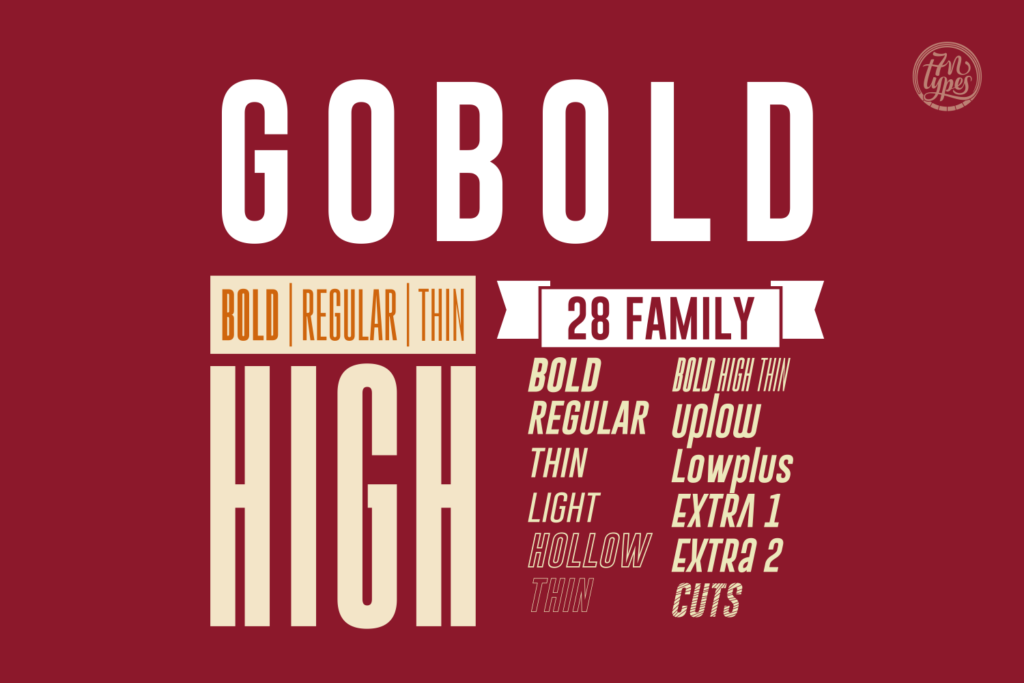
Gobold is a geometric sans serif with sharp, clean angles and strong weight. It has a sporty, modern feel that works well for team names, gym gear, and custom sports decals. The consistent stroke width makes it weed-friendly across different vinyl types.
I like it for projects where the design needs to feel active and bold without relying on script flair.
Best for: sports decals, gym gear, team names. By: Situjuh
Script and Handwritten Cricut Fonts
Script fonts bring personality to Cricut projects. They are the go-to for wedding signs, personalized gifts, cake toppers, and anything that needs a handwritten touch. The key rule: always weld your script text in Cricut Design Space so the connected letters cut as one continuous path instead of overlapping individual pieces.
If you are working on wedding projects, you might also like our picks for best wedding fonts. These eight scripts all have natural letter connections that make welding straightforward.
8. Groenly Script
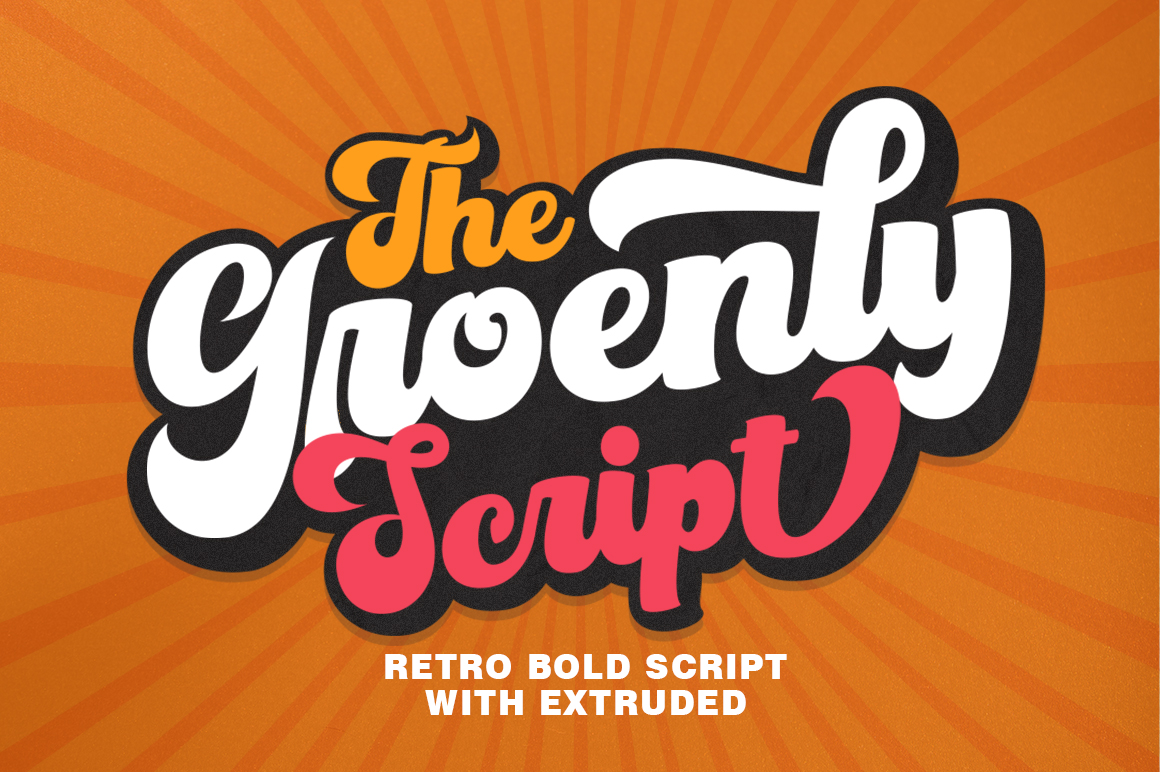
Groenly Script is a flowing modern calligraphy font with smooth connections between letters. The strokes are thick enough to cut on vinyl without breaking during weeding, which is not always the case with script fonts.
It strikes a nice balance between elegance and practicality. I recommend it for wedding signs, baby name decals, and personalized gift tags.
Best for: wedding signs, baby name decals, gift tags. By: supotype
9. Hello Honey
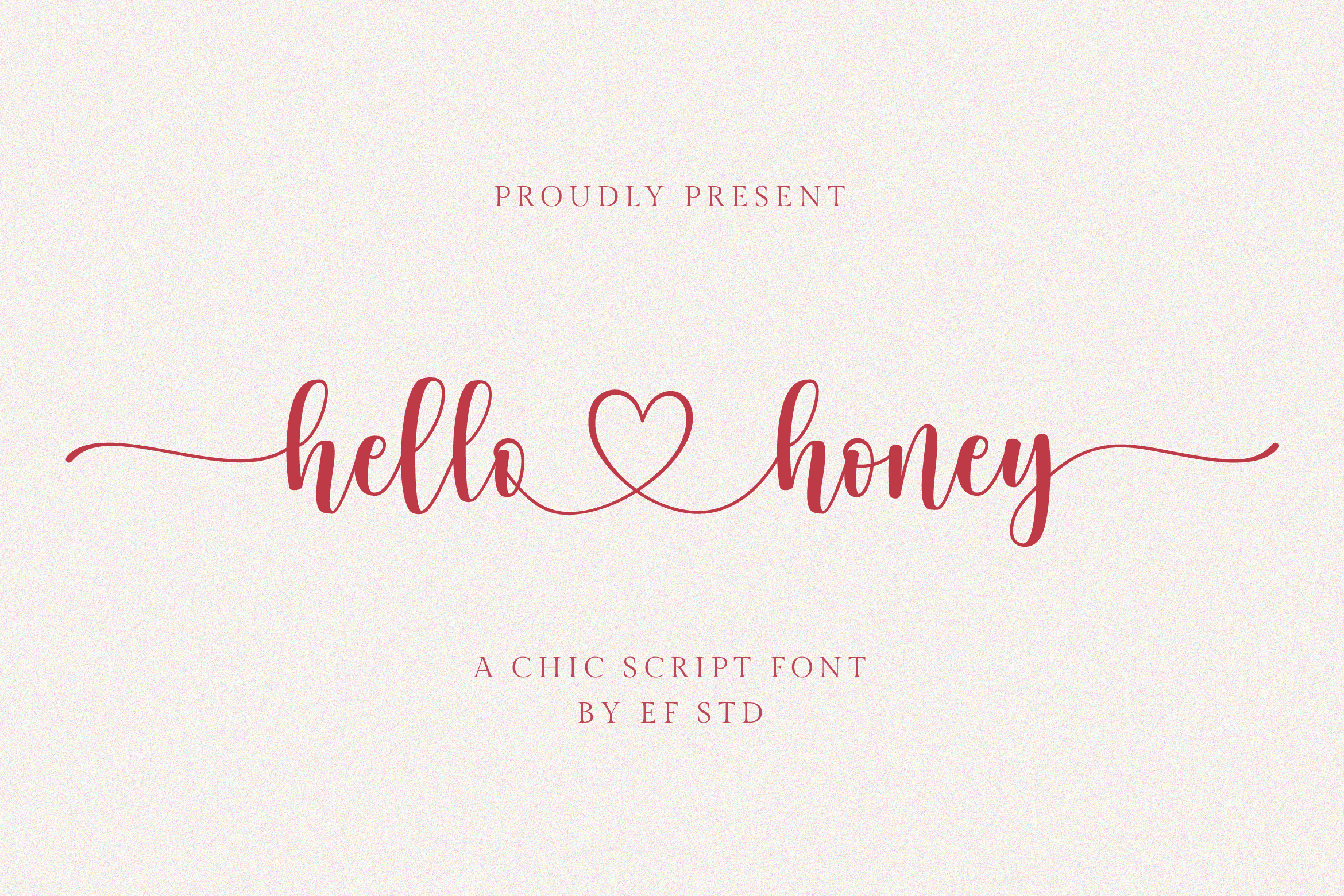
Hello Honey is a sweet, rounded script with a friendly warmth. The letters flow naturally into each other, which makes welding in Design Space simple. It is the kind of font that makes a “welcome home” door sign feel genuinely inviting.
The stroke weight is moderate, so I would keep it at medium to large sizes for the cleanest cuts.
Best for: door signs, welcome mats, kitchen decor. By: Balpirick
10. Angel Heart
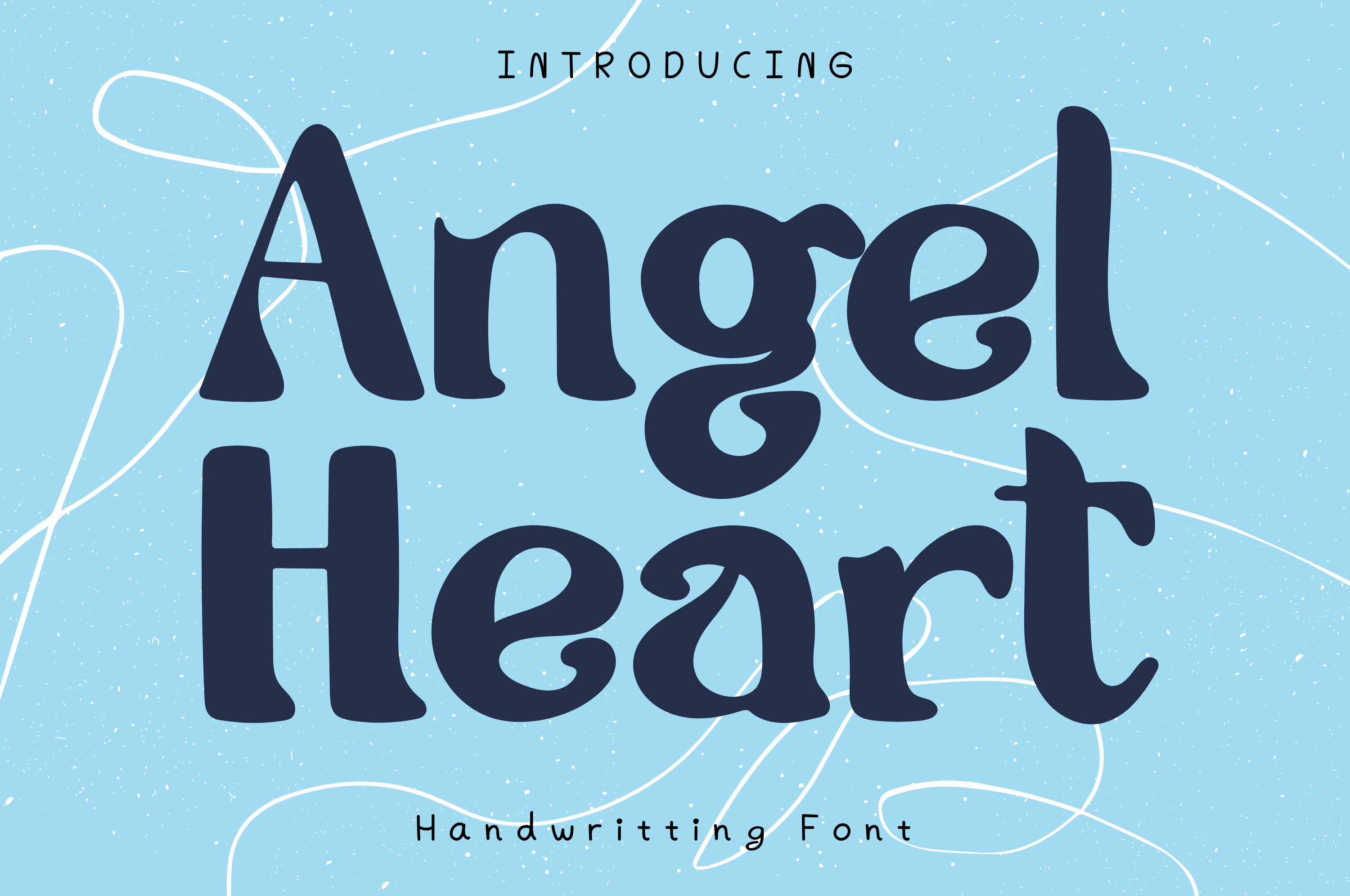
Angel Heart is an elegant calligraphy script with romantic swashes and graceful curves. It has the formal beauty you want for wedding decor, bridal shower signs, and anniversary gifts. The swashes add visual interest but keep the letterforms readable.
Weld the text and check for any stray anchor points before sending it to cut. Scripts with swashes sometimes need a quick cleanup in Design Space.
Best for: wedding decor, bridal shower signs, anniversary gifts. By: AchiArt
11. Beverly Hills
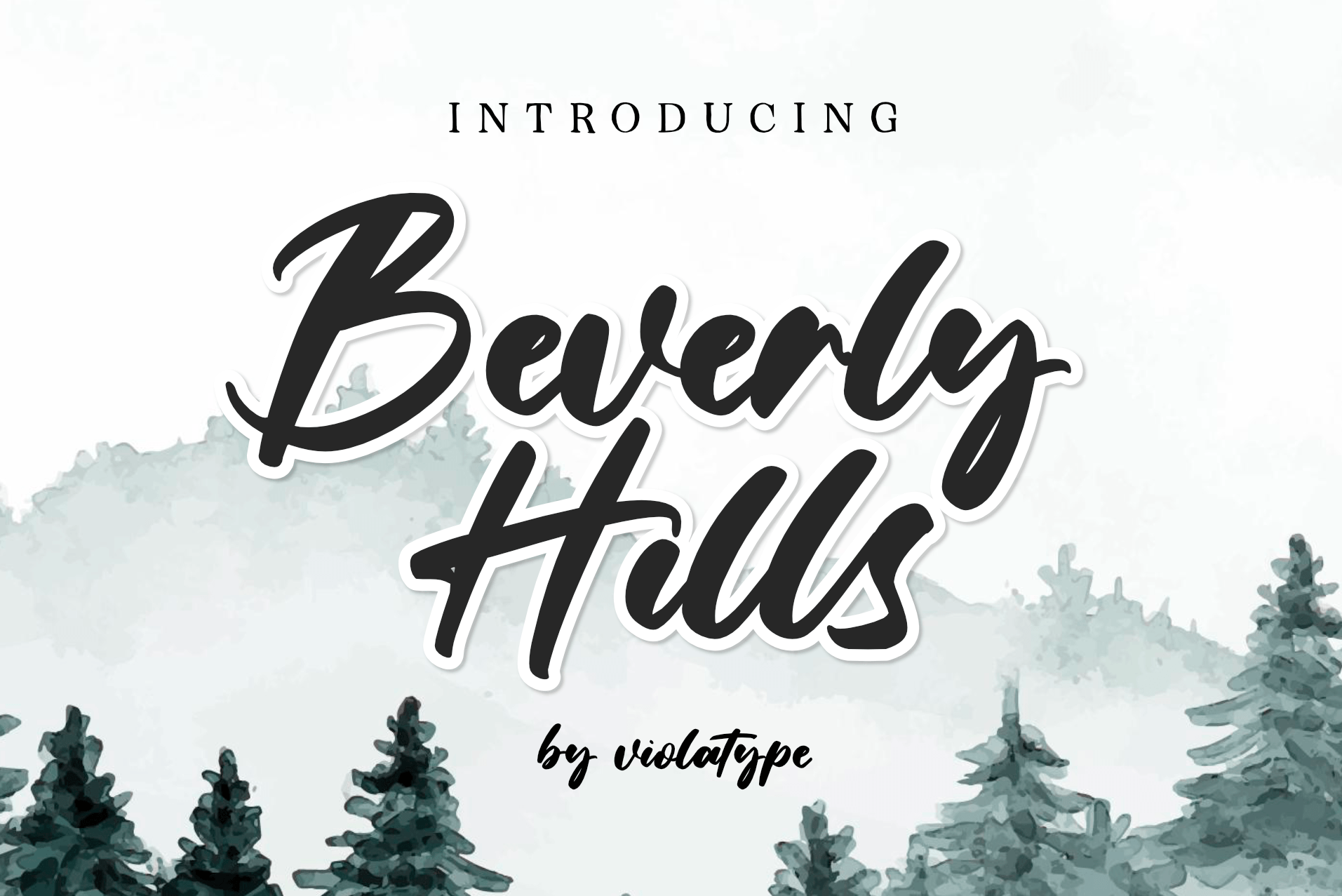
Beverly Hills is a chic, modern script with bold strokes and confident curves. It has a glamorous feel without being overly ornate, which makes it a good fit for beauty brand labels, boutique signage, and custom cosmetic packaging.
The thicker strokes mean it weeds more easily than most scripts. I like it for projects where the script needs to feel polished and upscale.
Best for: boutique signage, beauty labels, custom packaging. By: violatype
12. Joseph Sophia
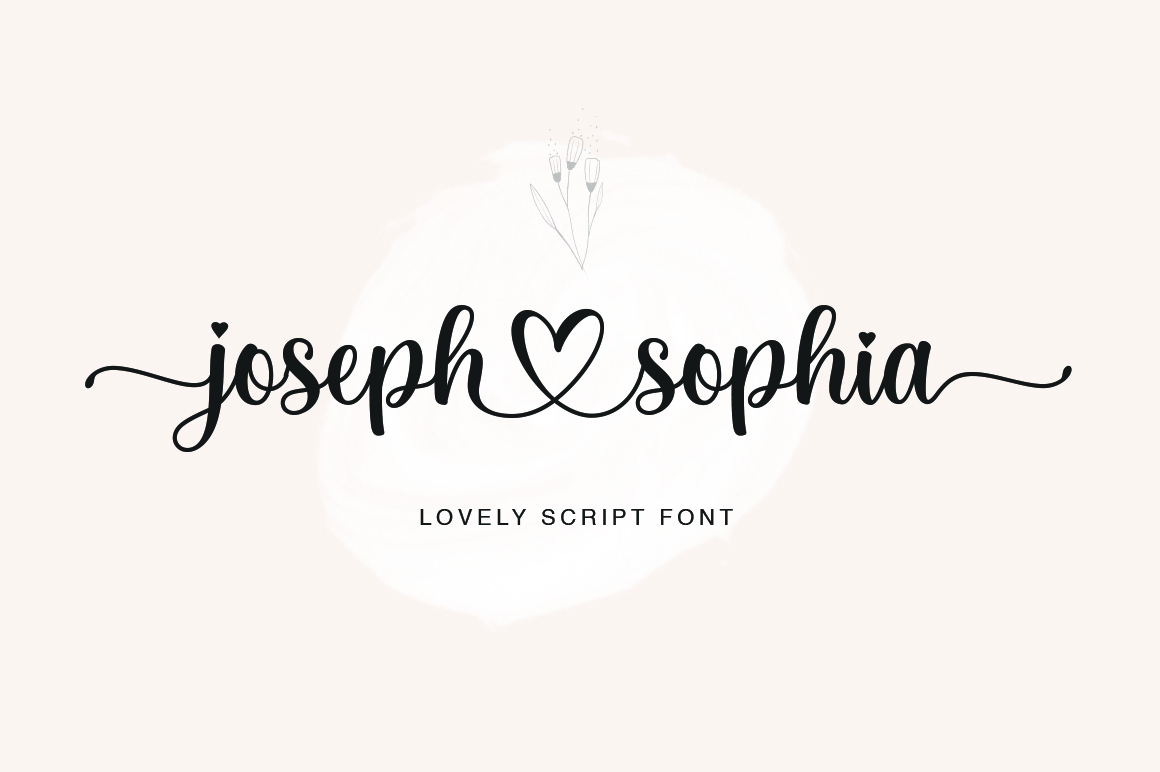
Joseph Sophia is a calligraphy script with subtle serif accents that give it a timeless, classic quality. It works well for formal invitations, name plates, and monogram projects where the type needs to feel intentional and refined.
It pairs nicely with a clean sans serif for event details. Use it for the names and let a simpler font handle the dates and locations.
Best for: formal invitations, name plates, monograms. By: fargunstudio
13. Shelly
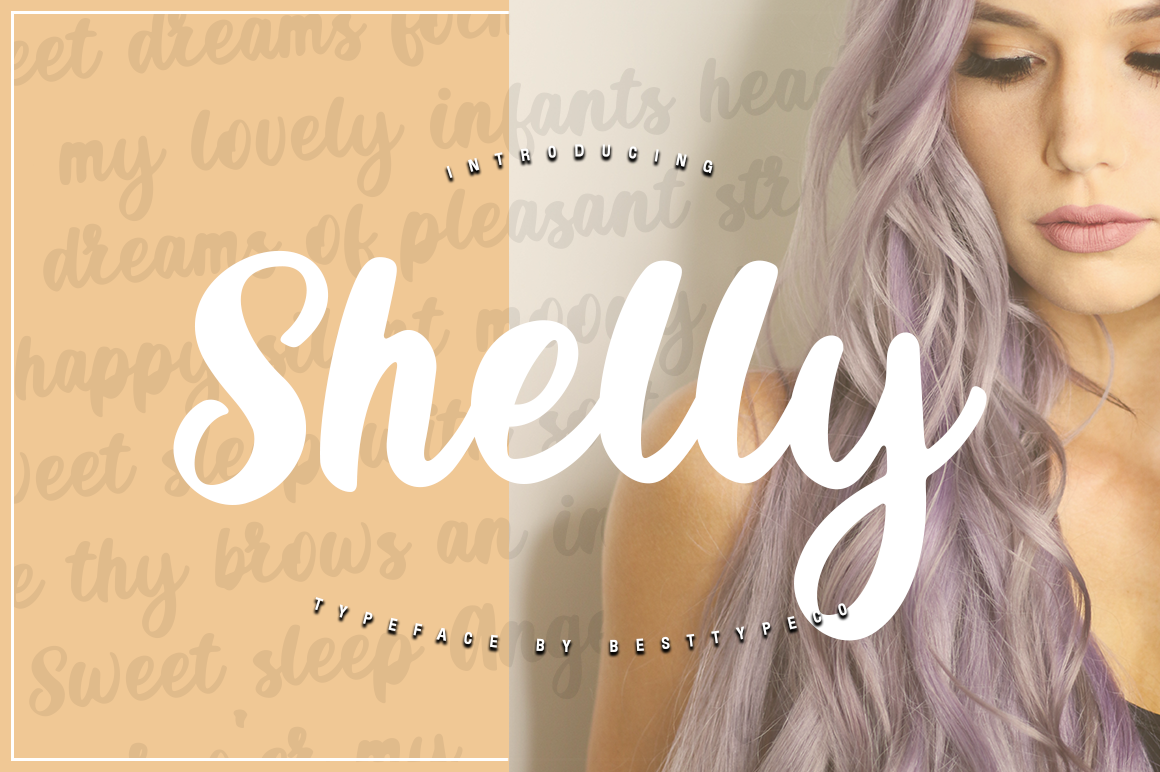
Shelly is a soft, casual script with rounded forms and a relaxed personality. It does not try to be formal, which makes it a natural choice for everyday Cricut projects like lunch box labels, notebook covers, and kids’ name decals.
The relaxed style also works for teacher gifts, classroom door signs, and family name signs where the tone should feel warm and approachable.
Best for: kids’ name decals, teacher gifts, classroom signs. By: Misti’s Fonts
14. Gistesy
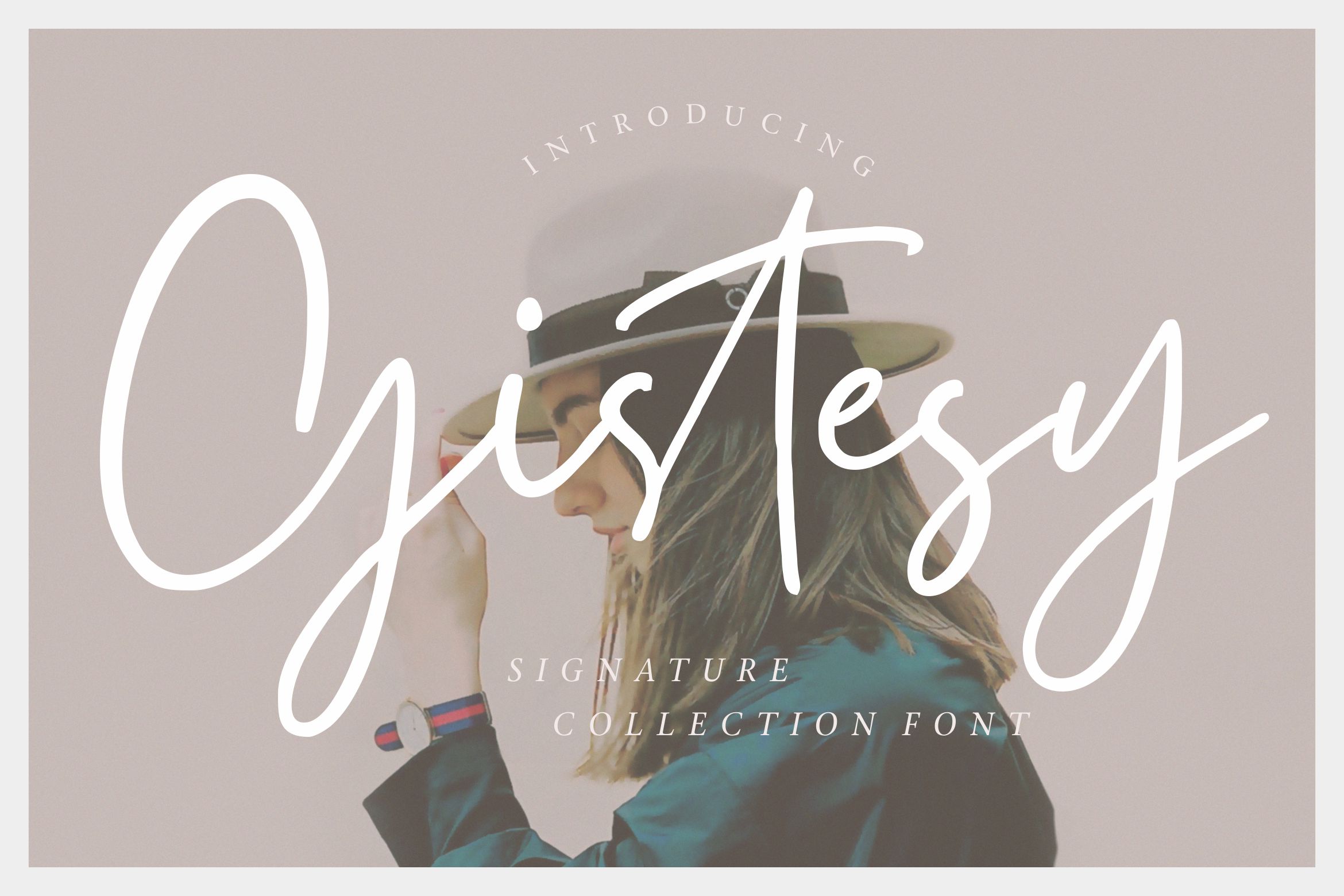
Gistesy is a flowing script with long, elegant tails and smooth letter transitions. The extended strokes give it a dramatic look that works well for cake toppers, event banners, and large wall quotes where the font has room to breathe.
Give it plenty of space in your layout. Cramming a font like this into a small area defeats the purpose of those beautiful extended strokes.
Best for: cake toppers, event banners, large wall quotes. By: Misti’s Fonts
Decorative and Craft Display Fonts
Decorative fonts are where Cricut projects get playful. These fonts bring personality, texture, and visual interest to designs that need to stand out at a craft fair, on a classroom door, or as part of a seasonal display. They are best used for short phrases and headlines.
Keep the text short and the size generous. Decorative fonts lose their charm when they are too small or packed with too many words.
15. Online School
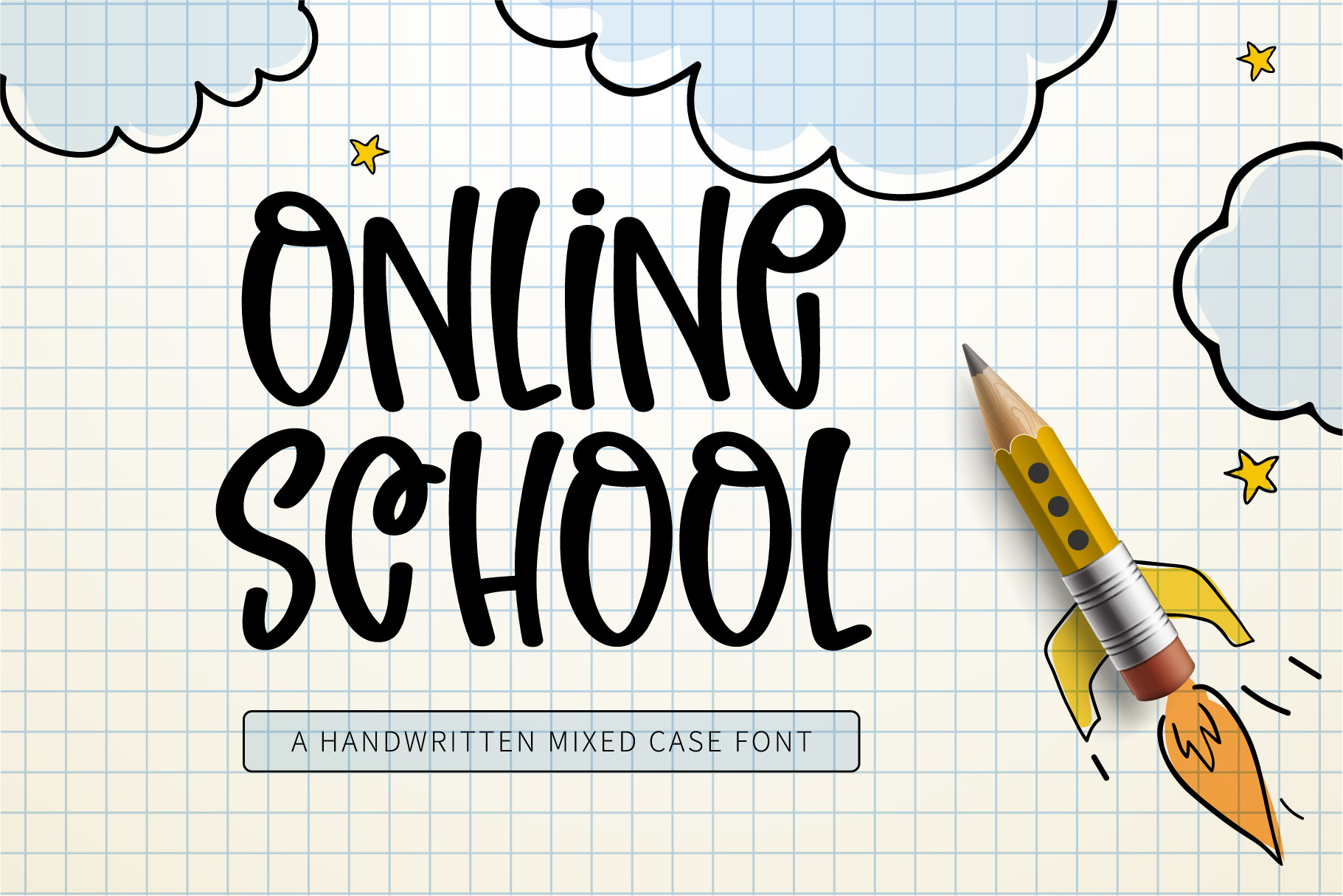
Online School is a friendly, modern display font with clean lines and a casual vibe. Despite the name, it works for more than school projects. It is a good choice for motivational quote signs, teacher appreciation gifts, and any design that needs to feel approachable and modern.
The consistent stroke width means predictable cuts. It is a practical choice when you want something decorative but still reliable.
Best for: motivational quotes, teacher gifts, modern signs. By: Misti’s Fonts
16. Cutting
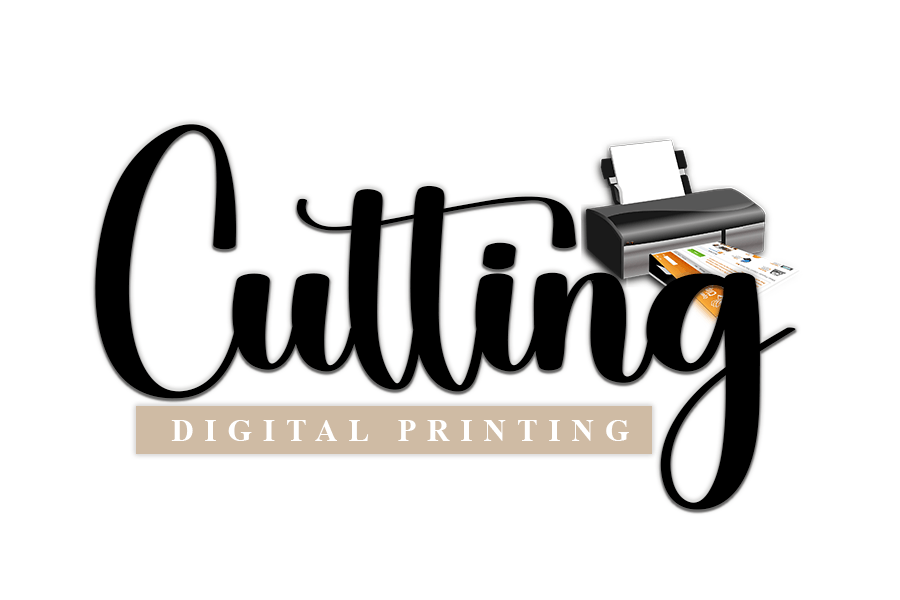
Cutting is a sharp, angular display font that feels purpose-built for cutting machines. The bold, defined edges give it a strong presence on stickers, labels, and product packaging. Each letter has enough weight to survive weeding without trouble.
It is a solid choice for Etsy sellers and small business owners who need a display font that looks professional on product labels and packaging.
Best for: product labels, stickers, small business packaging. By: ade studio
Monoline and Writing Fonts for Cricut Pens
Monoline fonts are designed for a different Cricut tool: the pen. Instead of cutting, these fonts draw a single clean line, which is perfect for addressing envelopes, writing on cards, and adding handwritten-style text to foil projects. Standard fonts outline the letters when used with a pen, creating a double-line effect. True monoline and writing fonts draw one stroke per letter, just like actual handwriting.
17. Zen Soul
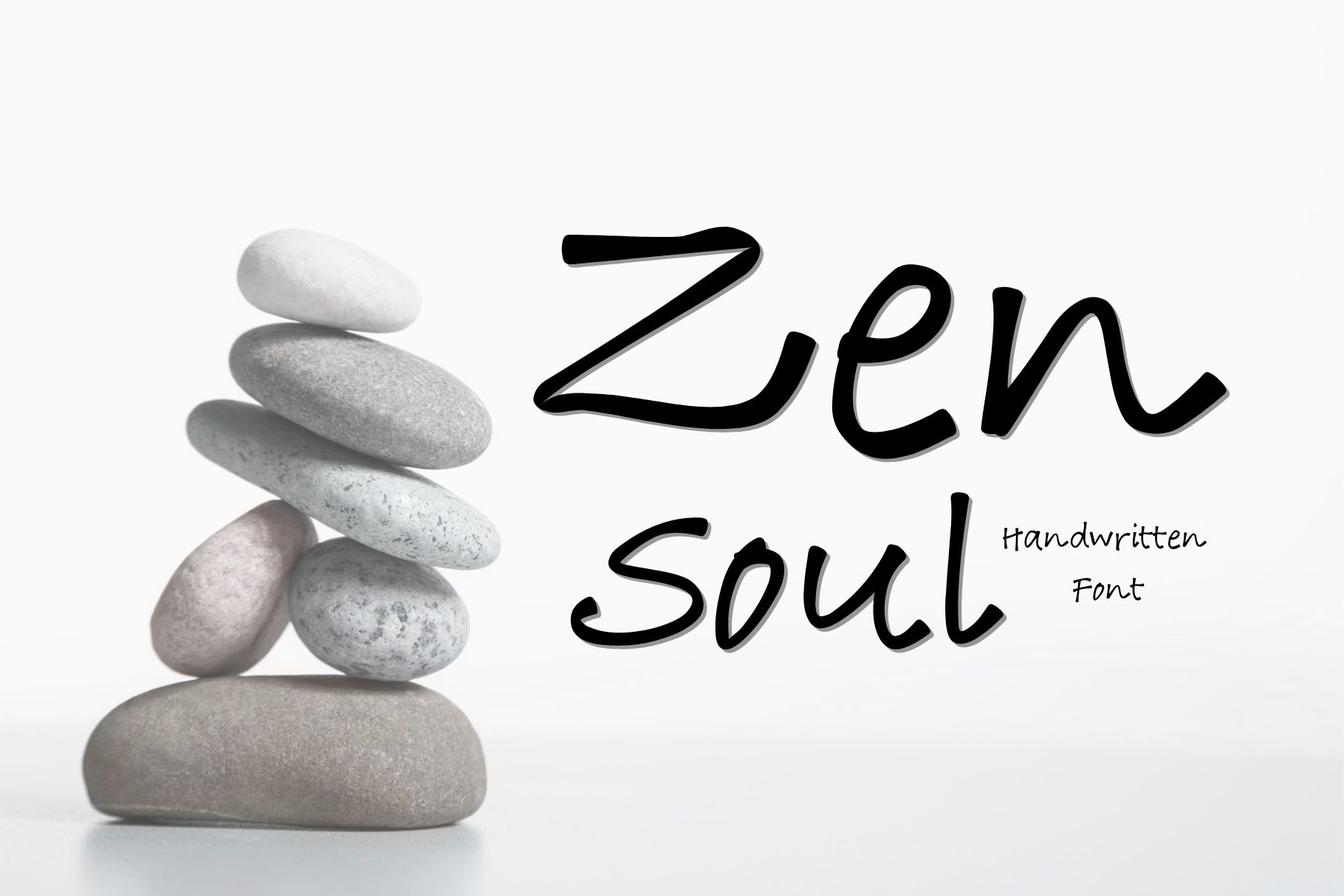
Zen Soul is a relaxed, organic monoline font with a natural handwriting feel. The single-stroke design draws beautifully with Cricut pens, producing text that looks like it was written by hand. It works well for card interiors, envelope addressing, and journal covers.
I like it for projects where the writing should feel calm and personal. The spacing between letters is generous enough to stay legible even at smaller sizes.
Best for: card interiors, envelope addressing, journal covers. By: AllaCreativa
18. Monoline
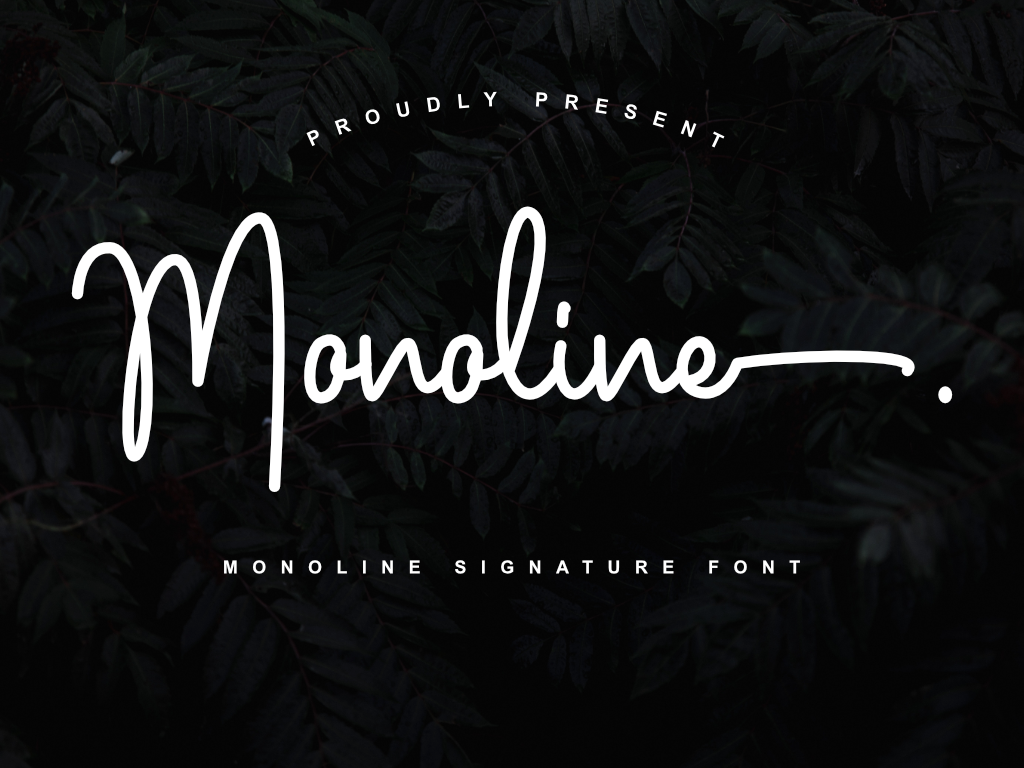
Monoline is a clean, consistent single-line font built specifically for writing tools. It draws smooth, even strokes that are ideal for foil quill projects, pen-drawn labels, and anywhere you need the Cricut to write rather than cut.
If you are using the Cricut pen or foil transfer tool regularly, this is a practical font to keep in your library. It does the job without surprises.
Best for: foil quill projects, pen-drawn labels, writing tool use. By: Fontlicious
How to Use Fonts in Cricut Design Space
Getting a new font into Cricut Design Space is straightforward. Download the TTF or OTF file, install it on your computer (double-click and hit “Install” on Windows or Mac), and restart Design Space. The font will appear in your System Fonts list, ready to use.
For script fonts, always select your text and hit Weld before cutting. This joins the overlapping letters into one continuous cut path. Without welding, each letter cuts separately, and the overlapping areas create a mess of small vinyl scraps.
When working with heat transfer vinyl (HTV), remember to mirror your design before cutting. The design goes face-down on the mat so that it reads correctly when pressed onto the shirt or fabric.
If you also use Canva for designing before importing into Design Space, Pro users can upload custom fonts through Brand Kit. That way you can design your layout in Canva, export it as an SVG, and bring it into Design Space with the font already baked in. For more font ideas for shirts and apparel, check out best fonts for T-shirt design.
Tips for Choosing the Right Cricut Font
Start with the tool. If you are cutting vinyl, go bold. Thick strokes weed easily and hold up on curved surfaces like mugs and tumblers. If you are using the Cricut pen, look for monoline or single-line fonts that draw one clean stroke.
Test at your planned size before committing to a full sheet of vinyl. A font that looks great on screen can become a weeding nightmare at 1 inch tall. Scale your design down, do a test cut, and check that every letter separates cleanly.
Avoid heavily distressed or grunge-style fonts for cutting projects. Every tiny crack, scratch, and rough edge becomes its own cut path. That means hundreds of extra pieces to weed, and the result rarely looks as good as it did on screen.
For script projects, zoom in and check that the letters actually overlap before welding. Some script fonts have gaps between letters at certain sizes, and welding will not join letters that do not touch.
Limit your design to one or two fonts. A bold sans serif paired with a script accent covers most Cricut projects. Adding a third font usually makes the design feel cluttered rather than creative.
Before selling anything you make, check the license on the font’s product page. Some fonts allow personal use only, while others include a commercial license. If you plan to sell shirts, stickers, mugs, or other products on Etsy or at craft fairs, make sure the license covers commercial use.
Where to Download Cricut Fonts
Creative Fabrica is the main source for the fonts in this list. Each product page shows the license details, font previews, and supported file formats so you can check before downloading. If you want free fonts to experiment with, Google Fonts is a solid starting point with options like Bebas Neue, Montserrat, and Lobster. For more font recommendations, tutorials, and craft design tips, visit the FontPro blog.