· fonts · 9 min read
13 Best Fonts for Newsletter Headers in 2026
A practical look at 13 fonts for newsletter headers, with email image tips, web-safe fallback stacks, and layout guidance for mastheads and dividers.
What Makes a Great Font for a Newsletter Header?
The masthead is what a reader sees first, and it carries the name of the publication. A clear, characterful newsletter masthead font helps people recognize the brand before they read a single line of body copy.
Three qualities matter here. The name should stay readable at a small size on a phone screen. The lettering should carry enough character to set a tone, whether that is editorial, vintage, or personal. And the masthead should feel consistent with the logo and the rest of the email.
A quick note before the list. All 13 fonts below are Creative Fabrica products, and this is a curated set, not a test. None of the 13 listings targets email newsletters specifically. Each role assigned to a font in this article is the writer’s opinion, not a claim from the listing. For three of the fonts, the available listing data is limited, and those entries are marked plainly. No free Creative Fabrica fonts are confirmed in this set.
Email Limits: Why Most Newsletter Headers Are Images
Custom fonts in email are the tricky part. Email clients support web fonts inconsistently, and one published test found that Apple Mail and Thunderbird rendered custom fonts while Gmail, Proton Mail, Yahoo, and Outlook.com did not. That is one data point, not a current map of every client, but it points to a real problem: a decorative masthead typed in a custom font may fall back to a system font in some inboxes.
The usual workaround is to render the header as an image. Set the name in the chosen font, export a PNG or JPG, and drop that image into the email template. The body text stays on web-safe fonts so it always renders. A safe fallback stack lists the preferred font first, then a web-safe option after it. Arial, Georgia, Helvetica, and Verdana are the standard web-safe fonts for email. Inter, Montserrat, and Playfair Display are commonly recommended starting points if something with a bit more character is needed, but check the license before using any of them commercially.
Working with an image header brings its own rules. Add alt text that names the newsletter, because some clients block images by default. Export at 2x for retina screens. Keep the file size low enough to load quickly. A width of about 600 pixels is a common reference point for email templates. Check the header in dark mode and on a phone, and test the final email in Litmus or Email on Acid before sending.
One more limit worth noting. Do not put critical information in the header image. If the image is blocked, the date, the call to action, and any links should still be visible. Keep those elements as text in the body, in a web-safe font.
13 Best Fonts for Newsletter Headers
The picks below are grouped by the role they could play in a masthead. Each entry covers the style, the listing’s positioning, and a practical use case. Every font is a Creative Fabrica product, and the role assigned here is the writer’s opinion.
Best Bold Sans Serif Fonts for Masthead Titles
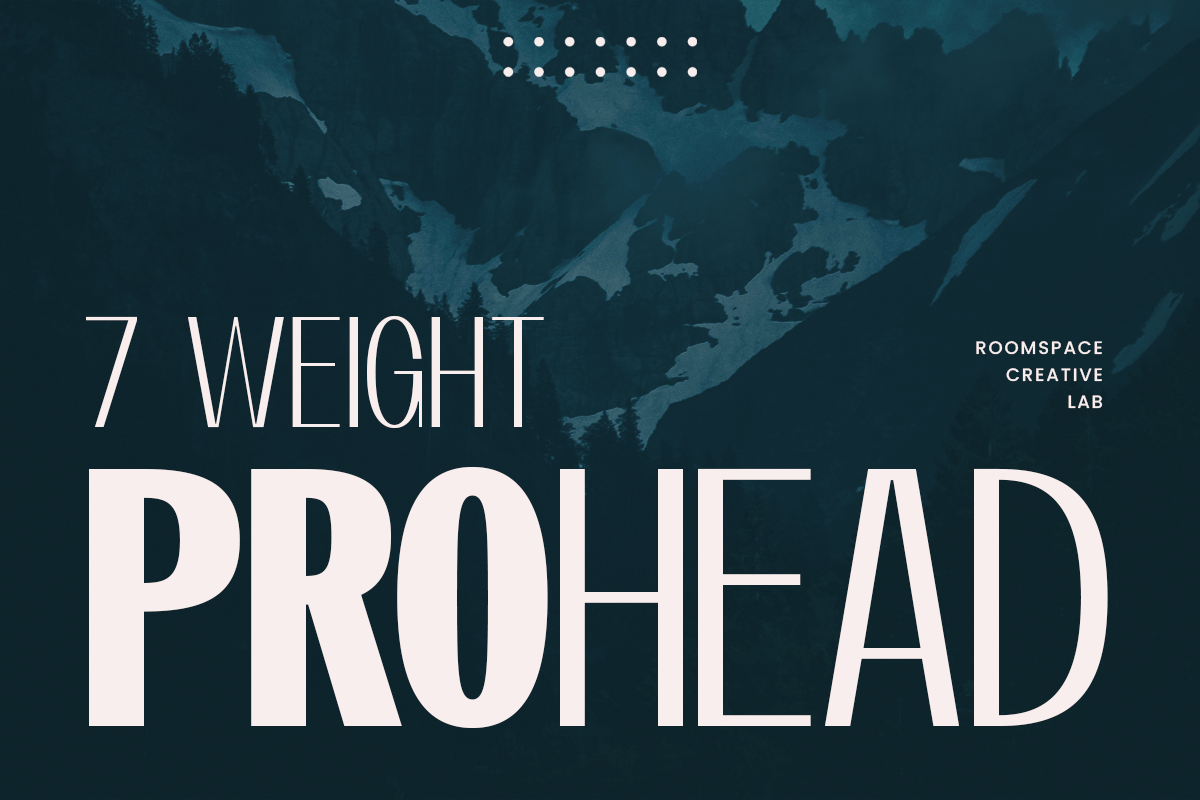
1. Prohead
Prohead is a condensed sans serif with 7 weights. The listing names logos, branding, web design, and packaging, and it is subscription-only. A condensed face could suit a long newsletter name in a narrow masthead.
Best for: newsletter masthead titles, logo wordmarks, banner text. By: Creative Fabrica
2. Handcreate
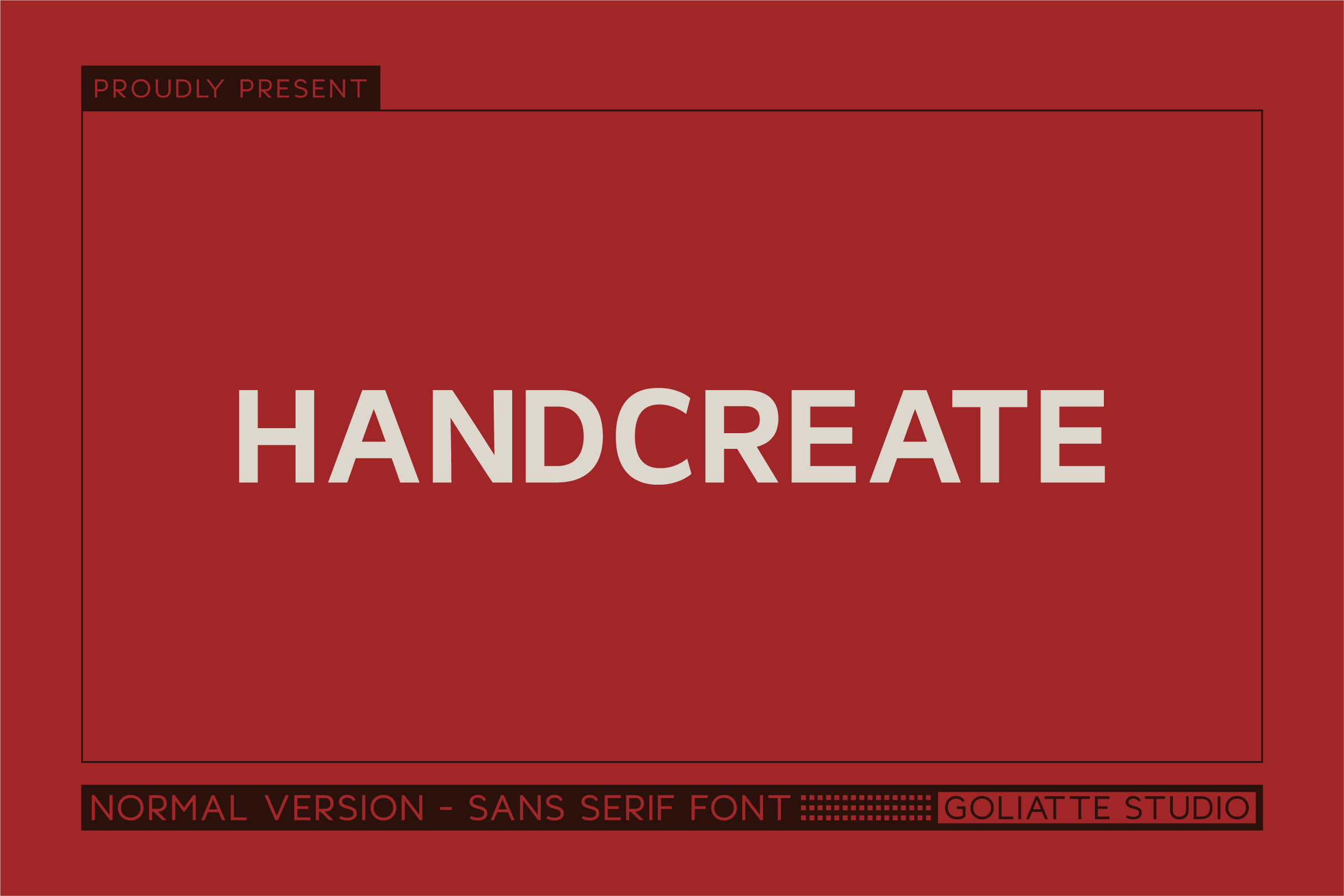
Handcreate is a bold all-caps sans serif. The listing names branding, logos, packaging, and digital design. All caps could suit a short newsletter name at the top of a template.
Best for: wordmarks, masthead titles, section headings. By: Creative Fabrica
3. Boldiger
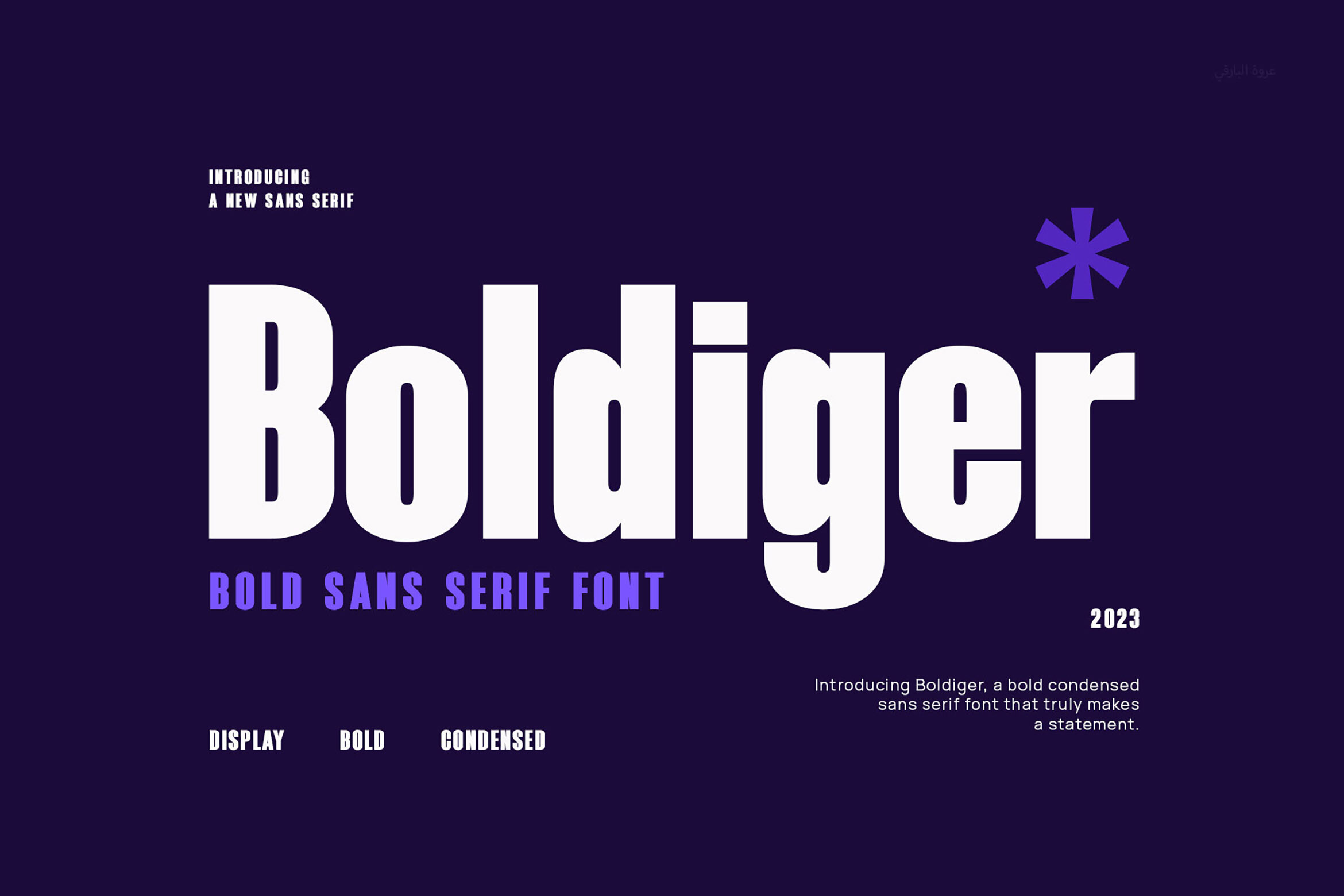
Boldiger is a heavy, tightly spaced condensed face aimed at headlines, branding, and posters. A compact masthead is one place it could work. The listing also notes it works with Cricut and Silhouette, which does not matter for email.
Best for: masthead titles, banner text, section dividers. By: Creative Fabrica
4. Hunders
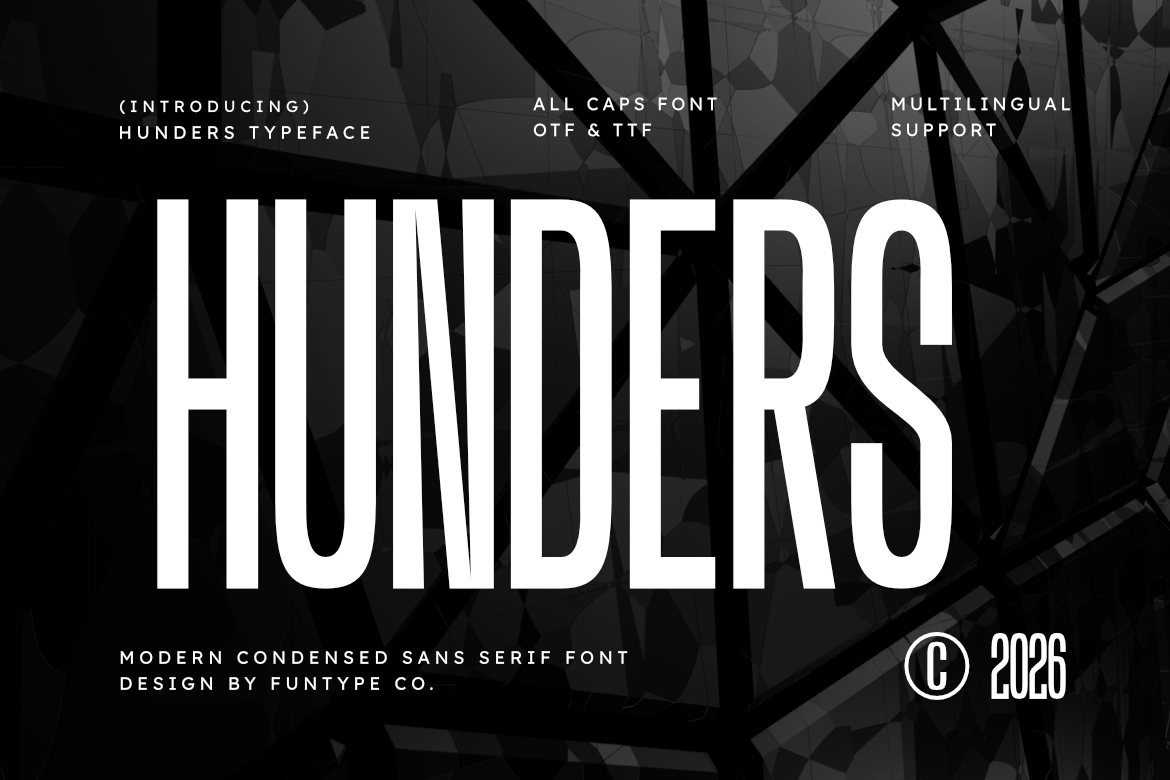
Hunders is an all-caps condensed sans with tall, clean letterforms, pitched at strong headlines and advertising posters. It could work for a name that is the only text in the header image.
Best for: masthead titles, banner text, logo wordmarks. By: Creative Fabrica
5. Header
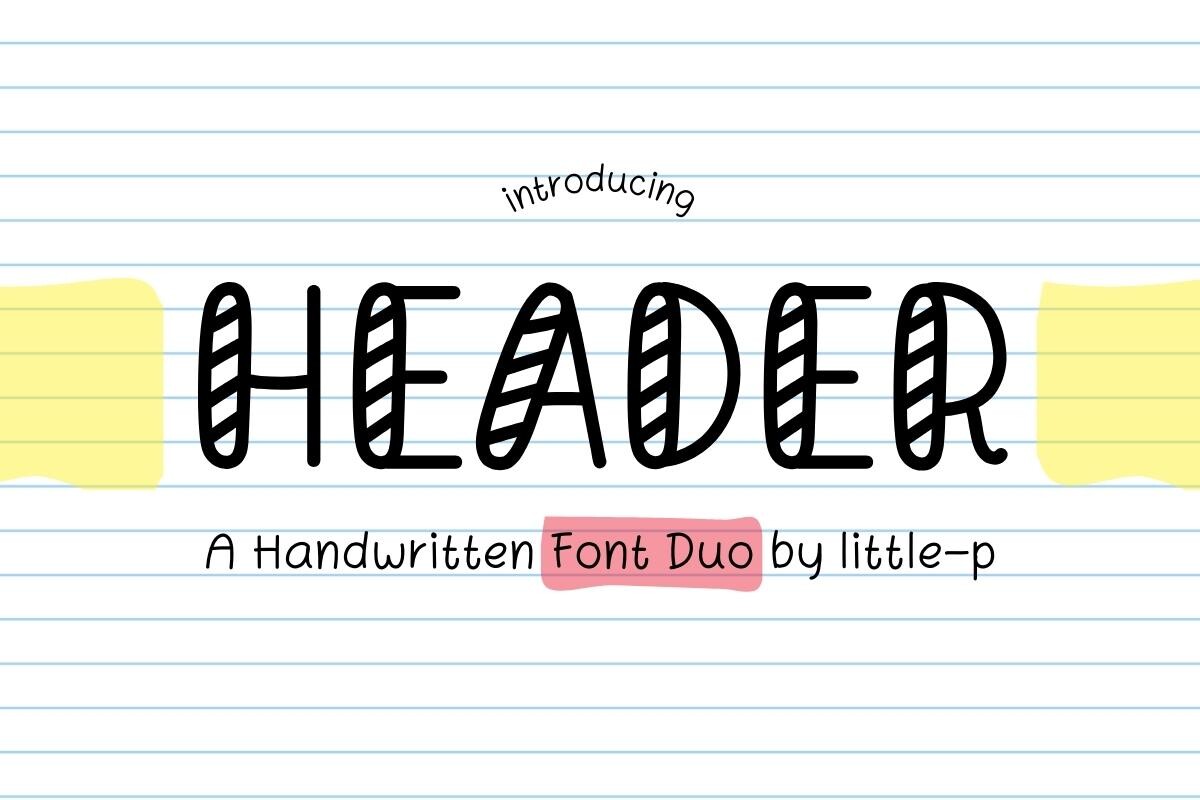
The listing data for Header is limited. It is a duo font for note-taking, with heading and body text styles. The listing is in Polish and does not target email or mastheads. Check the preview before using it for a masthead.
Best for: note-taking headings, header text. By: Creative Fabrica
Best Serif and Display Fonts for Editorial Newsletters
6. Editorial
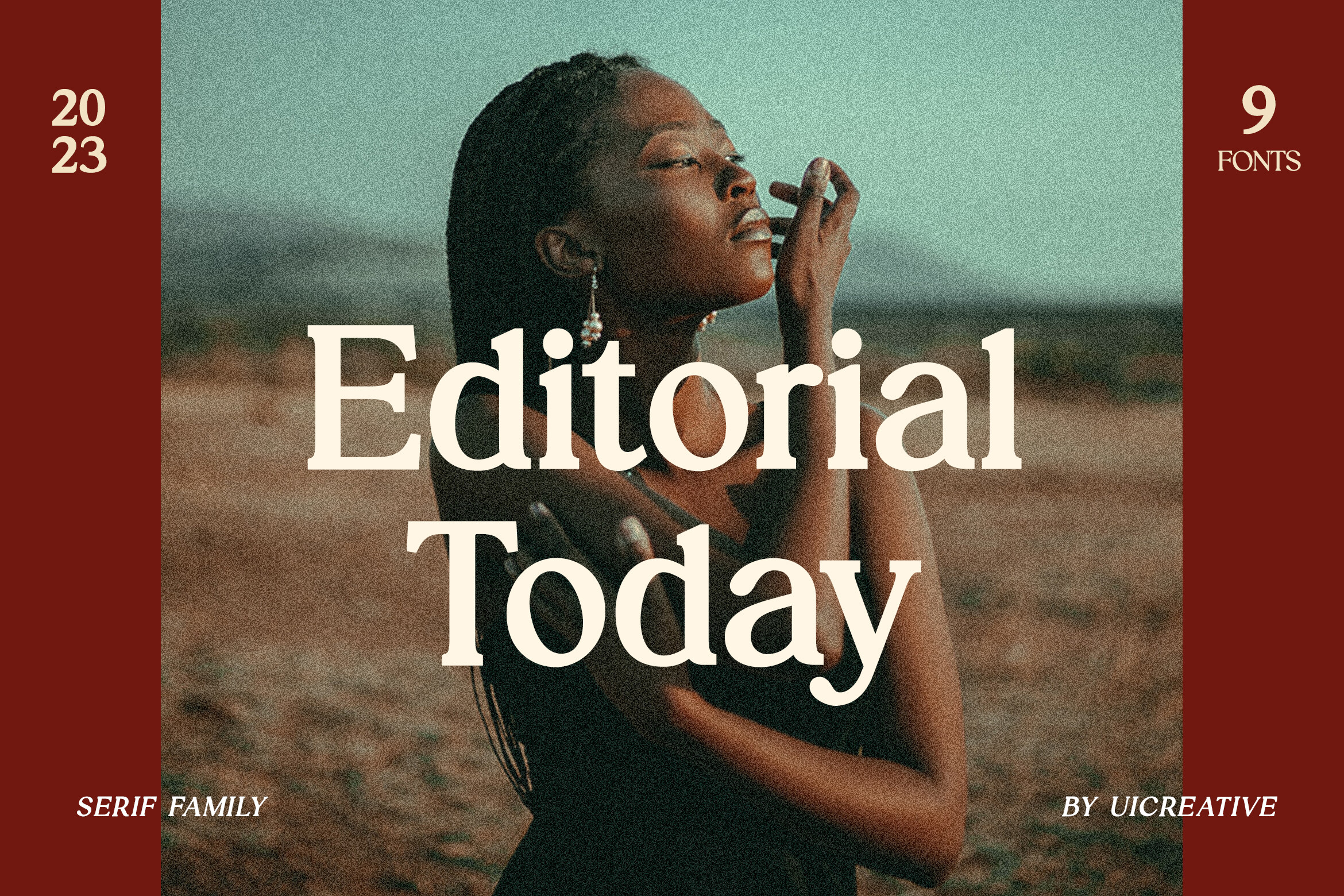
Editorial is a serif family with a modern display look. The listing names magazine or book covers, which is a natural fit for an editorial newsletter. Commercial use is included with the subscription.
Best for: magazine-style mastheads, editorial newsletter titles, section headers. By: Creative Fabrica
7. Moreca
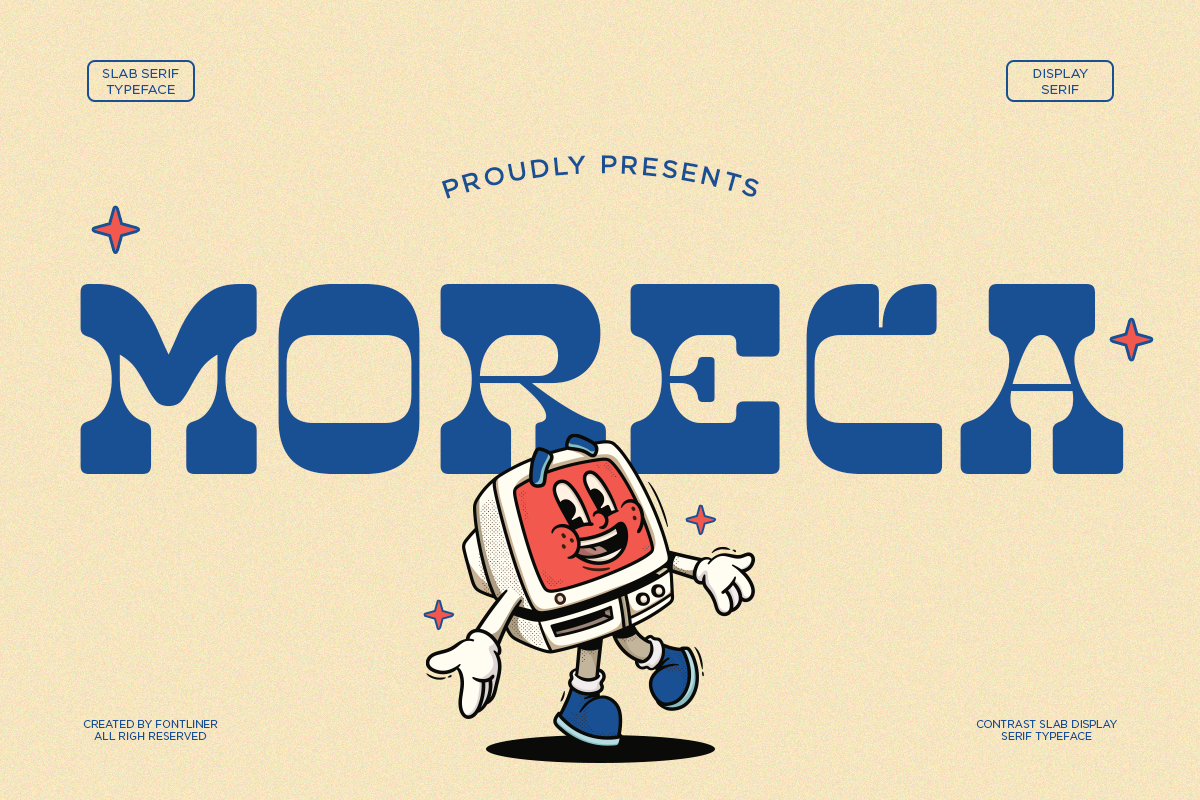
Moreca is a bold retro slab serif with a 1970s feel. The listing says it works for headlines. Personal and commercial use are included with the subscription. It could suit a lifestyle or culture newsletter.
Best for: masthead titles, retro-style banners, section dividers. By: Creative Fabrica
8. Gothic Creative
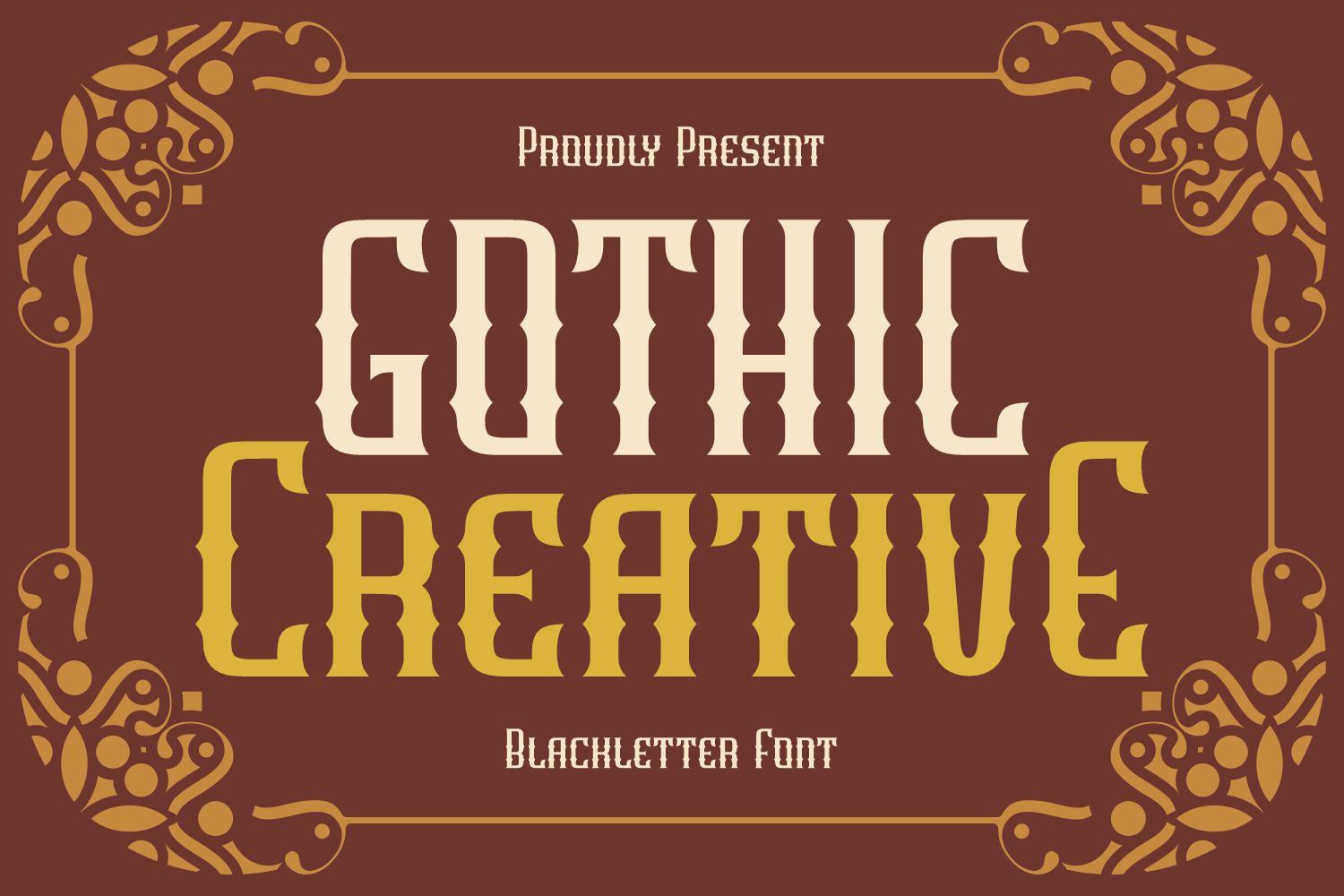
The listing data for Gothic Creative is limited. It is a Western-inspired blackletter typeface, subscription-only, and the listing does not target email. Blackletter is often hard to read at small sizes, so check the preview first.
Best for: decorative mastheads, vintage-style banners, logo wordmarks. By: Creative Fabrica
Best Script and Signature Fonts for Personal Newsletters
9. Scripty
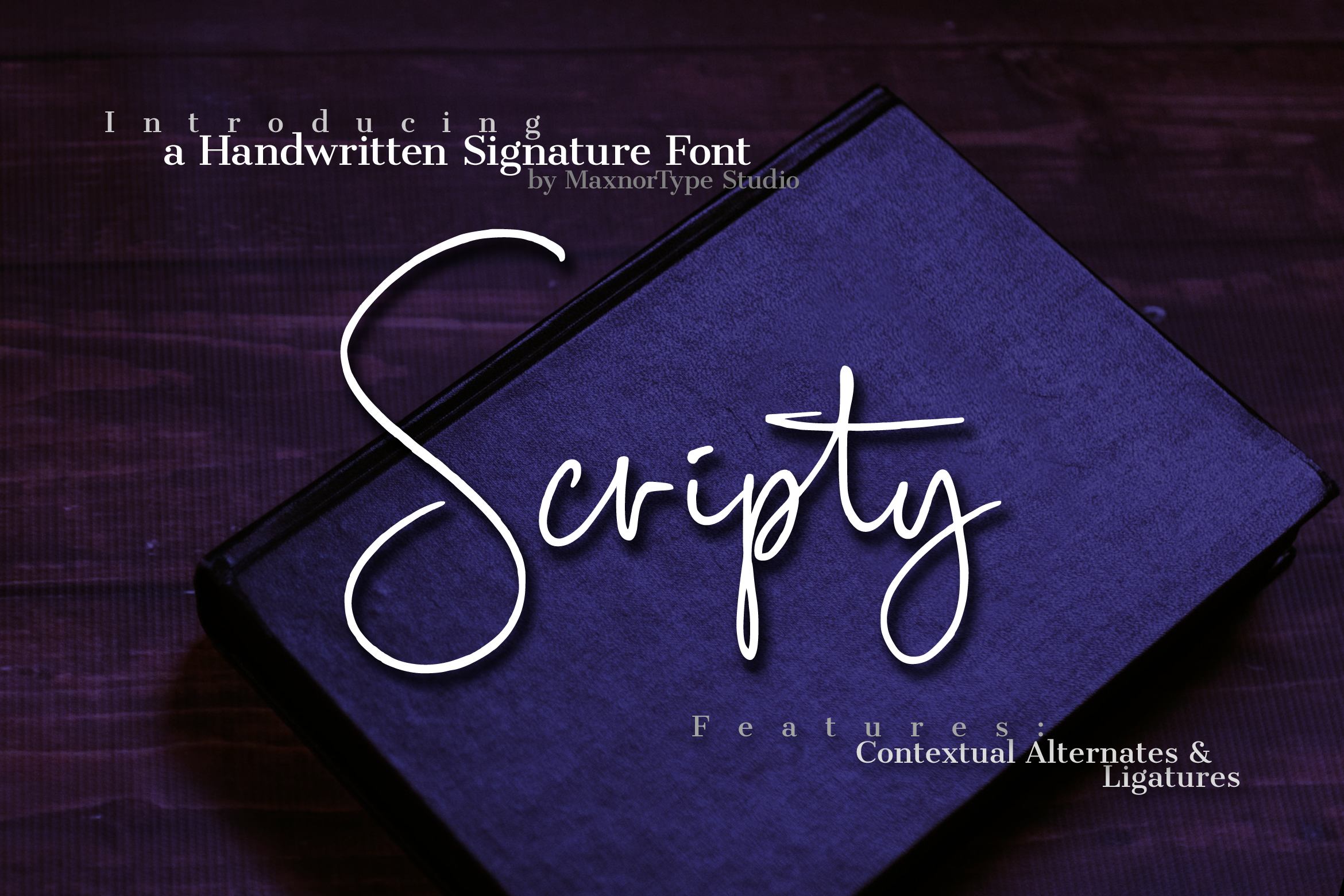
Scripty is a handwritten signature font with a natural feel. The listing names logos, branding, business cards, and watermarks. Personal, commercial, and POD use are included with the subscription. A signature-style name could suit a personal newsletter.
Best for: personal newsletter mastheads, signature-style wordmarks, logo text. By: Creative Fabrica
10. Scriptogram
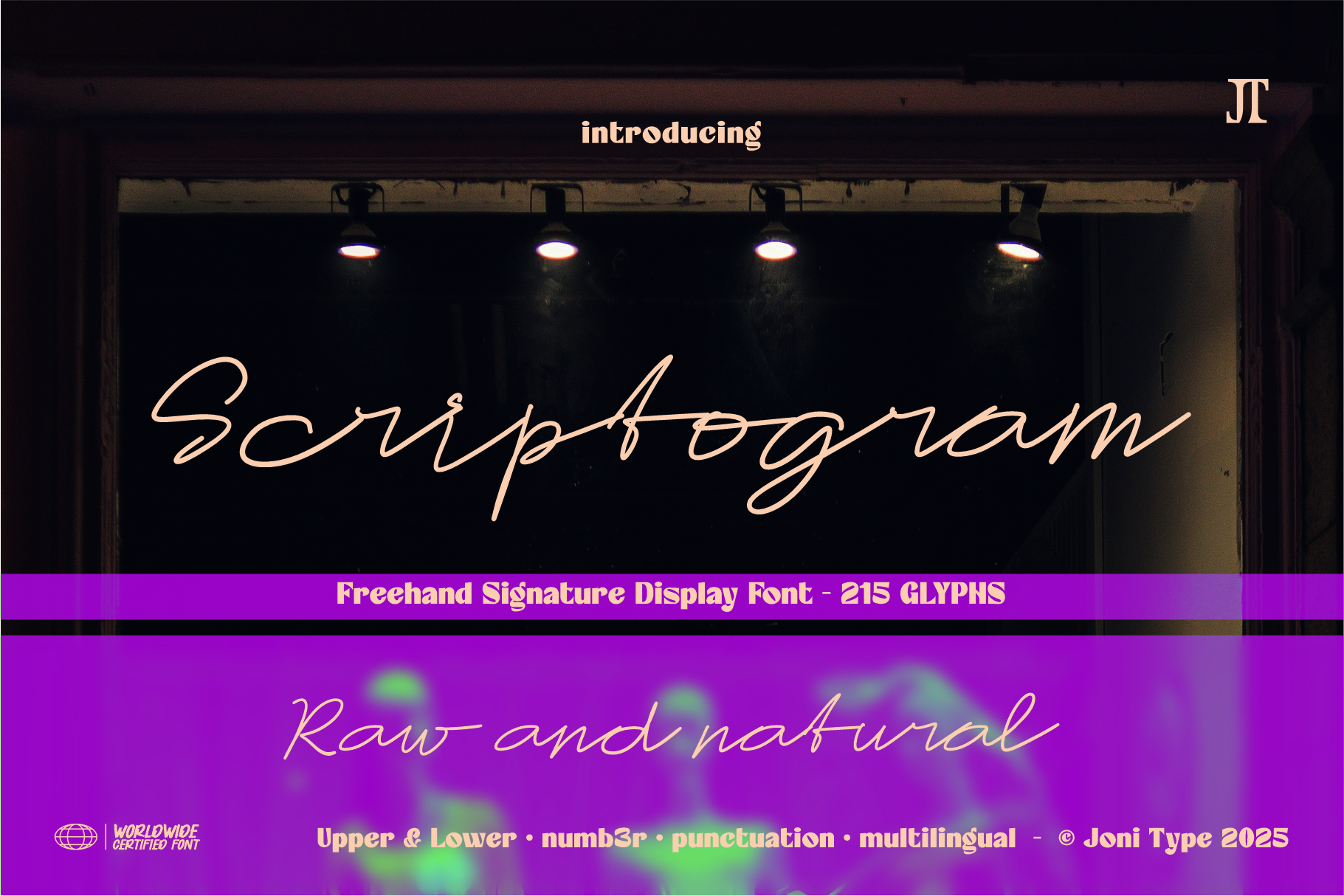
Scriptogram is a signature-style script with about 215 glyphs, positioned for boutique branding, luxury branding, and signature logos. The listing notes it stays readable, which matters for a masthead that needs to be legible at a small size. The license status is not stated in the listing data.
Best for: lifestyle newsletter mastheads, signature wordmarks, boutique branding. By: Creative Fabrica
11. Title Header
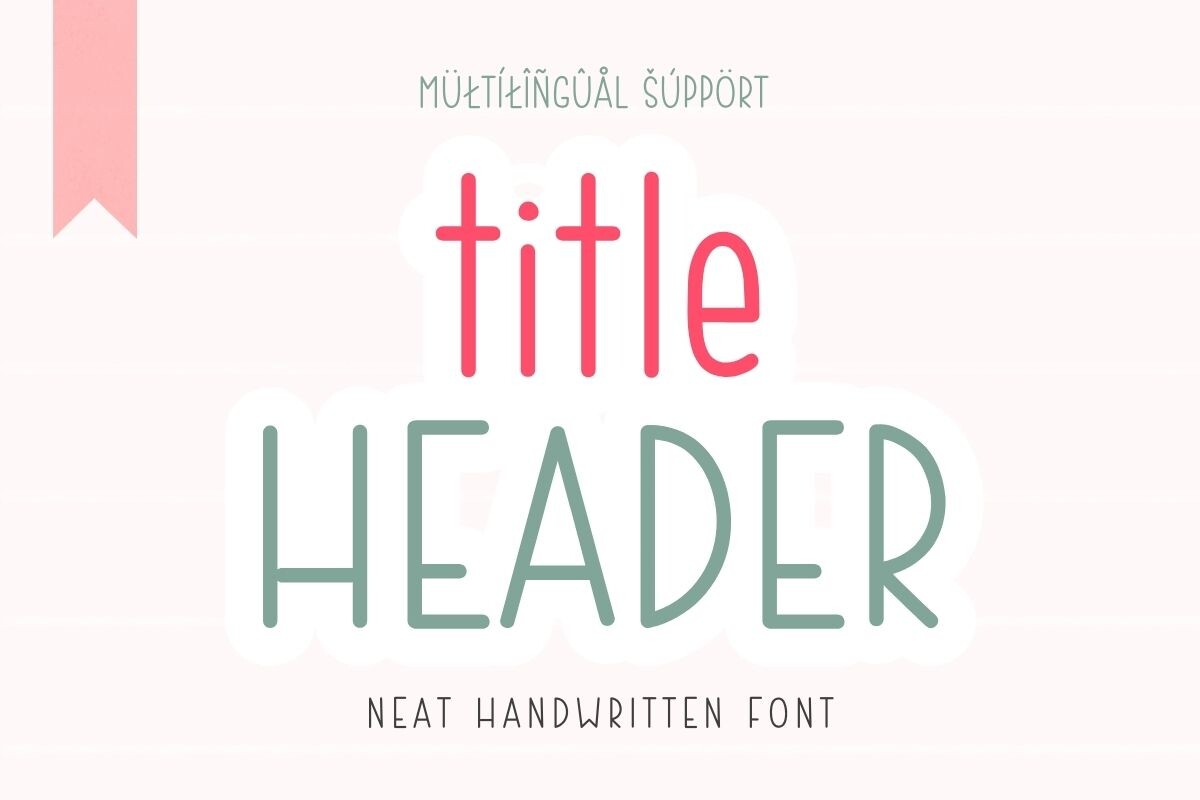
The listing data for Title Header is limited. It is a delicate script font suited to decorative or invitation-style headers, and it does not target email newsletters. Thin script lines can get hard to read at small sizes, so check the preview.
Best for: decorative mastheads, invitation-style headers, personal newsletter names. By: Creative Fabrica
Best Typewriter Fonts for Vintage Newsletter Mastheads
12. Dustcode
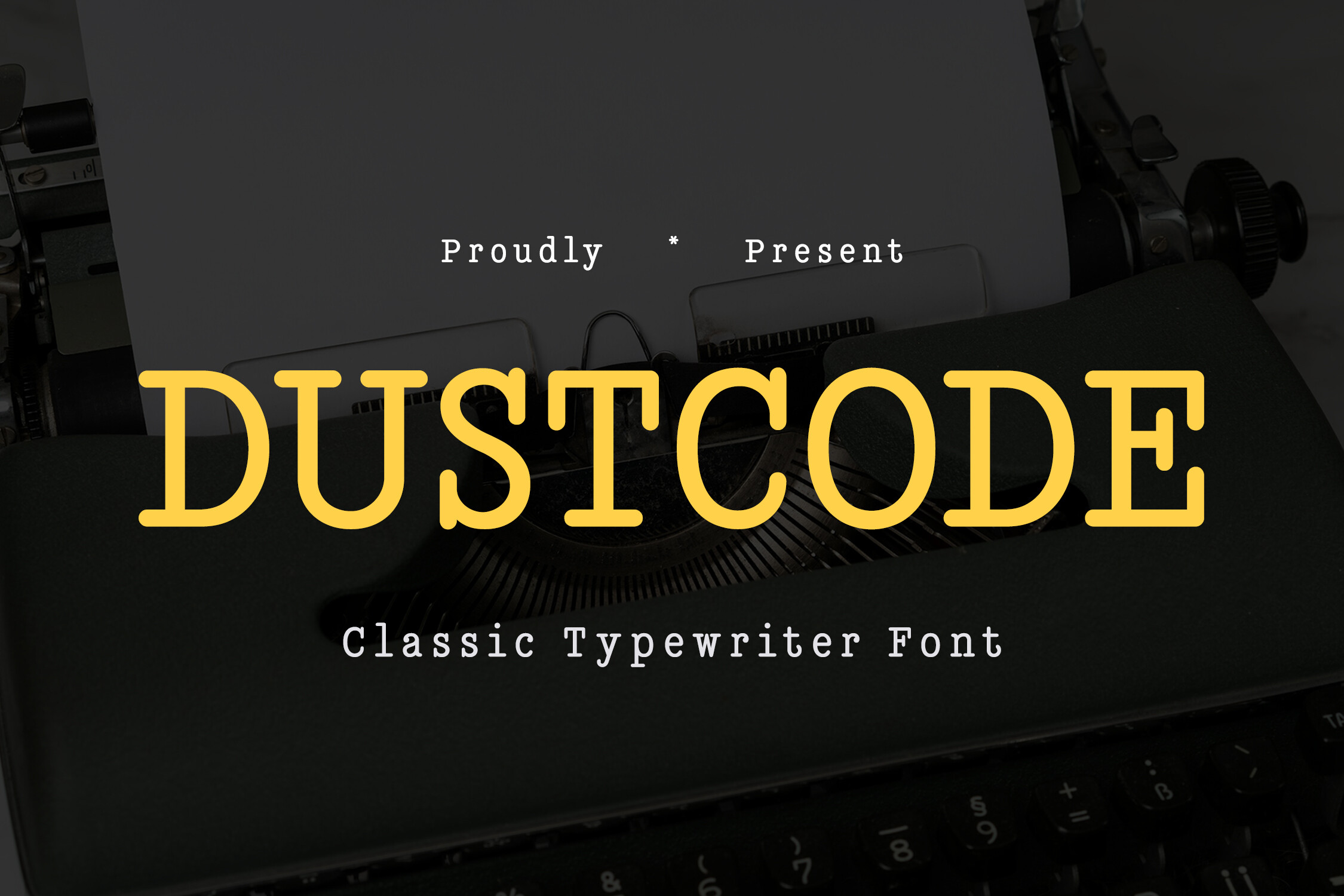
Dustcode is a classic typewriter font with a touch of grunge. The listing says it is subscription-only. It could suit a newsletter with a notes or essay tone.
Best for: essay-style mastheads, notes newsletters, vintage banner text. By: Creative Fabrica
13. Rough Draft
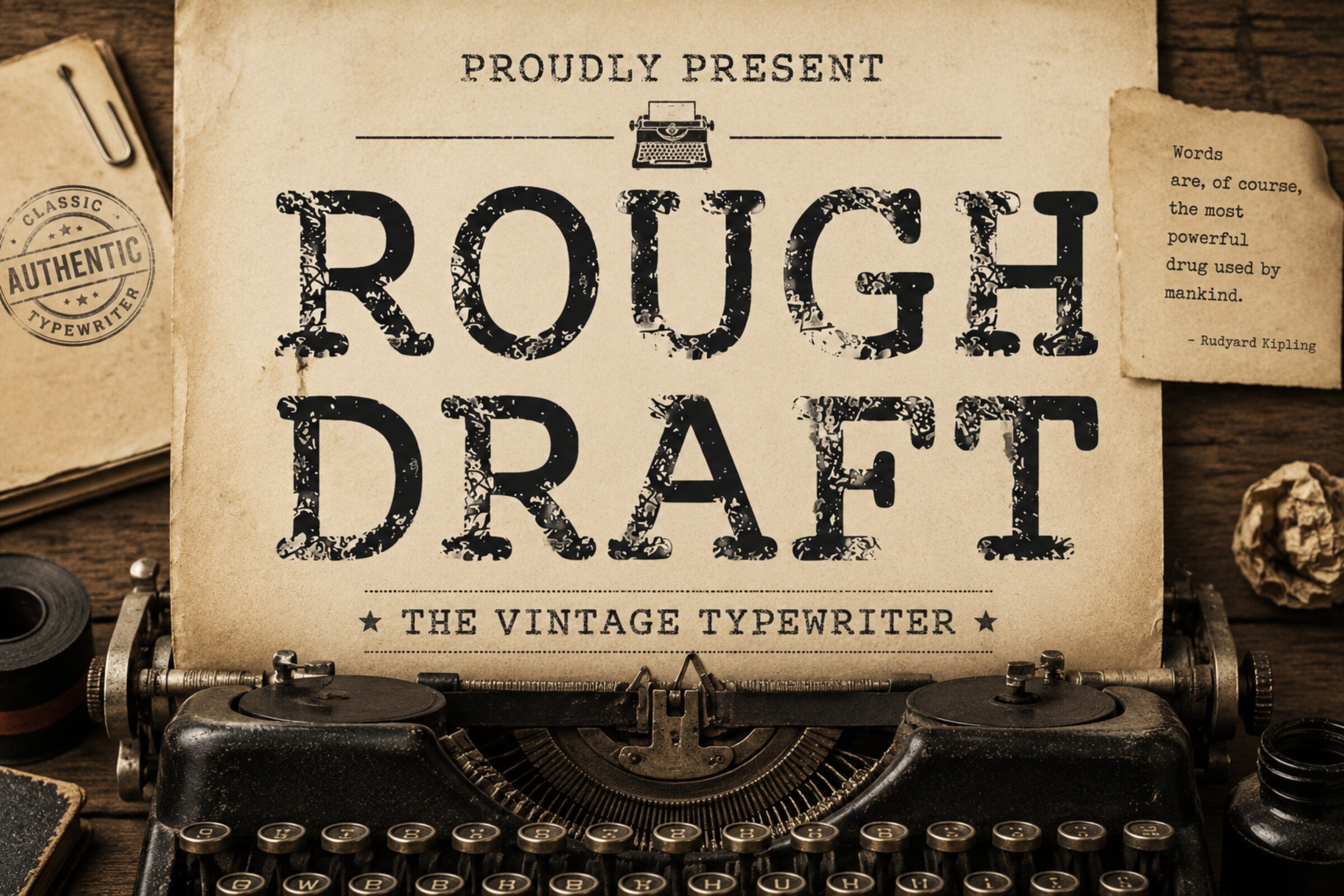
Rough Draft is a bold vintage typewriter display font. Compared to Dustcode, a classic typewriter face with a touch of grunge, Rough Draft is bolder and more display-oriented. It could suit an editorial masthead.
Best for: editorial mastheads, vintage-style banners, section dividers. By: Creative Fabrica
How to Build a Newsletter Header and Section Dividers
A masthead usually contains the newsletter name or logo, and sometimes a tagline and the issue date. One expressive font for the name plus a quiet web-safe font for the tagline and navigation is a workable structure. The name carries the personality; the supporting text stays neutral.
Section dividers inside the email can use the same font as the masthead, rendered large in an image for a few key breaks. For more frequent dividers, a simple web-safe font in the body text is cleaner and avoids adding more images to the email. Do not multiply header images unnecessarily, because each one adds load time and another element that can be blocked.
For the layout work, tools like Canva, Figma, Illustrator, Photoshop, and Photopea all work. Install the font, set the name, export a PNG at 2x, and drop it into the email template. For in-text headings, a commonly suggested range is 18 to 24 pixels, though sources differ and 22 pixels also appears. Treat that as a reference, not a rule.
Before sending, check the header in Gmail, Outlook, and Apple Mail. Toggle dark mode. View it on a phone. Make sure the alt text reads correctly when images are blocked.
How to Choose the Right Font for Your Newsletter Brand
The right font for a newsletter header depends on the type of publication. A news or editorial newsletter suits a serif or typewriter face. A business or product update suits a bold sans serif. A personal blog or lifestyle newsletter can carry a script or signature face. These are opinions, not rules.
On licensing, subscription is stated for 11 of the 13 listings. Editorial, Moreca, and Scripty include commercial use with the subscription. The license status for Scriptogram and Title Header is not stated in the listing data. For any use in a logo or branding, check the license on the product page. No free Creative Fabrica fonts are confirmed in this set.
For the three fonts with limited listing data, open the product page and check the preview before deciding. Header is pitched at note-taking, not mastheads, so its role here is an opinion.
A few questions come up often. The best font for a newsletter header depends on the brand, but a bold sans serif or a serif face with a modern display look are strong starting points. Custom fonts in email are not reliable across all clients, which is why the header is usually an image. Web-safe fonts for email like Arial, Georgia, Helvetica, and Verdana are the standard fallback. The header font does not need to match the body text, but it should feel consistent with the brand. Check the license on each product page before commercial use, especially for commercial use fonts for branding.
Where to Download Fonts for Newsletter Headers
All 13 fonts in this article are Creative Fabrica products. Subscription is stated for 11 of the 13 listings, and the license status for Scriptogram and Title Header is not stated in the listing data. For additional options, Google Fonts, DaFont, and Font Squirrel offer free font collections, though the license for commercial use varies by font, so check each one.
For more font guides and design resources, see the FontPro blog.