· laser-cut · 5 min read
Glowforge Projects to Make Money: Practical Ideas
Discover proven Glowforge projects you can sell, from custom signage and home décor to small‑batch merch. Learn materials, pricing tips, and the fonts that

Glowforge projects to make money start with a clear niche and a repeatable product line. Choose items that are quick to cut, easy to finish, and have a perceived value high enough to cover material, time, and a profit margin.
Custom signage for local businesses
Businesses need eye‑catching signs that convey their brand instantly. A Glowforge can cut acrylic, wood, or MDF signage in minutes. Offer three tiers:
- Basic – 12 × 24 in acrylic with a single‑color logo.
- Premium – 12 × 24 in wood with engraved details and a back‑lit LED strip.
- Deluxe – layered wood with a recessed logo and optional mounting hardware.
Materials: ¼‑inch acrylic ($12 per sheet), ½‑inch birch plywood ($8 per sheet). Finishing: sand edges, apply a clear coat, and attach mounting brackets. Pricing may vary; consider using a suggested guideline such as adding a markup to cover material and design time. Many local businesses order multiple signs per month, which can provide a steady income stream.
Home décor accents
Homeowners love unique décor that feels handcrafted. Popular Glowforge items include:
- Geometric wall art – layered wood or acrylic in hexagon or triangle patterns.
- Coasters – 4 × 4 in cork or bamboo with engraved monograms.
- Lamp shades – perforated acrylic that creates patterned light.
Use 3‑mm acrylic for wall art (low material cost, high visual impact) and ½‑inch cork for coasters (easy to cut, durable). Bundle three coasters with a matching keychain for a $30 set. Promote on Etsy or local craft fairs; the perceived value of a hand‑cut piece often exceeds $15 per item.
Personalized accessories
Accessories let you charge a premium for customization. Offer:
- Engraved jewelry – ¼‑inch wood or acrylic pendants with initials.
- Phone stands – laser‑cut wood with a custom name etched on the front.
- Keychains – acrylic or leather with a small logo or name.
Materials are inexpensive, but personalization adds value. Charge $5‑$8 per item for the engraving plus a base material cost of $1‑$2. Offer bulk discounts for wedding parties or corporate events to increase order size.
Small‑batch merch for makers
Makers love limited‑edition merch that showcases their brand. Create:
- Sticker sheets – laser‑cut vinyl with die‑cut shapes.
- Tote bags – canvas with a laser‑etched logo.
- Notebook covers – ½‑inch wood with a laser‑cut pattern.
Print a small run (20‑30 units) to test demand before scaling. Use the Glowforge’s ability to cut multiple pieces from a single sheet to keep labor time low. Price bundles (e.g., tote + sticker set) at $35 to improve average order value.
Event décor pieces
Seasonal events provide spikes in demand. Design:
- Wedding place cards – acrylic or wood with engraved names.
- Festival banners – large acrylic panels with cut‑out lettering.
- Holiday ornaments – layered wood or acrylic shapes with laser‑etched details.
Offer pre‑designed templates that can be personalized quickly. For weddings, charge $8‑$12 per place card; for festivals, sell banner sections at $25 each. Promote through event planners and local venues to secure bulk orders.
Fonts that fit this project
Choosing the right font makes your laser‑cut products feel cohesive and professional. Links to Creative Fabrica are affiliate links: I may earn a commission at no extra cost to you.
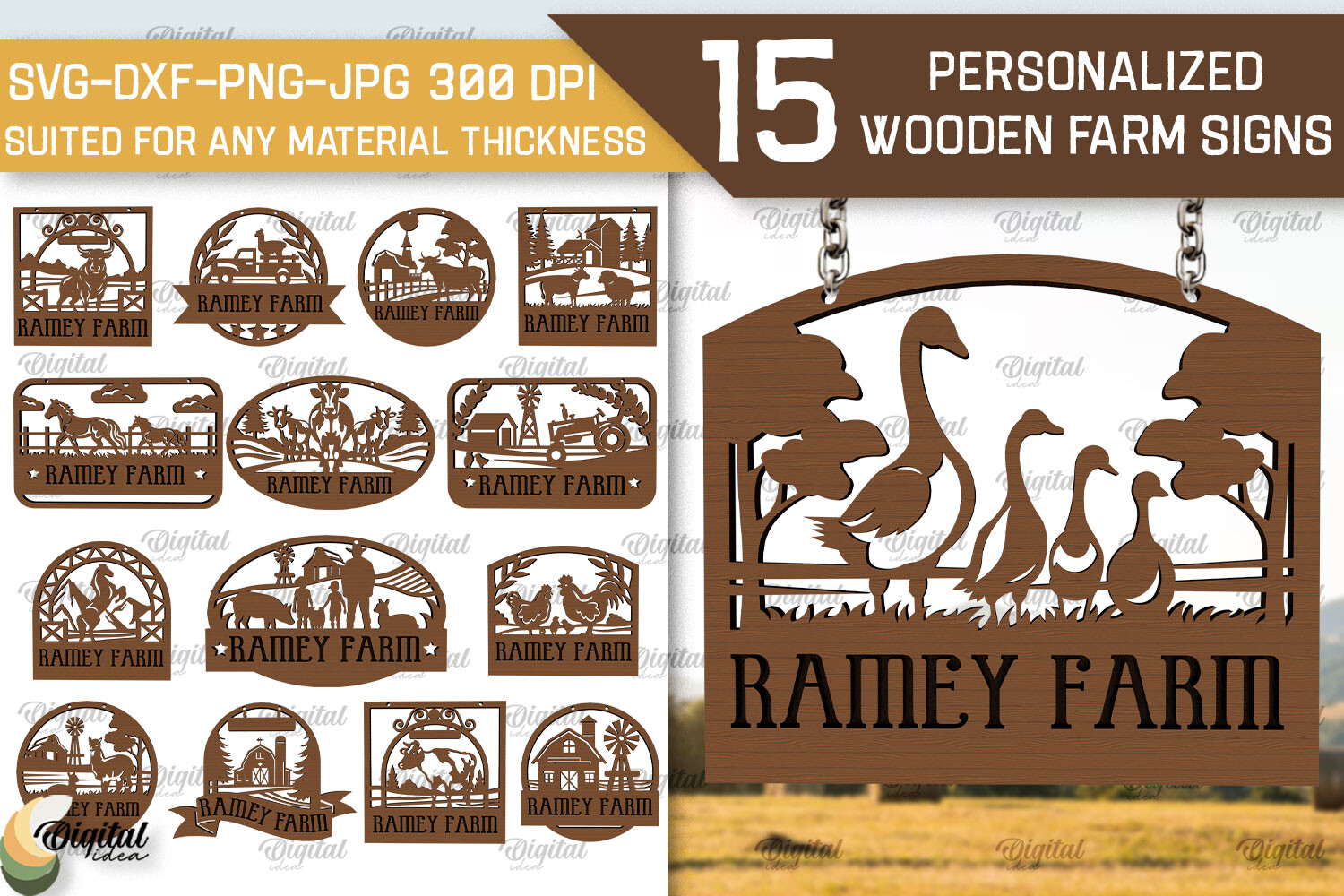
 Glowforge Cutting Files for Door Signs – A vector set that pairs nicely with a sturdy slab serif. Use for decorative borders.
Best for / By: Rustic shop signs.
Download Glowforge Cutting Files for Door Signs
Check the product page for license details before use.
 House for Birds Template for Glowforge – Simple line work that complements a friendly rounded sans‑serif. Ideal for children’s décor.
Best for / By: Playful home accessories.
Download House for Birds Template for Glowforge
Check the product page for license details before use.
Snow House Laser Cut File for Glowforge – Layered design that pairs well with a high‑contrast serif for holiday signage.
Best for / By: Seasonal décor.
Download Snow House Laser Cut File for Glowforge
Check the product page for license details before use.
 Christmas House Decor / Glowforge Laser – Traditional holiday motifs that work with a decorative script for festive branding.
Best for / By: Holiday merch.
Download Christmas House Decor / Glowforge Laser
Check the product page for license details before use.
Consider pairing these fonts with free Google Fonts alternatives such as Montserrat (clean sans‑serif) or Playfair Display (high‑contrast serif) for projects where a commercial license is required.
Frequently asked questions
What material works best for outdoor signage?
Acrylic with UV‑resistant coating or treated hardwood resists weathering. Add a protective seal and mount the sign away from direct rain.
How much should I charge for a custom laser‑cut wedding place card?
Typical pricing ranges from $8 to $12 per card, depending on material and engraving complexity. Include a small markup for design time.
Can I sell Glowforge designs on Etsy without a commercial license?
Only if the original file’s license permits commercial resale. Check the license on the product page before listing any design.
What is the fastest way to finish a batch of coasters?
Cut all pieces in one sheet, sand edges in a rotary tool, then apply a quick‑dry polyurethane spray. This workflow reduces handling time dramatically.
Do I need a separate software to prepare files for the Glowforge?
Glowforge accepts SVG, PDF, and DXF files. Design in Illustrator, Inkscape, or Affinity Designer, then export to SVG for optimal results.
Try Studio AI on Your Own Design
Want to see these ideas on your own project before you commit? Creative Fabrica Studio is a browser-based design tool with AI features — test fonts and graphics on your own text, customize templates, and export finished files for print or cutting machines.
Try Studio AI Free →Ready to start? Pick two projects from this list, download the cutting files above, and produce a small batch before your next craft fair or marketplace listing — the sellers who win with a Glowforge test fast, price on margin, and double down only on what sells.