· fonts · 10 min read
12 Best Fonts for Newsletter Text in 2026
Discover the best font for newsletter text. 12 picks for print, PDF and images, plus web-safe email fallbacks and size tips. Download subscription options.
What Makes a Great Font for Newsletter Text?
The body copy is where your newsletter either works or fails. If the paragraphs are a slog to read, subscribers close the email before they ever hit the link. Picking the right font for newsletter text matters more than nailing the masthead.
Short answer to “what is the best font for newsletter text?”: a plain, readable serif or sans serif, with decorative faces saved for headings. In an HTML email, that means a web-safe font. For print and PDF, the 12 picks below are candidates to test.
A usable body face needs three things:
- Clear letterforms and open apertures that hold up at small sizes.
- A comfortable reading rhythm, driven by font size, line spacing, and line length.
- Enough contrast and a calm character. No decorative flourishes pulling the eye away from the sentence.
Treat these as general rules of thumb, not measured results for any font in this list.
A few honest caveats before the list. The 12 fonts below are Creative Fabrica products, not the result of a readability test. All 12 are subscription-only per their listings. None is positioned by its listing specifically for email use. The listing descriptions are seller positioning, not verified readability findings. Two entries, Glistic and Flexing, are flagged as weak matches for body text. The roles assigned to each font are suggestions, not verified outcomes.
Email Body vs. Print, PDF and Text in Images
The newsletter body text font question splits into two formats. For print newsletters, PDF attachments, and text inside images, any installed font works. Check the license on each product page before using these picks in print or PDF.
The body of an HTML email is a different animal. Can you use custom fonts in the body of an email? Sometimes, but support is inconsistent, and many clients simply substitute a fallback. None of the 12 listings is positioned for email, so the Creative Fabrica fonts will most likely not display for recipients. Test to confirm. Web-safe fonts for email include Arial, Verdana, and Georgia. Tahoma and Trebuchet MS are also commonly named. Helvetica is technically not web-safe but usually renders similarly. Web fonts such as Open Sans, Lato, and Roboto get ignored by some clients. One source notes that Outlook on Windows substitutes Times New Roman when a web font is requested.
The fix is an email font fallback stack: list the preferred font first, then safe alternatives. For example, a stack might start with your preferred font, then Georgia or Arial, then the generic serif or sans serif. Test the final template in Litmus or Email on Acid before sending, whether it goes out through Mailchimp, Substack, Beehiiv, Klaviyo, or Moosend.
One anecdotal reader test found that participants preferred a sans serif in the body, with Arial ahead of Verdana. Verdana won at smaller sizes. That is a single anecdotal test, not a study.
Do not hide body copy in an image. Image blocking, accessibility, and search all suffer. Keep the text as actual text with proper alt attributes.
12 Best Fonts for Newsletter Text
This set covers print and PDF newsletters plus text inside images. Each entry includes a short review, the style, a suggested role, and a practical note. All are subscription-only per their Creative Fabrica listings.
Best Serif Fonts for Long-Form Newsletter Text
1. Corige
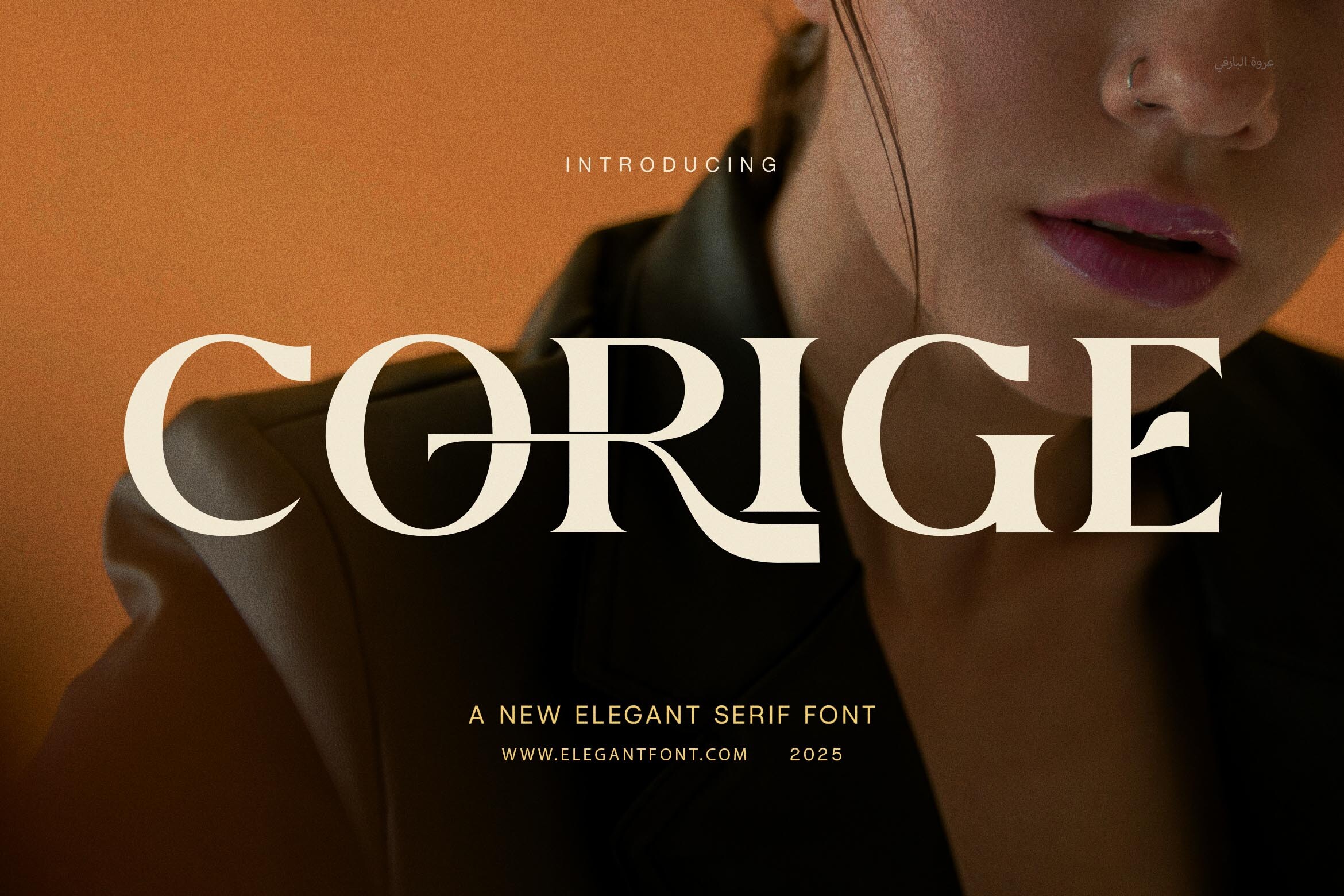
Corige is a serif that the listing says stays highly readable even at smaller sizes. It is suited to both headlines and body text, and the listing names editorial uses. For a print newsletter with long paragraphs, Corige could suit the main text block. That is seller positioning, not a readability test, so check a sample paragraph first.
Best for: print newsletter paragraphs, editorial PDFs. By: Creative Fabrica
2. Frontend
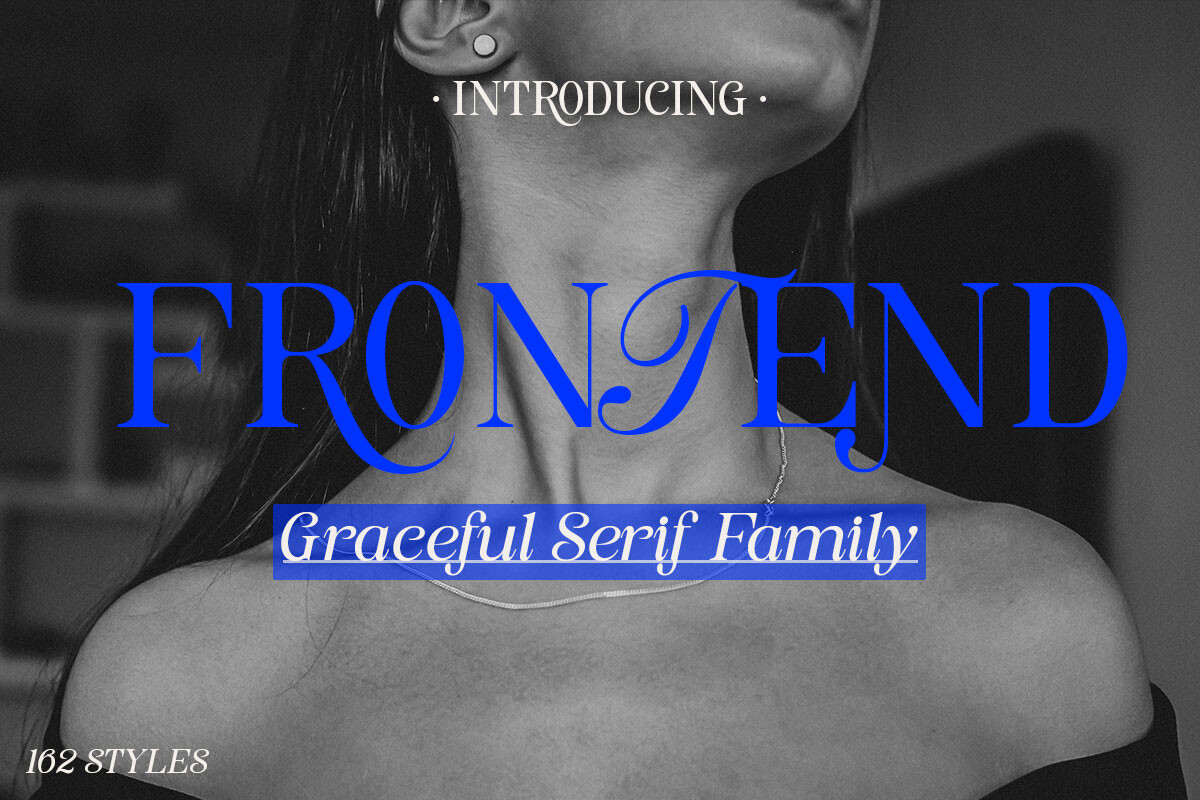
Frontend is a serif with refined contrast and clean details. The listing claims excellent readability in both digital and print. It comes in Regular and Italic styles and is named for magazine layouts. For long-form PDF newsletters, Frontend could suit the body copy, with the Italic reserved for pull quotes and emphasis.
Best for: long-form PDF newsletters, magazine-style layouts. By: Creative Fabrica
3. Bether Serif
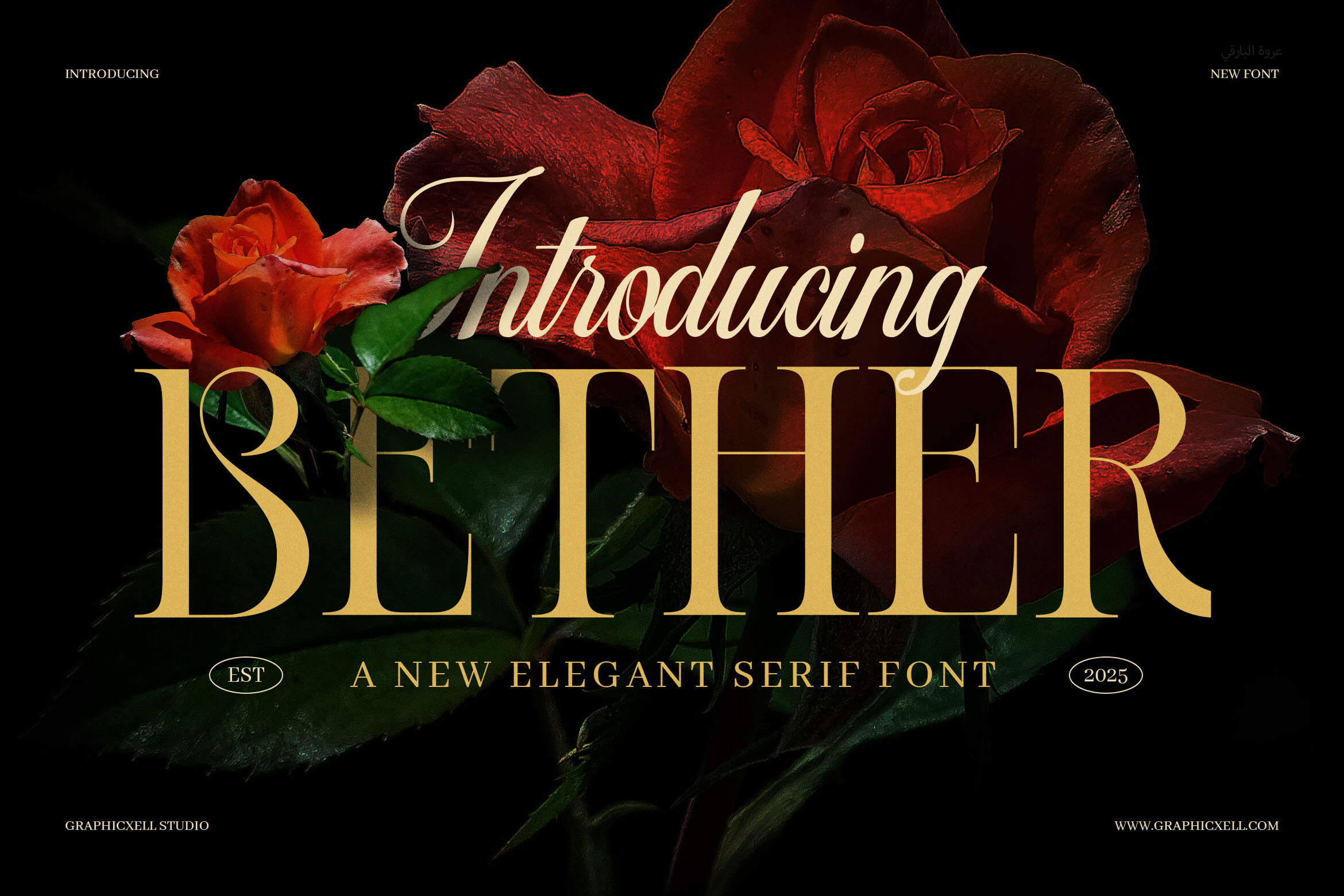
Bether Serif works at big and small sizes per the listing. It is pitched for headlines, quotes, and short body text. That “short body text” framing matters: the listing does not position it for long paragraphs. For a newsletter with brief sections and pull quotes, Bether Serif could suit the shorter text blocks.
Best for: short newsletter paragraphs, pull quotes. By: Creative Fabrica
4. Glistic
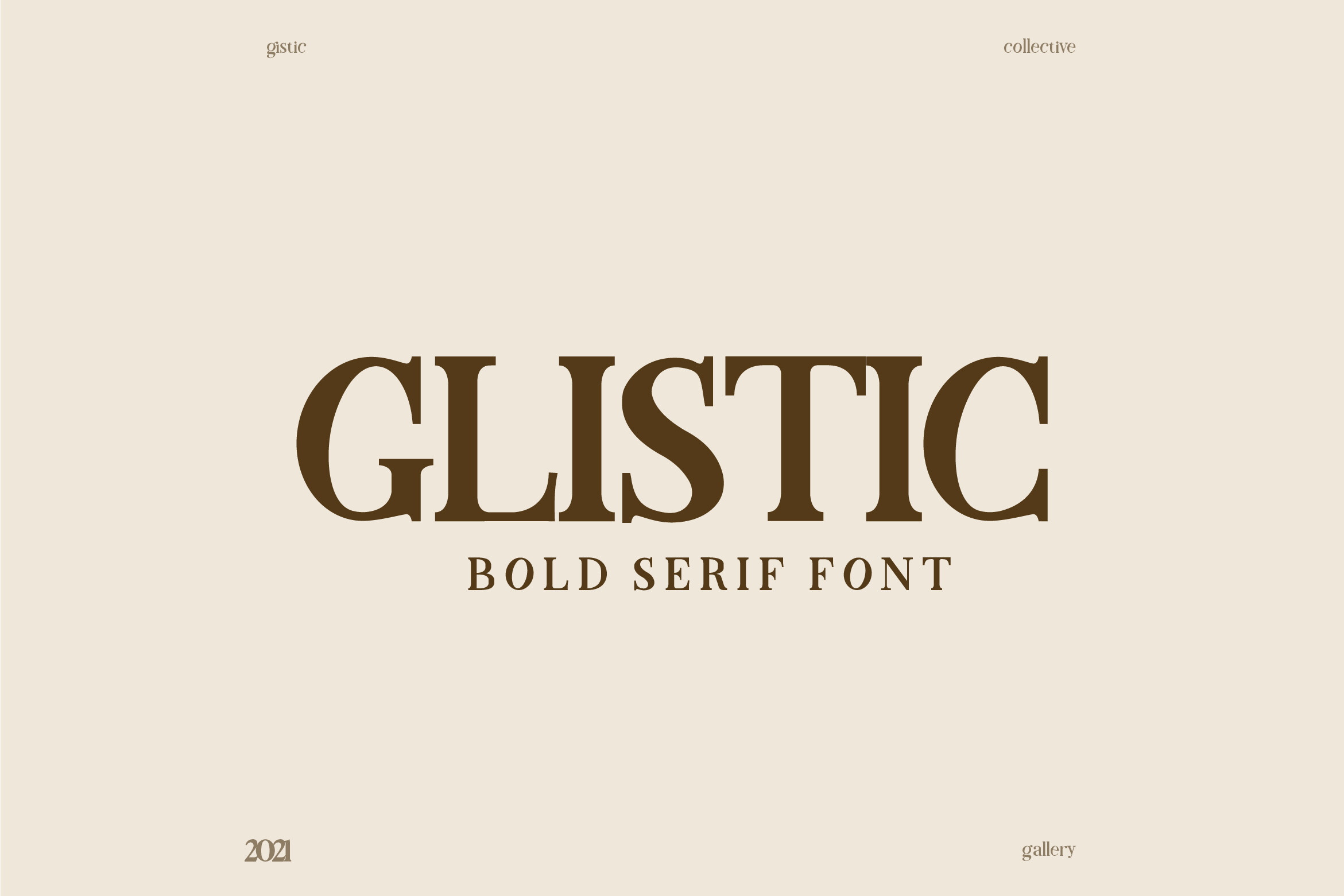
Glistic is a robust serif with a bold classic look. The listing says it excels in magazines and large title posters, which is a display lean. It is a weak match for long body text. Better kept for pull quotes or headings. Check the preview with a full paragraph before committing.
Best for: pull quotes, display headings. By: Creative Fabrica
Best Sans Serif Fonts for Clean Body Copy
5. Basic Blazer
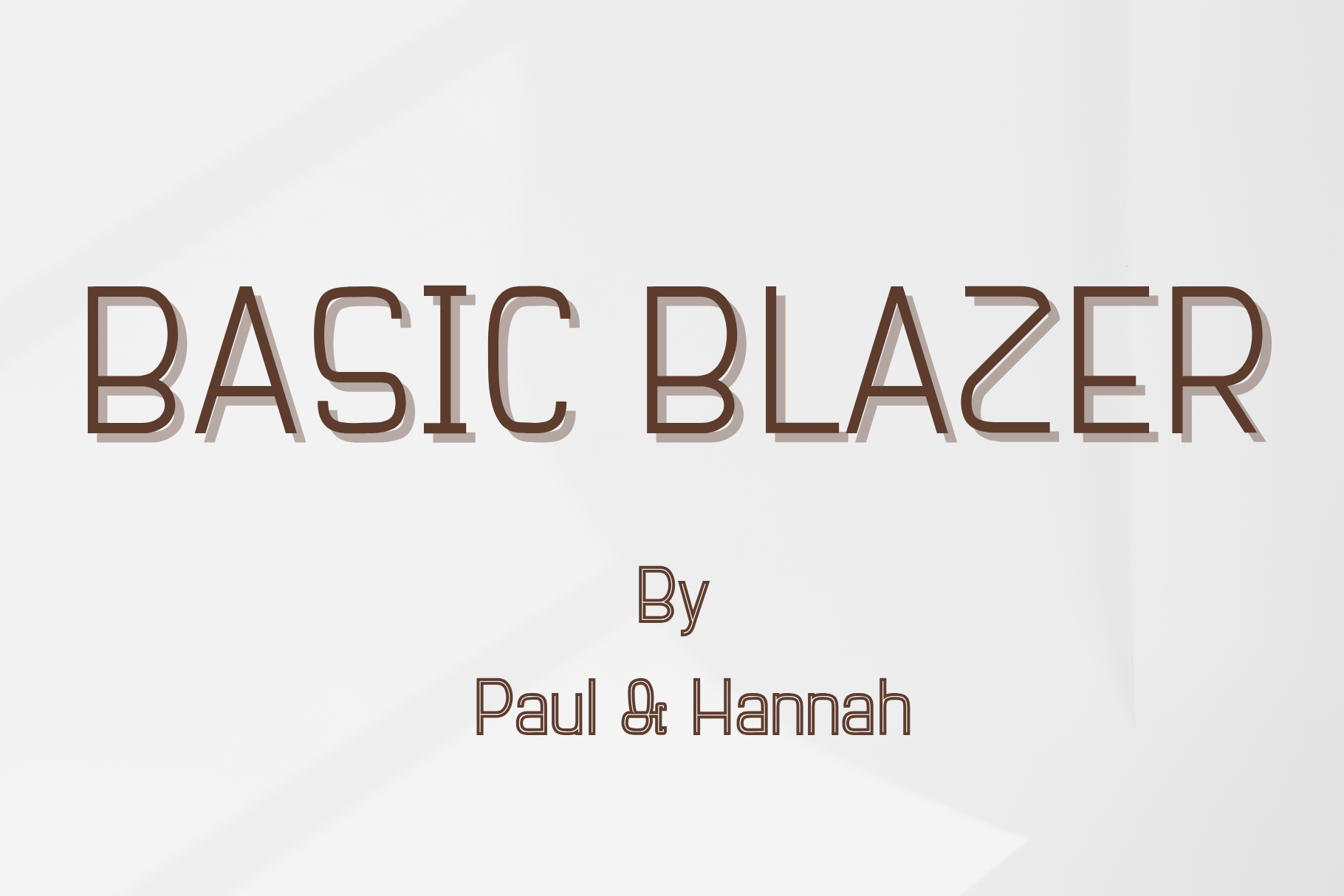
Basic Blazer is a sans serif that the listing says is versatile for both headlines and body text, ensuring clarity. For a print newsletter where the body copy needs to stay neutral and easy to scan, Basic Blazer could suit the main text. That is a seller claim, not a readability test.
Best for: print newsletter body copy, clean editorial layouts. By: Creative Fabrica
6. Cogito
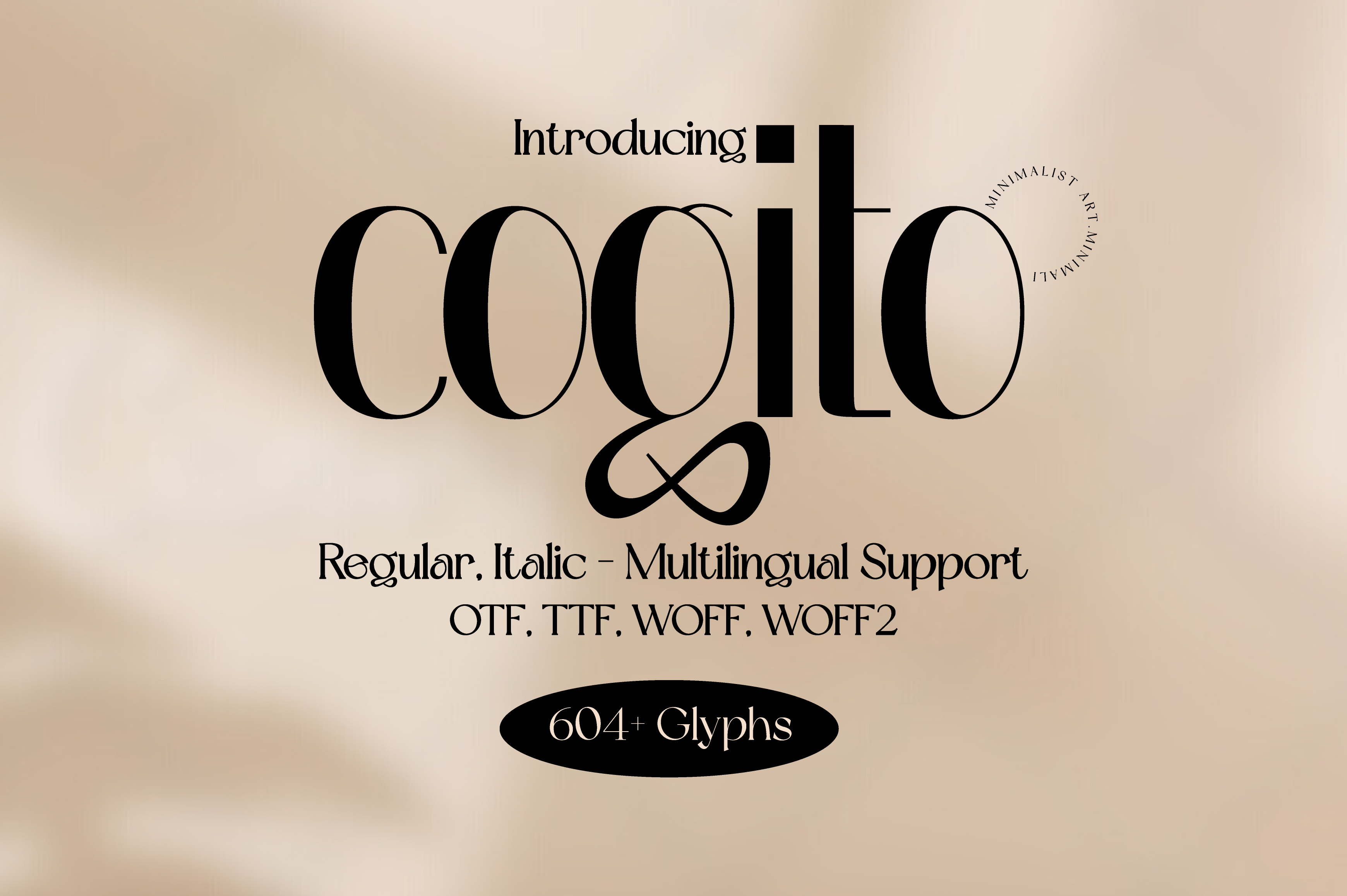
The listing claims Cogito can be read with ease even at small font sizes. That is the main fact available. For newsletter captions, footnotes, and fine print, Cogito could suit the smaller text elements. The listing does not describe the visual character beyond the readability claim.
Best for: newsletter captions, small-size text. By: Creative Fabrica
7. Rafory
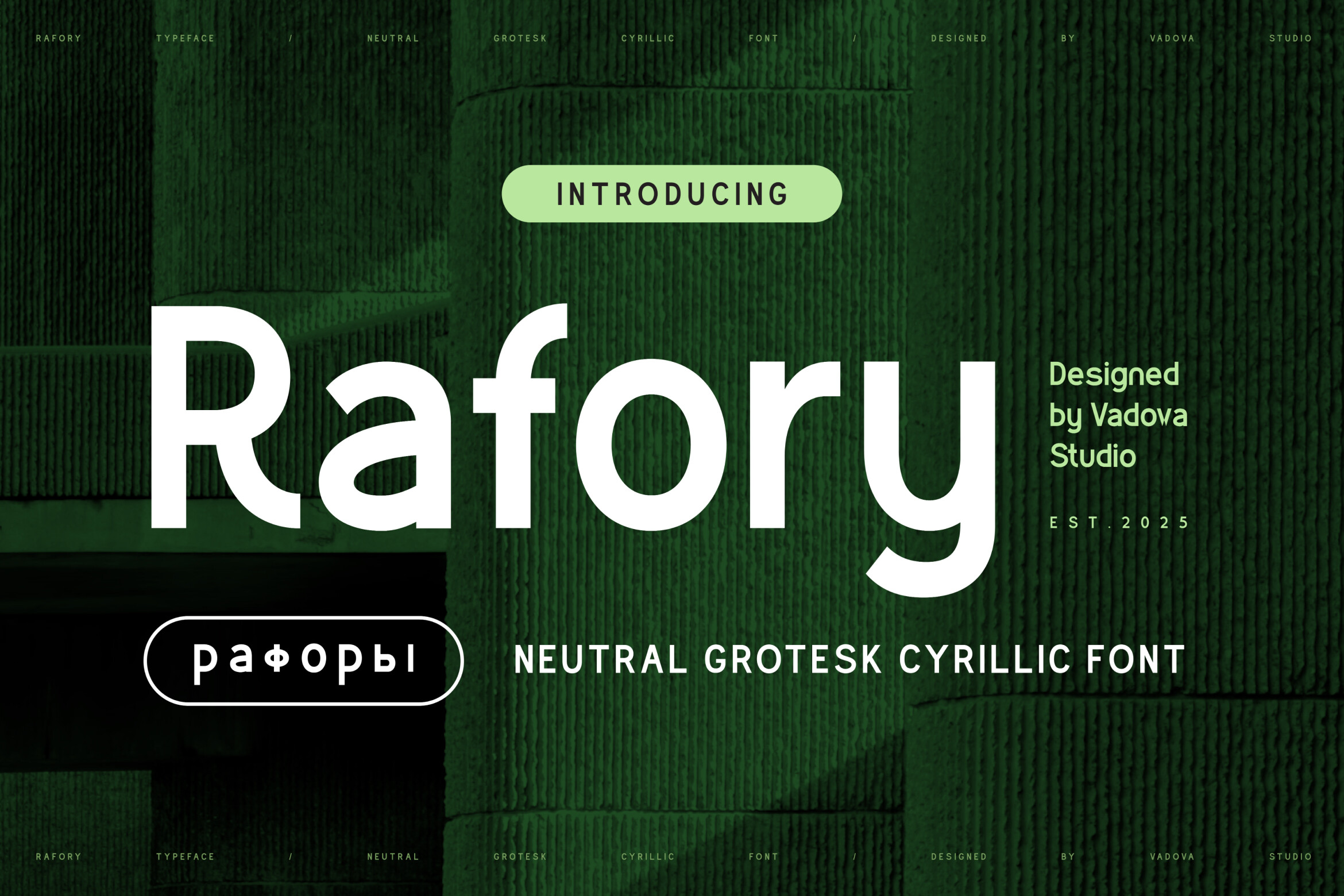
Rafory is a neutral grotesk that prioritizes clarity, with open apertures and a geometric base. The listing pitches it for corporate identities, wayfinding, and dense editorial work. For a newsletter with tight columns and high information density, Rafory could suit the body text.
Best for: dense newsletter columns, corporate-style PDFs. By: Creative Fabrica
8. GC Codex
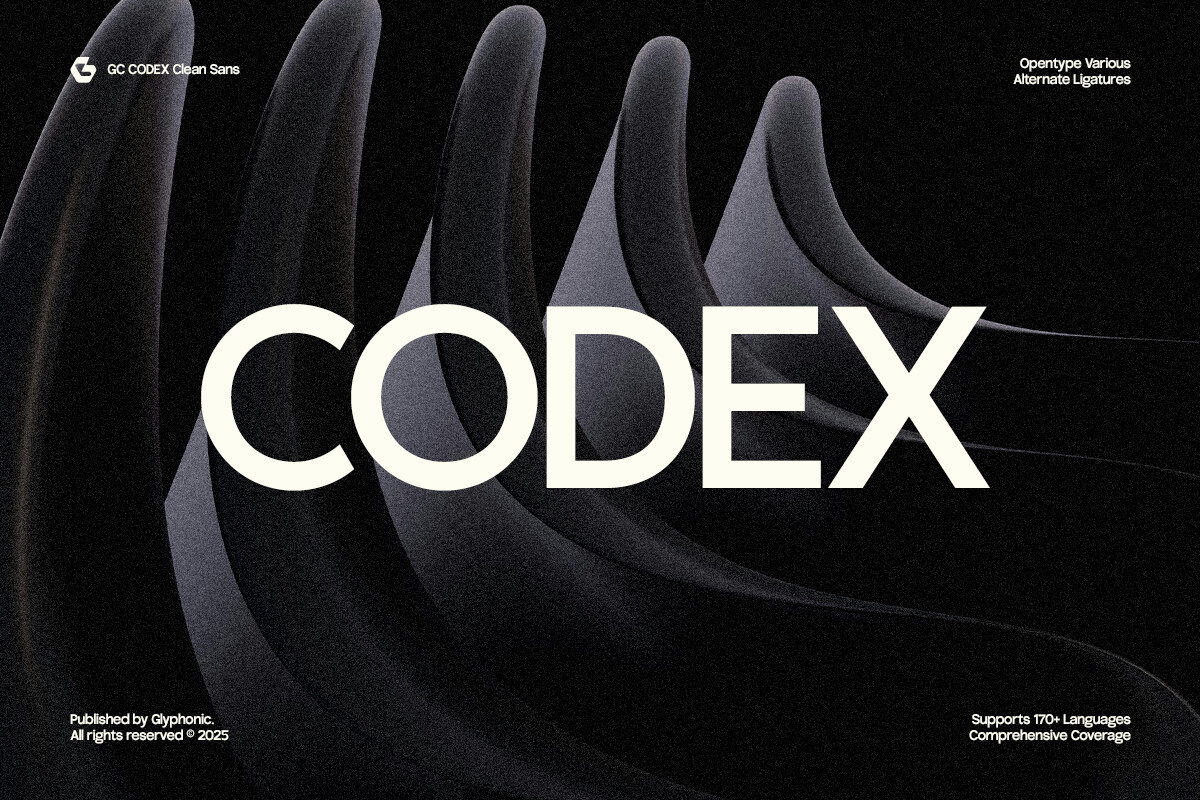
GC Codex is a neo-grotesque sans that blends geometric precision with modern clarity. The listing names headlines, branding, digital interfaces, and editorial layouts. For a newsletter with a product or digital tone, GC Codex could suit the body copy. The listing names headline and editorial uses, so check how it sets in a paragraph.
Best for: product-toned newsletters, digital-style PDFs. By: Creative Fabrica
9. Bodda
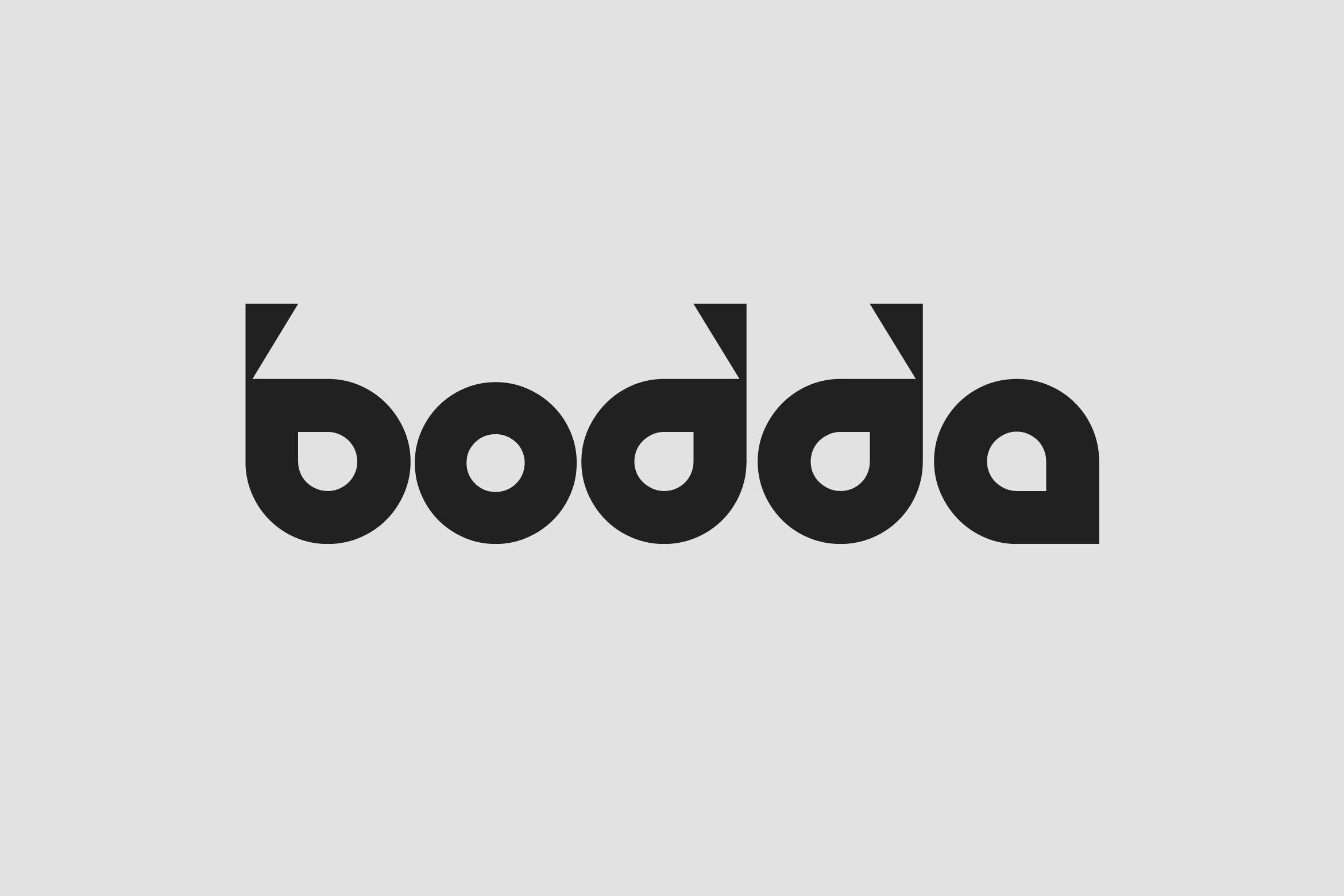
Bodda is a sans serif family with balanced proportions, smooth curves, and a geometric structure. The listing positions it for web design and editorial work. For newsletter layouts that live in both a web template and a PDF export, Bodda could suit the body text across both formats.
Best for: web and PDF newsletter layouts, editorial body copy. By: Creative Fabrica
10. Normaliq
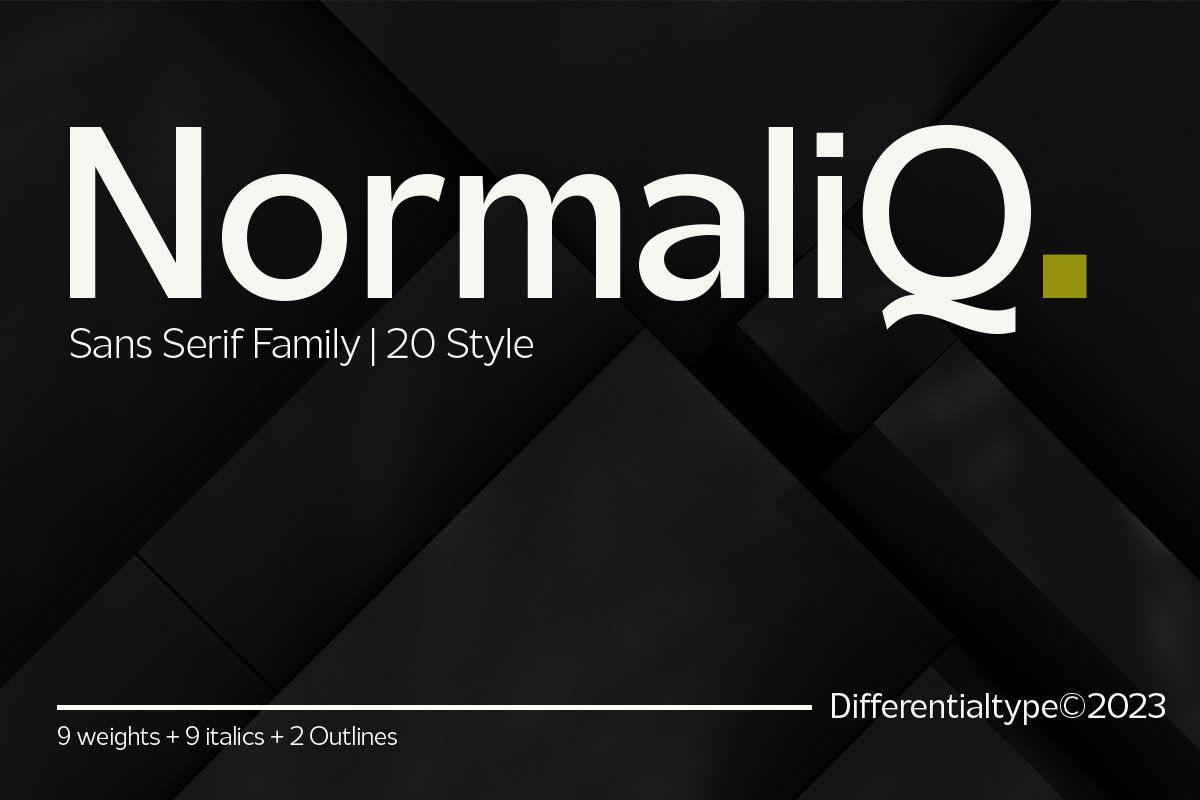
Normaliq is a geometric minimalist sans with nine weights from Thin to Black, plus Italic and outline variants. The listing pitches it for titles, branding, books, and editorial work. For body text, one option is to choose a mid-range weight and keep the thin and heavy weights for accents. The listing does not say which weight reads best.
Best for: editorial PDFs, multi-weight newsletter designs. By: Creative Fabrica
Best Friendly and Flexible Fonts for Community Newsletters
11. Flexing
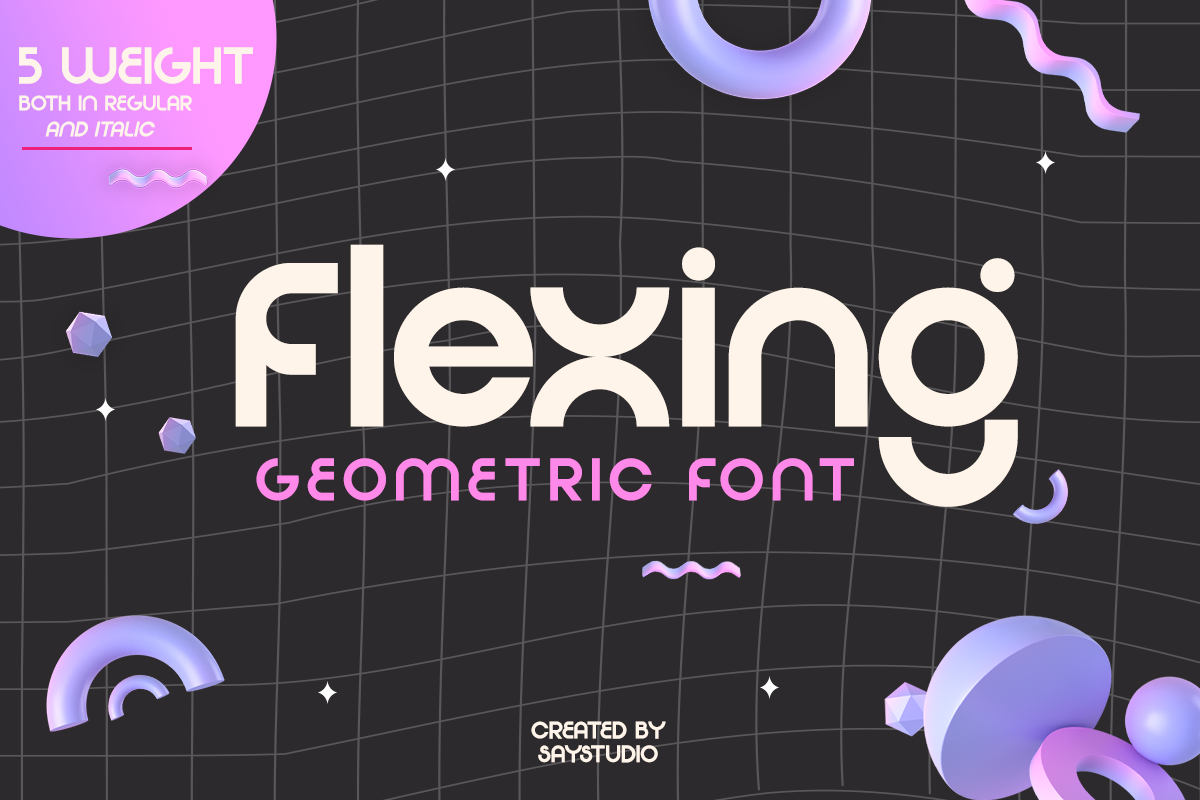
Flexing is a geometric sans in five weights, each available in regular and italic. The listing does not mention body text or readability. That makes it a weak match for newsletter body copy. Check the preview with a real paragraph before using it for anything beyond short labels.
Best for: short labels, flexible weight pairings. By: Creative Fabrica
12. Master Rounded
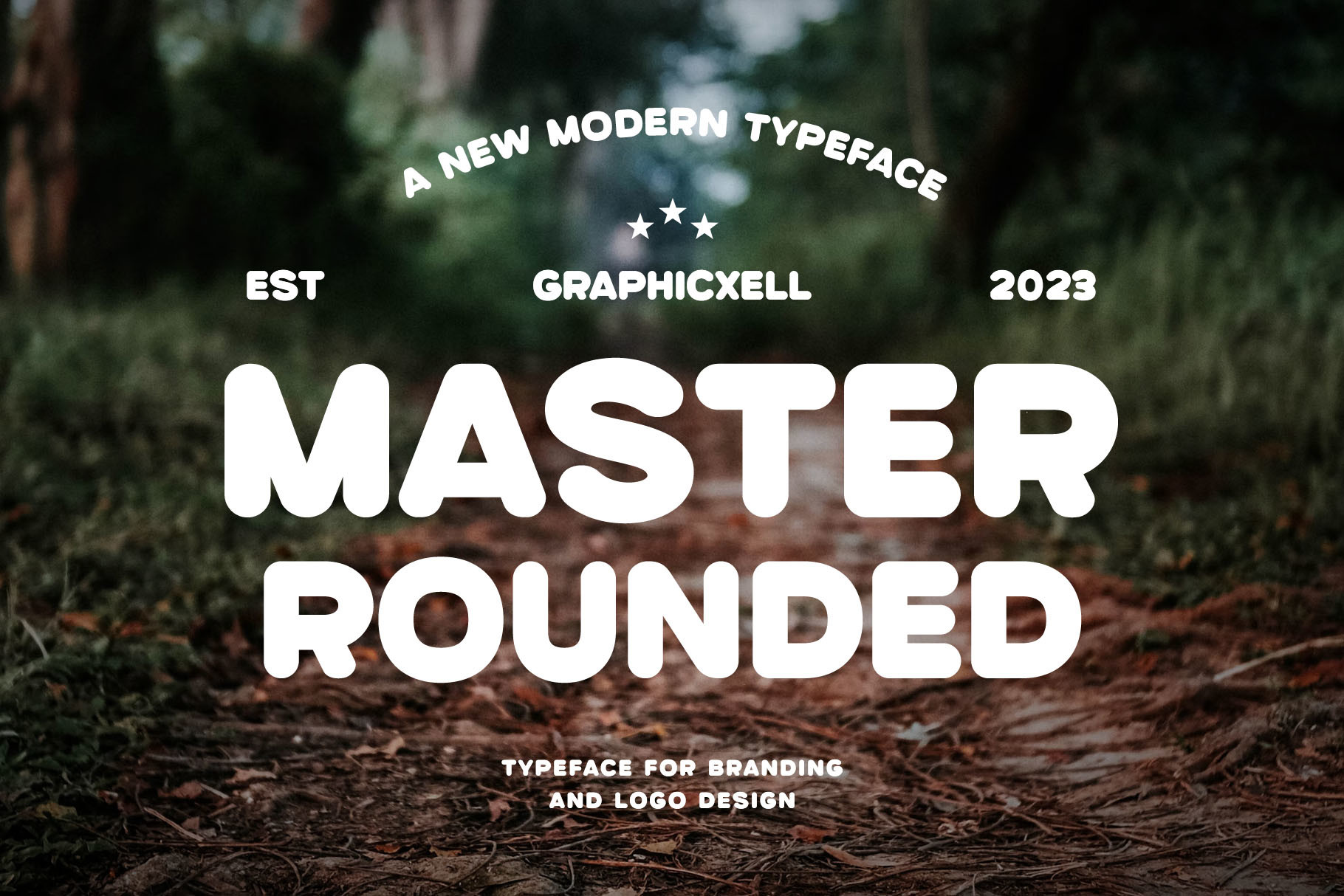
Master Rounded is a clean modern rounded sans with a minimalist design. The listing calls it highly legible and versatile for both digital and print. For a community newsletter with a warm, approachable tone, Master Rounded could suit the body text. That is the listing’s claim, not a test.
Best for: community newsletters, friendly PDF layouts. By: Creative Fabrica
Size, Leading, Line Length and Contrast: Quick Settings for Newsletter Text
The best font size for newsletter body text is commonly suggested at around 16 px for email. Sources vary, from 12 px as a minimum to 14 to 16 px. Check the result on a phone and a desktop. For print, set the size in points and judge by a proof print.
Line spacing for newsletters: a commonly suggested range is 1.4 to 1.6 times the font size, roughly 24 px at 16 px. At 2.0 or higher, the text looks sparse. On a dark background, a value around 1.7 is sometimes recommended.
Line length: in email, the template width (commonly around 600 px) sets the limit. For print and PDF, a column of 45 to 75 characters is a common typographic guideline.
Contrast: dark text on a light background is the safe default. Check the design in dark mode. Avoid light gray on white.
Pairing: one font for headings, one for body text. No more than two. One guide suggests pairing Georgia with a geometric sans as a classic newsletter font pairing. The serif vs sans serif for body text choice depends on the tone: serif for editorial, sans for digital.
Tools: Canva, Figma, InDesign, Word, and Photopea handle font installation and PDF export with embedded fonts.
How to Choose the Right Font for Your Newsletter Text
For a print or PDF newsletter with long-form content, a serif like Corige or Frontend could suit the body. For a digital tone, GC Codex or Rafory could suit it. For a community newsletter, Master Rounded is worth testing.
Should newsletter body text be serif or sans serif? The listings do not settle it. Serif tends to suit an editorial tone and sans serif a digital one, and the one anecdotal test mentioned above favored sans serif for email.
Are these fonts free for commercial use? No font in this set is free: all 12 are subscription-only per their listings, and the listings do not state commercial-use terms stated in them. For print runs, PDF distribution, or embedding fonts in files, check the license on each product page.
For Glistic and Flexing, check the preview with a real paragraph. A simple test: type three to four lines of actual copy at phone size and on a proof print.
Where to Download Fonts for Newsletter Text
Creative Fabrica is the source for all 12 fonts in this list, available through a subscription. Google Fonts, DaFont, and Font Squirrel are common places to look for additional options. Arial, Georgia, Verdana, Open Sans, Lato, Roboto, and Inter are commonly recommended starting points for email newsletter fonts. Check the license on any font before use, since free does not always mean free for commercial work.
More font guides are available on the FontPro blog.