· fonts · 12 min read
14 Best Fonts for Social Media in 2026
Discover the 14 best fonts for social media in 2026, with bold, script, and minimalist picks for Instagram, TikTok, and Reels. Paid commercial downloads.
If your feed looks polished in Canva but fades on a phone screen, the font is usually the problem. I have seen this too many times. A typeface that looks sharp on a desktop canvas can turn into a mushy blur in a Story. The best font for social media posts is usually a high contrast sans serif for body text, paired with a bold display font for the hook. Social media graphics live in a feed, not on a poster. The best fonts for social media in 2026 need to stay readable at small sizes. They also need to hold contrast over photos and video, and match the tone of your brand.
This list focuses on practical formats: feed posts, Stories, Reels covers, carousels, quote graphics, and short trend stickers. You will find minimalist Instagram fonts for clean captions, bold fonts for social media hooks, script fonts for captions that feel personal, and Y2K fonts for accent moments. Many also work well as Canva fonts for social media.
What Makes a Great Font for Social Media?
I test for mobile readability first. Most people scroll on a phone, so a typeface that looks elegant on a desktop canvas can turn into a blur in a Story. Grace Ellins, senior graphic designer at Office for National Statistics, puts it plainly: “Beautiful type doesn’t always mean accessible type.”
I also check contrast. Text over a busy photo needs weight, spacing, and a background treatment that keeps the message clear. For Reels covers and TikTok thumbnails, bold or extra bold weights usually work best. A dark overlay at 40 to 60 percent opacity can help without hiding the image.
Then I look at brand tone. A playful creator, a minimal studio, and a luxury boutique should not all use the same typeface. Fonts are part of brand recognition. Darren Richardson, co-founder and creative director at Gardiner Richardson, describes type as the brand’s handwriting.
A common question is how many fonts should I use in one social media graphic? Alexandra Lunn, brand and design director, recommends two to three complementary fonts. In practice, one display font for the hook and one neutral font for supporting text is usually enough.
For video covers, keep it tighter: one display font and one neutral caption style at most. If you ask which fonts work best for Instagram Stories and Reels covers, the answer is high contrast and short words, with a typeface that still reads at thumbnail size.
2026 also brings more personality. Fun italics, 3D lettering, and dimensional type are showing up in social graphics. I use them as accents layered on a base font, because they can hurt readability when they replace body type.
Sans-Serif & Minimalist Fonts for Social Media
Minimalist fonts for branding are the workhorses of a clean feed. They are the aesthetic fonts for Instagram when you want captions, carousel body text, product posts, and profile bios to feel calm and readable. I keep these fonts for the clean feed look, especially when the image is already doing a lot of work.
1. Clairo Sans
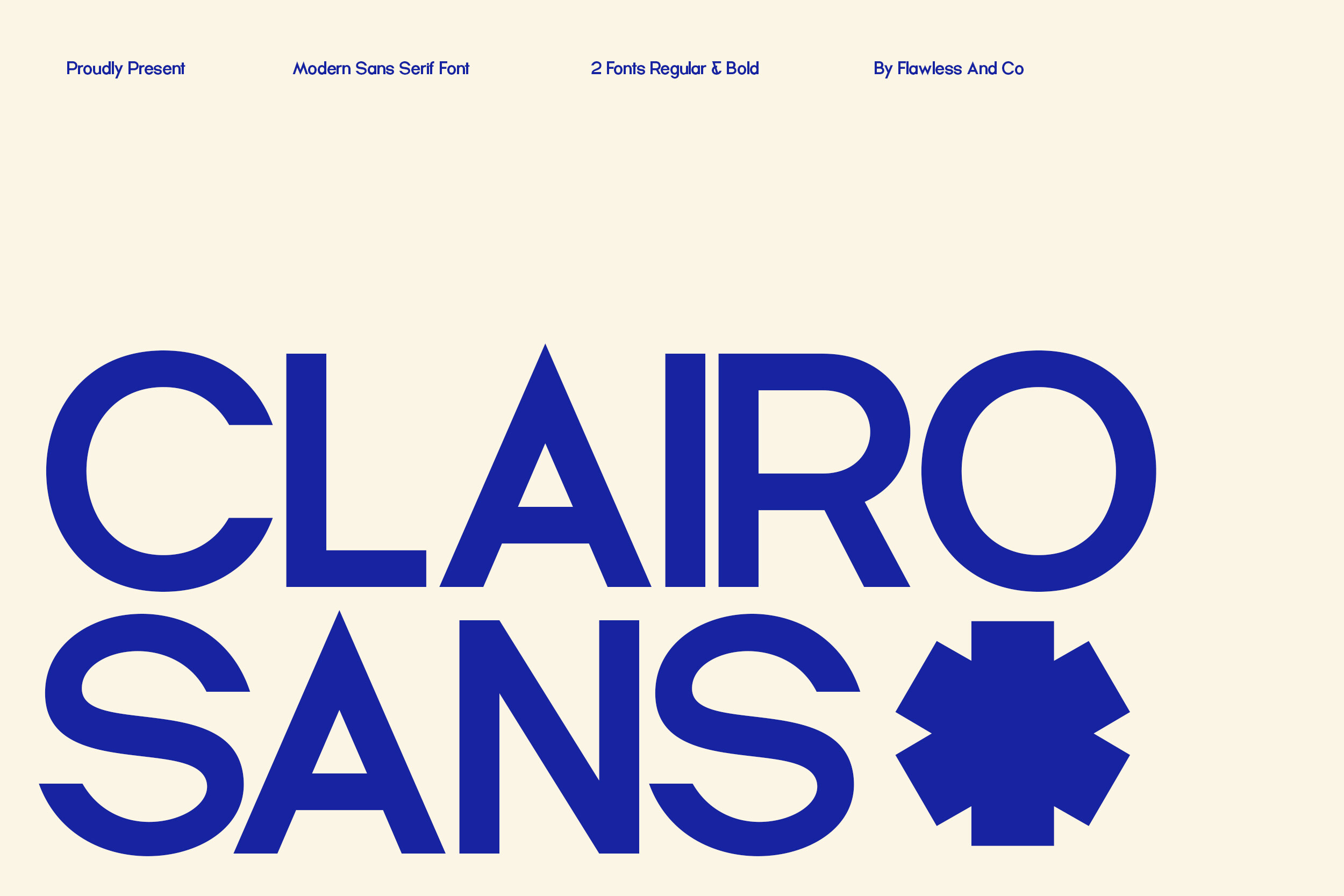
Clairo Sans is a geometric, minimalist sans-serif that keeps captions crisp without fighting the photo. It works well when you want a clean feed aesthetic but still need text that stays readable at phone size. I use it for captions where the layout needs to feel calm.
Best for: Instagram carousel captions, aesthetic feed text. By: Flawless And Co
2. Sovie
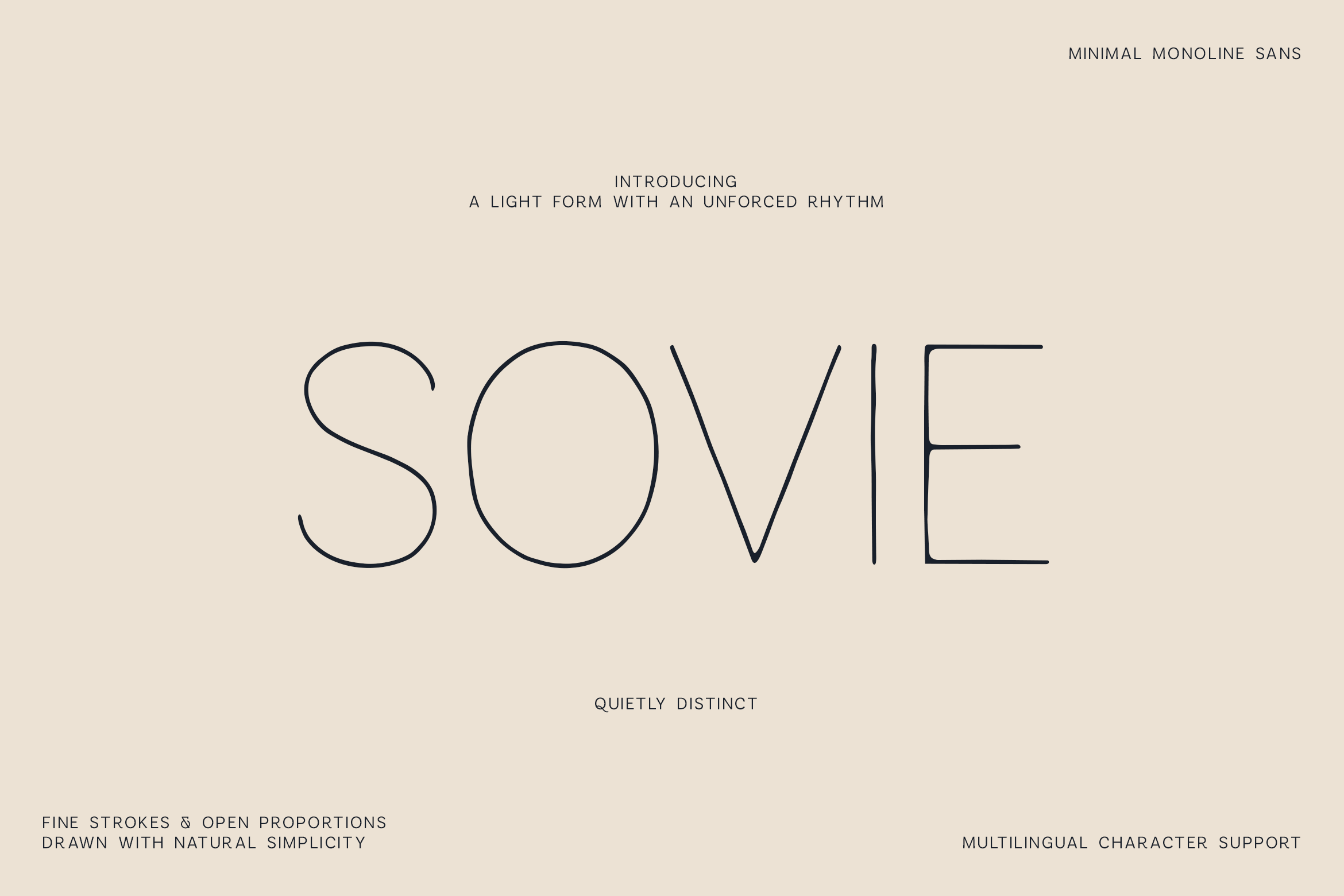
Sovie has a modern, minimal feel that suits brand posts where the layout does most of the talking. It is a good pick for short Stories text, simple announcements, and feed graphics that need a calm, professional tone. If your feed leans quiet, this is a safe starting point.
Best for: clean brand posts, minimal Stories text. By: vladfedotovv
3. Equalis
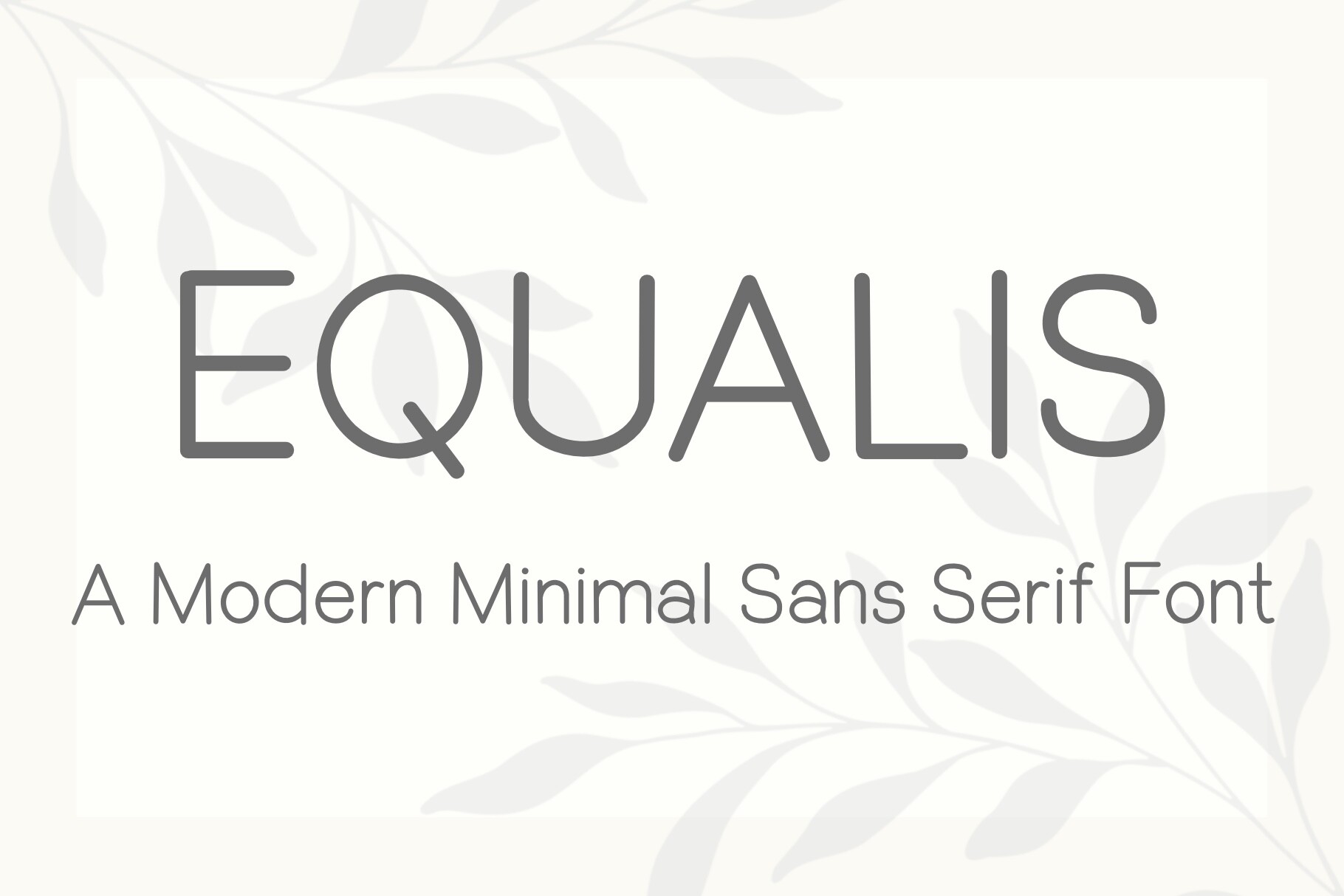
Equalis is a geometric sans-serif built for clarity. It is a strong choice for informational posts, infographics, and educational carousels where the reader needs to scan details quickly. I like it when the message needs to be understood fast.
Best for: informational posts, infographics. By: windmill art
4. Utha

Utha is a clean, rounded sans serif from Limbo Creative. It fits profile bios, clean product posts, and simple captions where you want a friendly but uncluttered look. It has a softer edge than a strict geometric sans, which helps when the brand voice is casual.
Best for: profile bios, clean product posts. By: Limbo Creative
5. Etano
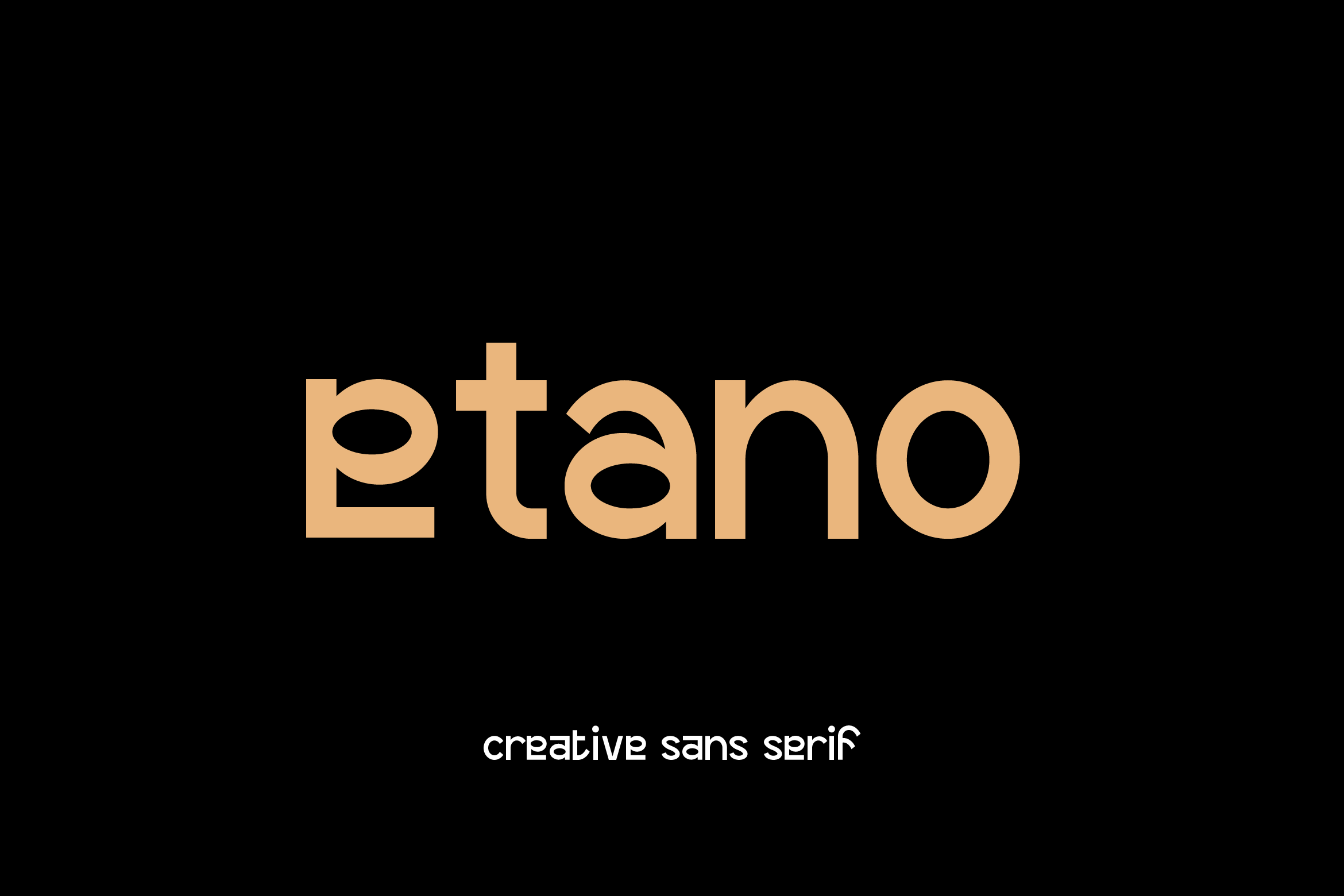
Etano feels friendly yet professional, with soft curves that make it easier to read in longer caption blocks. It is a useful option for carousel body text and LinkedIn-style posts that need a warmer, more branded feel than a strict neutral sans. I would reach for it when a plain sans feels too cold.
Best for: carousel body text, LinkedIn-style posts. By: Artiveko
Bold Display Fonts for Social Media
Bold display fonts are the fonts for Reels covers and the TikTok fonts that stop the scroll. They work best on carousel title slides and promo posts where the message is short and the contrast is high. I reach for these when the post needs to make a quick impression.
6. Choco Biscuit
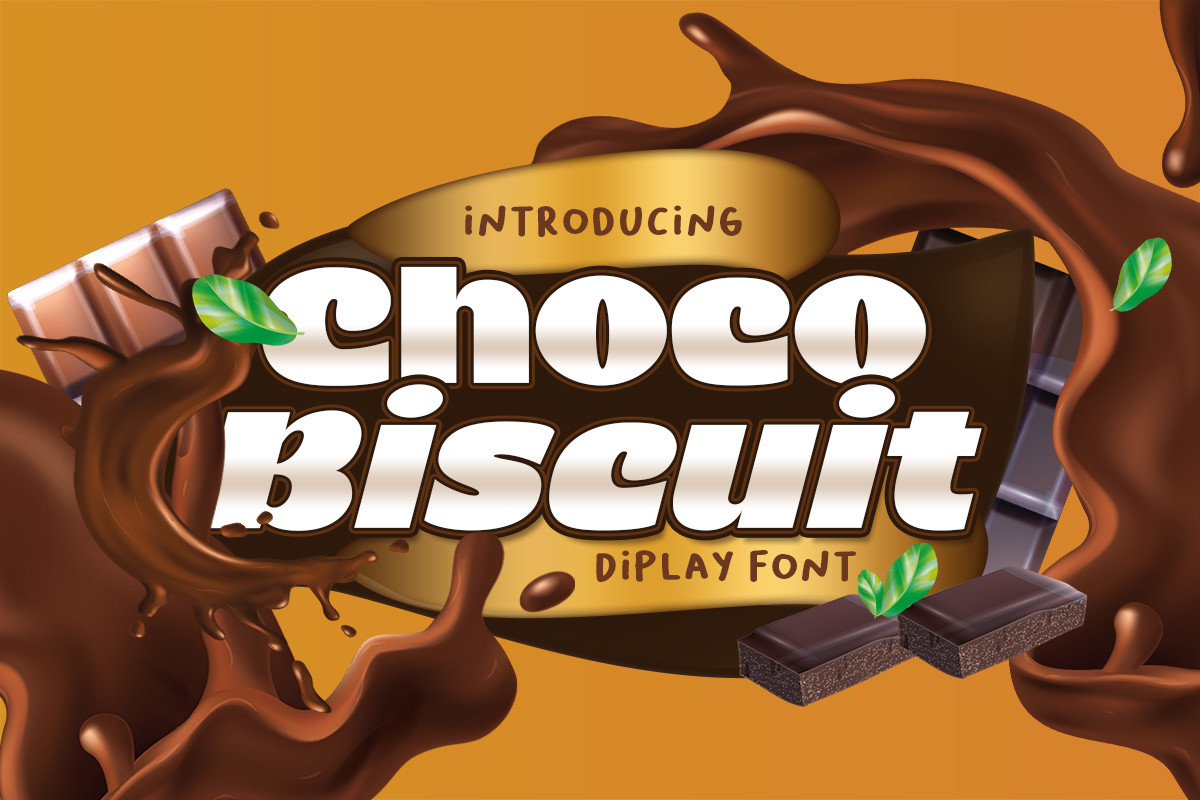
Choco Biscuit is a chunky display font with a soft, approachable edge. It suits Reels cover titles, bold hooks, and playful brand posts that need weight without feeling harsh. It has a friendly punch, which is useful when you want attention without looking aggressive.
Best for: Reels cover titles, bold hooks. By: Lettercorner Studio
7. Quesmo
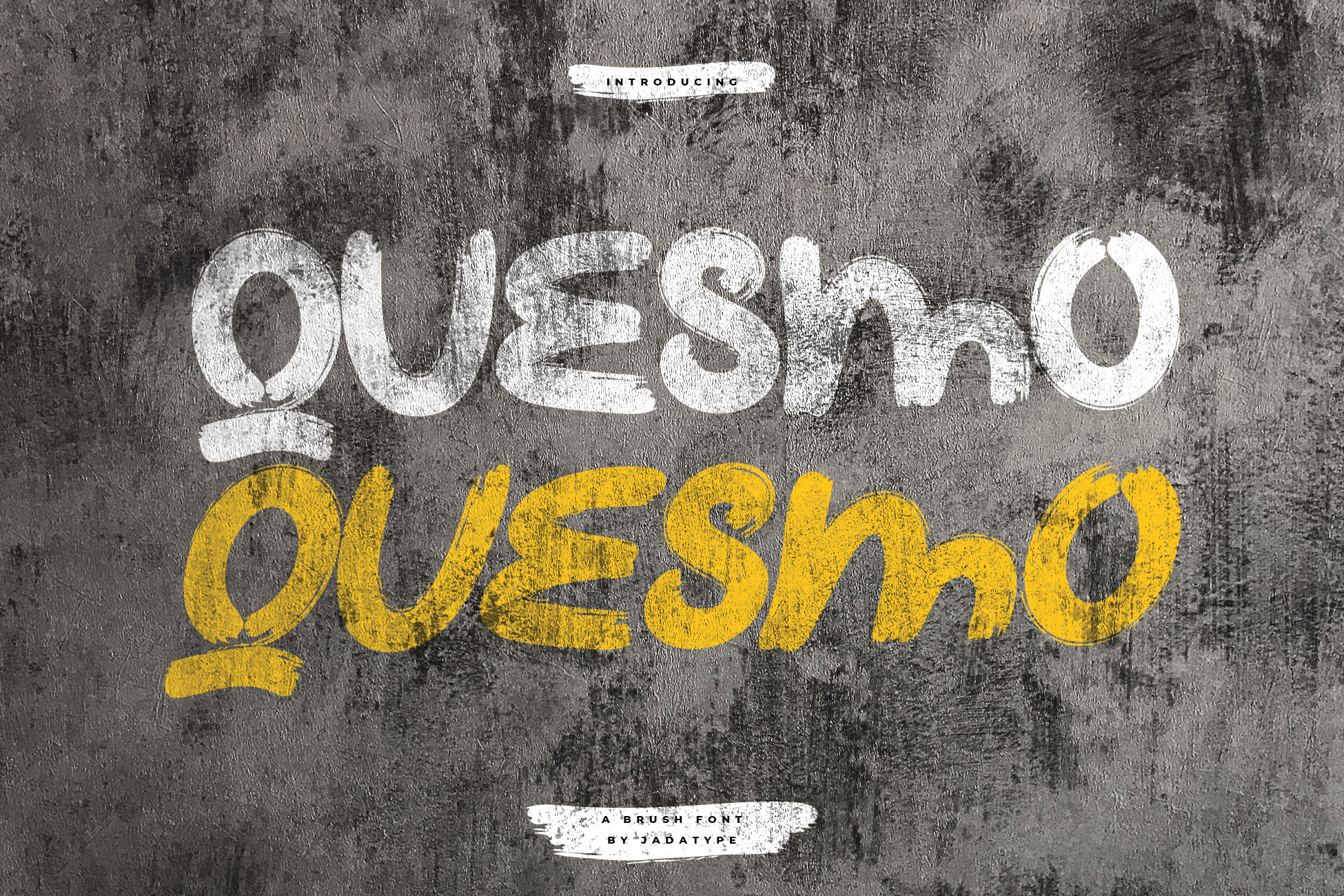
Quesmo is a bold display typeface with strong headline presence. It works well for carousel title slides, YouTube thumbnails, and social media graphics where the first word needs to land immediately. If your hook is one or two words, this is a good match.
Best for: carousel title slides, YouTube thumbnails. By: jadatype
8. Glisten
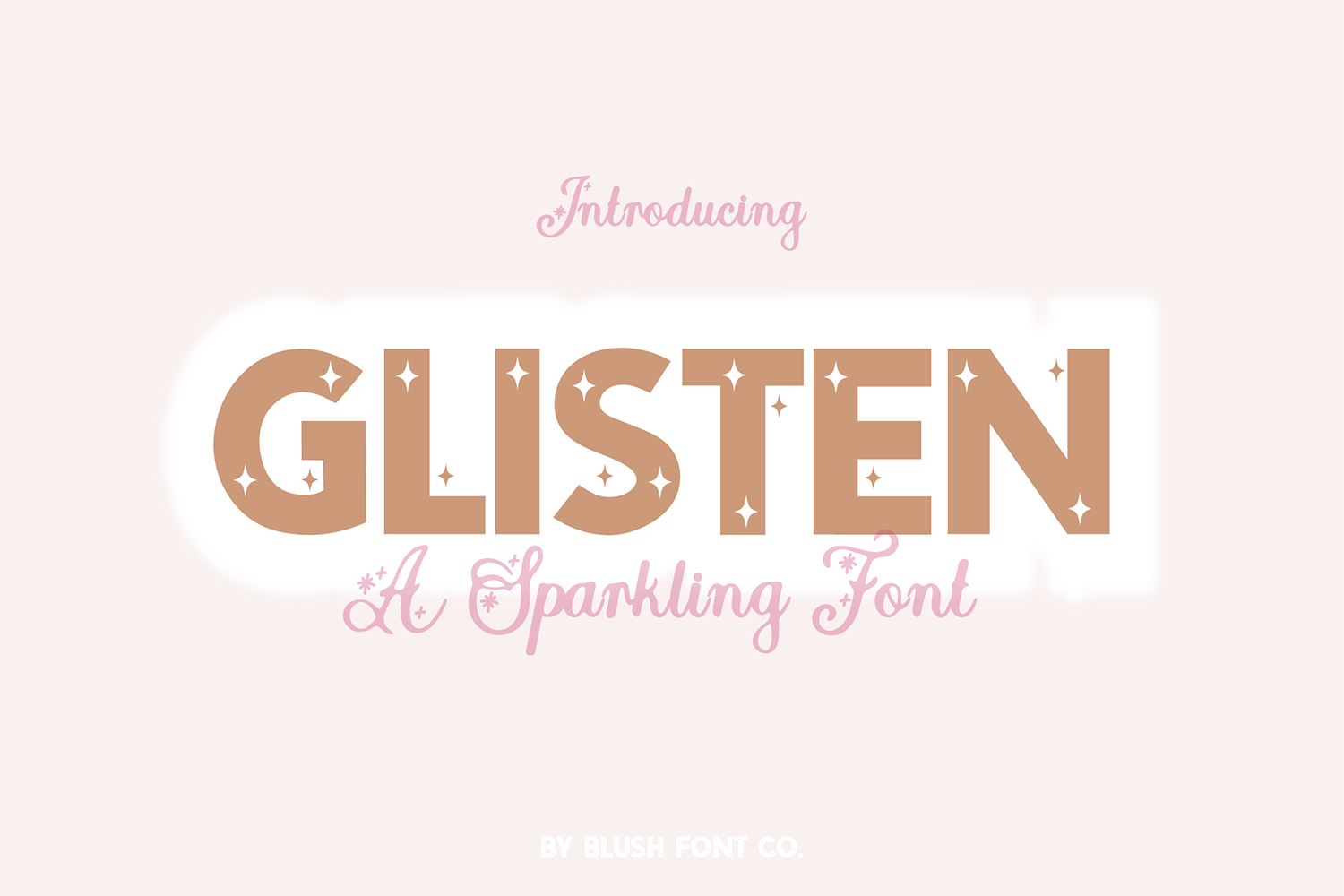
Glisten is a high contrast display font with a celebratory, event-driven feel. Note: It is a caps-only design, so it suits short titles, promo graphics, and TikTok cover text. It works best in short bursts.
Best for: TikTok cover text, promo graphics. By: blushfontco
9. Monilo
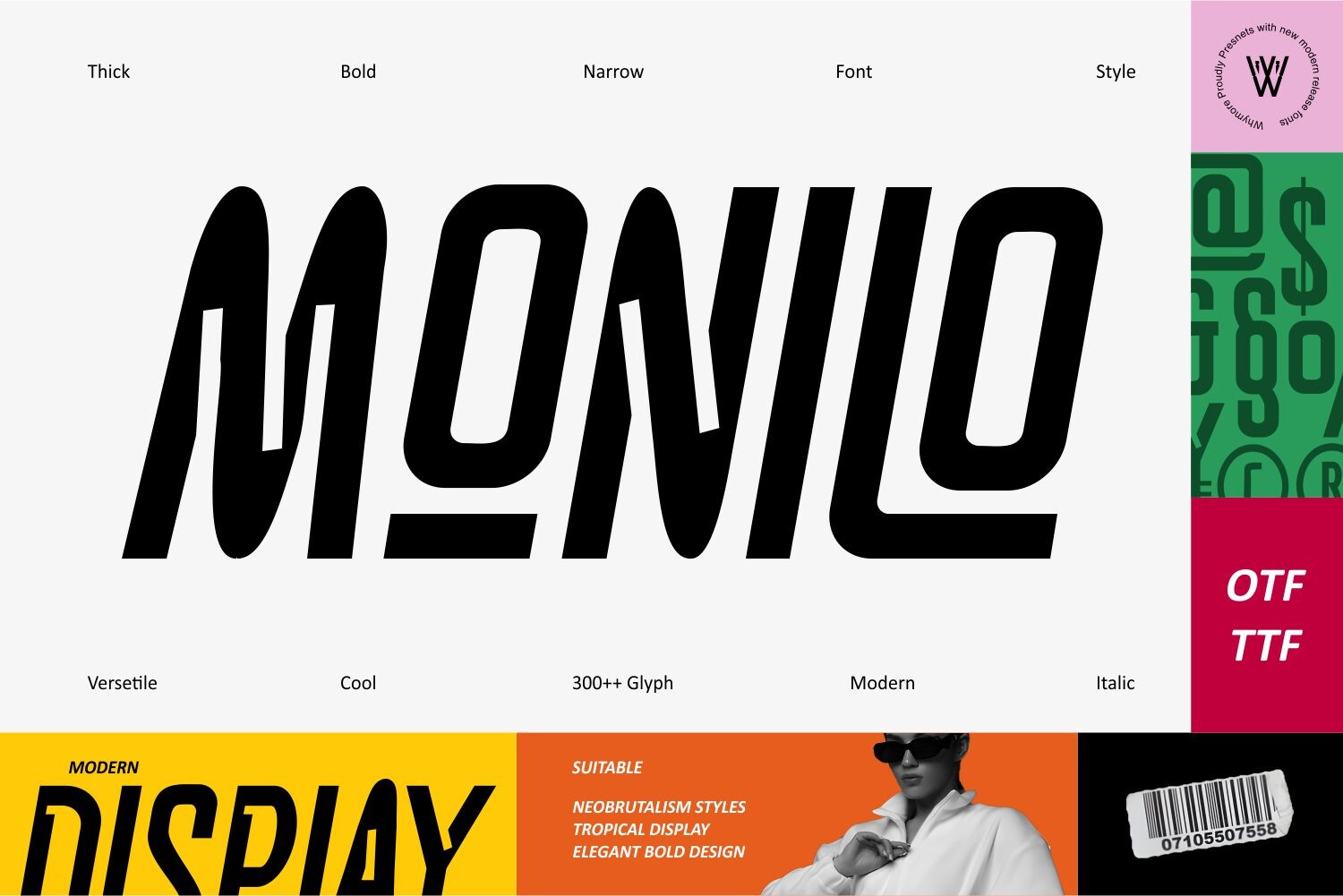
Monilo has a futuristic, condensed, tech-inspired energy that fits announcement posts, sale graphics, and modern brand campaigns. It sits in a Y2K-adjacent space, but its mood is sharper and more digital than a bubbly retro sticker style. I would use it when the post needs to feel current and a little edgy.
Best for: announcement posts, sale graphics. By: Whymore
Script & Casual Handwritten Fonts for Social Media
Script and casual handwritten fonts add warmth and a human touch. They are great for quotes, aesthetic Stories, personal brand captions, and greeting posts. The key is restraint. Use them for short phrases.
10. Julieto
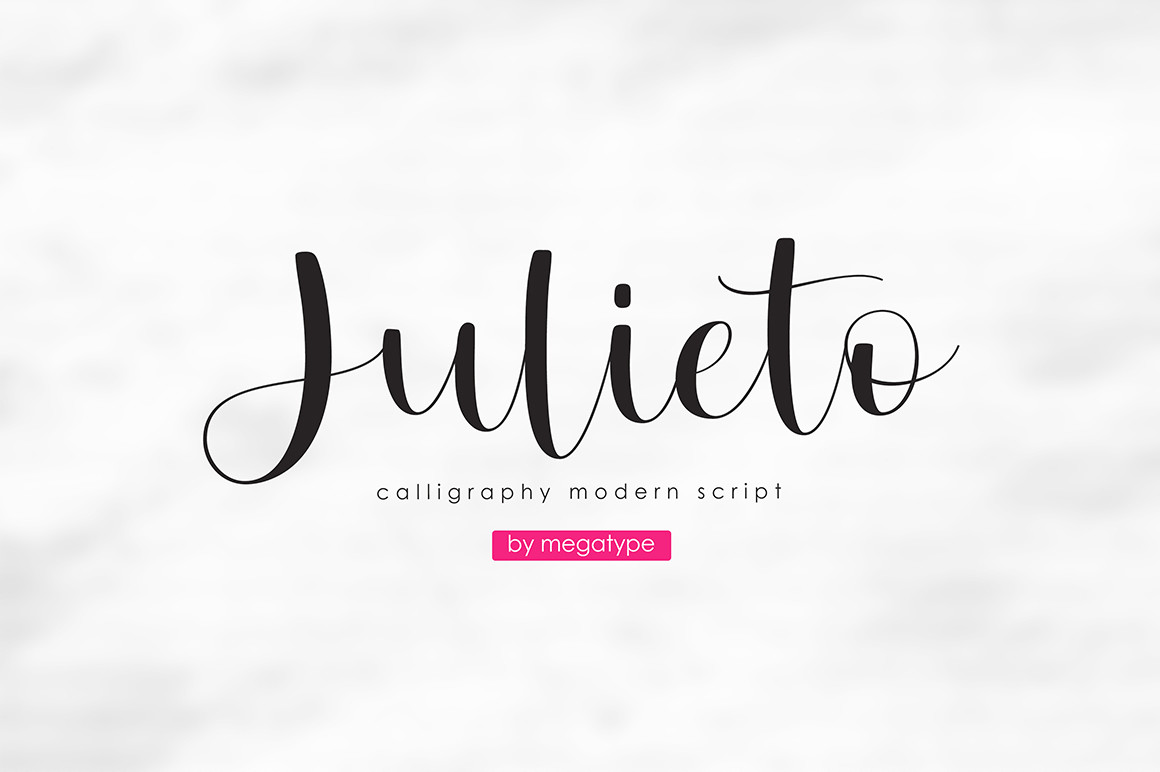
Julieto is a casual handwritten script that feels personal without becoming hard to read. It works well for quote graphics, personal brand captions, and Stories where the message should sound like a note from a friend. It is a good middle ground between polished and casual.
Best for: quote graphics, personal brand captions. By: Megatype
11. Makers Vision

Makers Vision leans into a handmade, personal brand feel. Its subtle imperfections make it a good fit for lifestyle brand posts, Stories text overlays, and content where authenticity matters more than polish. I like it when the brand voice is warm and a little imperfect.
Best for: Stories text overlays, lifestyle brand posts. By: HipFonts
12. Fountain Head

Fountain Head is a casual script that works well as a secondary text font. It pairs nicely with a sans serif or serif base, making it a practical choice for motivational quote posts, event invites, and layered captions. It works best as a supporting layer.
Best for: motivational quote posts, event invites. By: tbs.grafika
13. Honey Sky
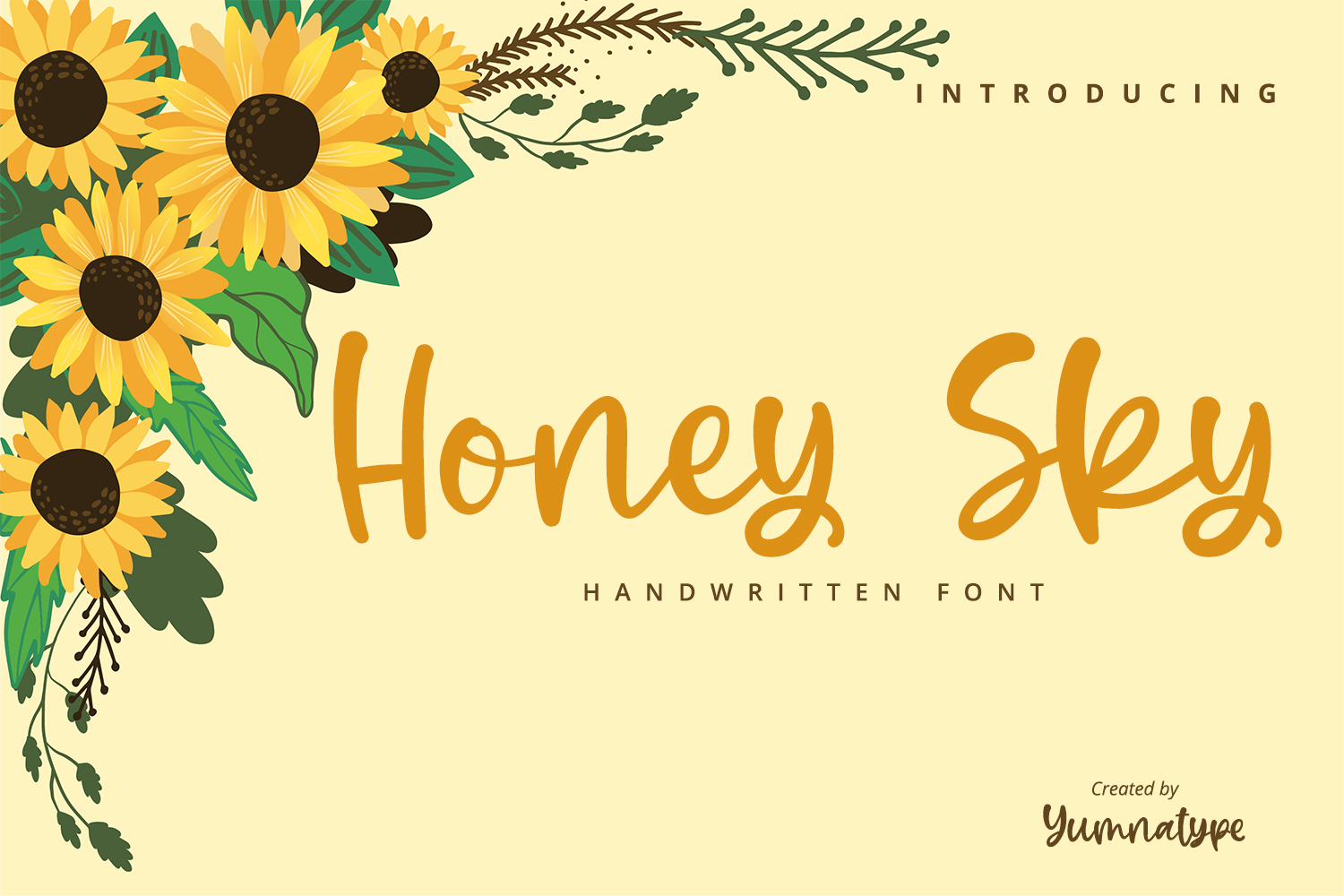
Honey Sky is a soft, friendly handwritten style that suits aesthetic feed captions and greeting posts. It keeps the tone warm and approachable, which helps when you want your feed to feel personal rather than corporate. It works best when the message is short and the layout is simple.
Best for: aesthetic feed captions, greeting posts. By: Yumna_Type
Decorative & Y2K Fonts for Social Media
Decorative and Y2K fonts work best as trend accents. Use them for short words, sticker labels, Story logos, and Reels cover moments where the visual style is the point. I treat these as accents, because the style can get loud fast.
14. Bubble Gum Club
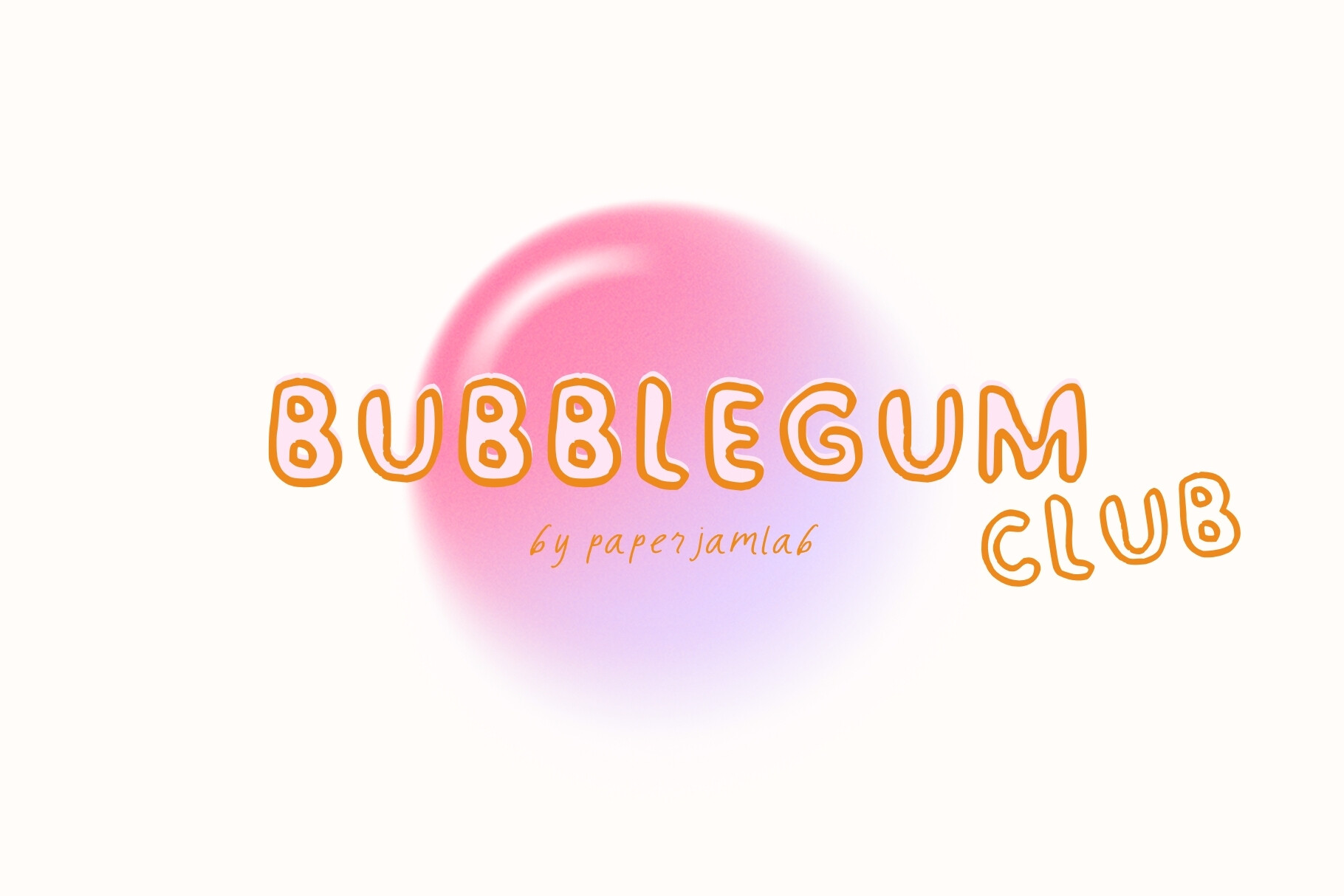
Bubble Gum Club is a bubbly, kidcore, retro-sticker-inspired font trio. It is a good fit for Y2K-style Reels covers, sticker text, and TikTok trend graphics where you want a playful, nostalgic pop. Keep it to short phrases so the style stays fun instead of noisy.
Best for: Y2K-style Reels covers, sticker text, TikTok trend graphics. By: Paperjamlab
How to Use These Fonts in Your Social Media Graphics
I keep a simple pairing rule: one bold display font for the hook, one minimalist or script font for support. If you wonder what font pairs well with a bold display font for social media, choose a clean sans serif for informational posts or a casual script for quote-based graphics.
For a feed post, use a bold display font for the headline and a neutral sans serif for the caption. For a carousel, keep the title slide bold and the body slides simple. For a Reels cover, use one or two words in a high contrast display font, then add a short supporting line if needed. For fonts for Instagram Stories, keep the text short and the contrast high.
Text size matters more than it looks. As a working benchmark on a 1080 by 1080 Instagram canvas, aim for 48 to 72 pixels for headlines, 36 to 60 pixels for Story text, and at least 24 to 32 pixels for caption or body text. If the text disappears when you shrink the preview, increase the size or simplify the message.
When placing text over photos or video, protect readability. Use a solid or semi-transparent background, a dark overlay at 40 to 60 percent opacity, or a simple shape behind the text. Khurram Shahzad, graphic design specialist, learned this the hard way: “Once, I chose a fancy script font for a campaign that looked great in print but was unreadable on mobile.”
If you are working in Canva, Adobe Express, or Figma, the workflow is similar. To add custom fonts to Canva graphics, upload the font file, then select your text and choose it from the font list. In Figma, install the font on your computer and use it in text layers. Instagram does not let you upload custom fonts directly in the app, so export the finished graphic and add any final text in the app if needed.
A quick test is to preview the graphic on your phone before posting. Zoom out, check the thumbnail, and make sure the first line is readable without squinting. That is the real test for fonts for social media graphics.
Tips for Choosing the Right Font for Social Media
Licensing is the part many creators skip until it becomes expensive. A client once loved a typeface, only to learn it would cost $20,000 to license at one million monthly views, according to Leigh Whipday, co-founder of ToyFight. That kind of surprise is why you should check the license before using a font in paid or business-related content.
Are these fonts free for commercial use on Instagram and TikTok? The 14 fonts in this list are paid Creative Fabrica licenses, not free personal-use fonts. For example, Clairo Sans is listed at $7.60 with a standard Creative Fabrica commercial license. Many free fonts from sources like Google Fonts, DaFont, or Font Squirrel are personal-use only, so always read the license before using a typeface for a brand, product, or client work.
Commercial use usually applies when the content supports a business, promotes a product, attracts customers, or appears in paid campaigns. That can include Instagram feed posts, Stories and Reels covers, TikTok thumbnails, Facebook ads, Pinterest pins, YouTube thumbnails, product launch posts, sale announcements, brand campaign graphics, client social templates, and influencer promotional content.
Keep your account consistent. Choose two or three fonts for the whole account. A bold display font for hooks, a clean sans serif for body text, plus one script or decorative accent for special moments, makes a reliable system. This is especially useful for small business owners who want the feed to feel recognizable without hiring a designer for every post.
If you are building a personal brand, let the font match your voice. A minimal studio may want a clean sans serif and a bold display accent. A lifestyle creator may prefer a warm script and a soft sans serif. A trend-focused account may use a Y2K font for stickers and covers, but still rely on a readable base font for captions.
Where to Download Fonts for Social Media
I would start with Creative Fabrica for this list, and it is a solid option for Canva fonts for social media. It is a practical option for creators who want a mix of minimalist fonts for branding, bold display typefaces, script fonts for captions, and decorative accents without hunting through dozens of sites.
You can also browse free options on Google Fonts, DaFont, and Font Squirrel, but check the license carefully. For commercial social media work, a paid license is often the safer route, especially when the graphic is used for ads, client templates, or recurring brand content.
For more font pairings, licensing notes, and practical design tips, see the FontPro blog. The goal is simple. Pick fonts that look good and read clearly on the platforms your audience actually uses.