· fonts · 12 min read
14 Best 80s Fonts in 2026
Explore the best 80s fonts for retrowave posters, VHS-style covers, sporty merch and Memphis graphics: chrome scripts, bold serifs, arcade and synth styles.
If you are designing a synthwave poster, a VHS-style album cover, or a retro tee, the right typeface can make the whole piece feel instantly 1980s. The decade was not one single look.
It was neon video store nights, chrome car ads, gym class aerobics, arcade cabinets, and bold magazine covers all at once. That is why the best 80s fonts come in several families: slanted brush scripts, tight serifs, speed italics, pixel arcade faces, and playful Memphis shapes.
This list focuses on 80s fonts, synthwave fonts, and retrowave fonts you can use for posters, album covers, YouTube thumbnails, merch, bar branding, party flyers, and game-inspired graphics. Each pick is grouped by the vibe it solves, so you can jump to the style you need. If you want more brush options, see our best brush fonts.
I would not try to make every element scream 1980s. Pick one loud typeface, keep the background calm, and let the color do the rest.
What Makes a Font Look Like the 80s?
A font feels 80s when it carries one of the decade’s signature moods. Brush scripts with a lean, handwritten energy echo VHS tapes, movie posters, and late-night video store flyers.
Chrome gradients and glossy letterforms point to car commercials, tech logos, and sci-fi titles. Bold, tightly spaced serifs bring back the confident editorial look of 80s and 90s branding.
For 80s movie fonts, think of titles that need to stand out on a dark background. A slanted script can feel like a video store rental, while a chrome or serif headline can feel like a theatrical release.
Sporty italics add speed, while pixel faces recall arcade cabinets and early computer games. Memphis-style geometry brings in the playful, pattern-heavy side of 80s pop design.
Color matters too: neon blue, vivid purple, and hot pink on dark navy or black backgrounds are classic choices. Layering letters, adding outlines, and using outer glow effects can make type feel lifted, glowing, or metallic.
Retrowave and synthwave are modern reinterpretations of that era. They often combine rough, textured brush scripts with sleek chrome or gradient headlines.
If you ask what fonts were popular in the 80s, the answer is not one typeface. It is a mix of 80s script fonts, chrome fonts, tight serifs, arcade fonts, and Memphis fonts, all shaped by the media people saw every day.
There is something a little nostalgic about that mix. It feels loud, but it also feels friendly.
Retrowave & VHS Script 80s Fonts
Slanted brush scripts are the face of many synthwave posters, VHS-style covers, and Miami-inspired designs. They work well with neon glow, chrome accents, and sunset grids. When choosing a VHS font, look for a lean, handwritten feel that can read as a title without needing too many effects.
These retrowave fonts are great when you want the piece to feel nostalgic but still modern. If you are working on 80s fonts for Canva, these faces are useful because a strong script can carry a thumbnail or social post. If the script is too thin, add a subtle outline before adding glow.
I usually start with the script first, then decide if the background needs a grid or just a dark gradient.
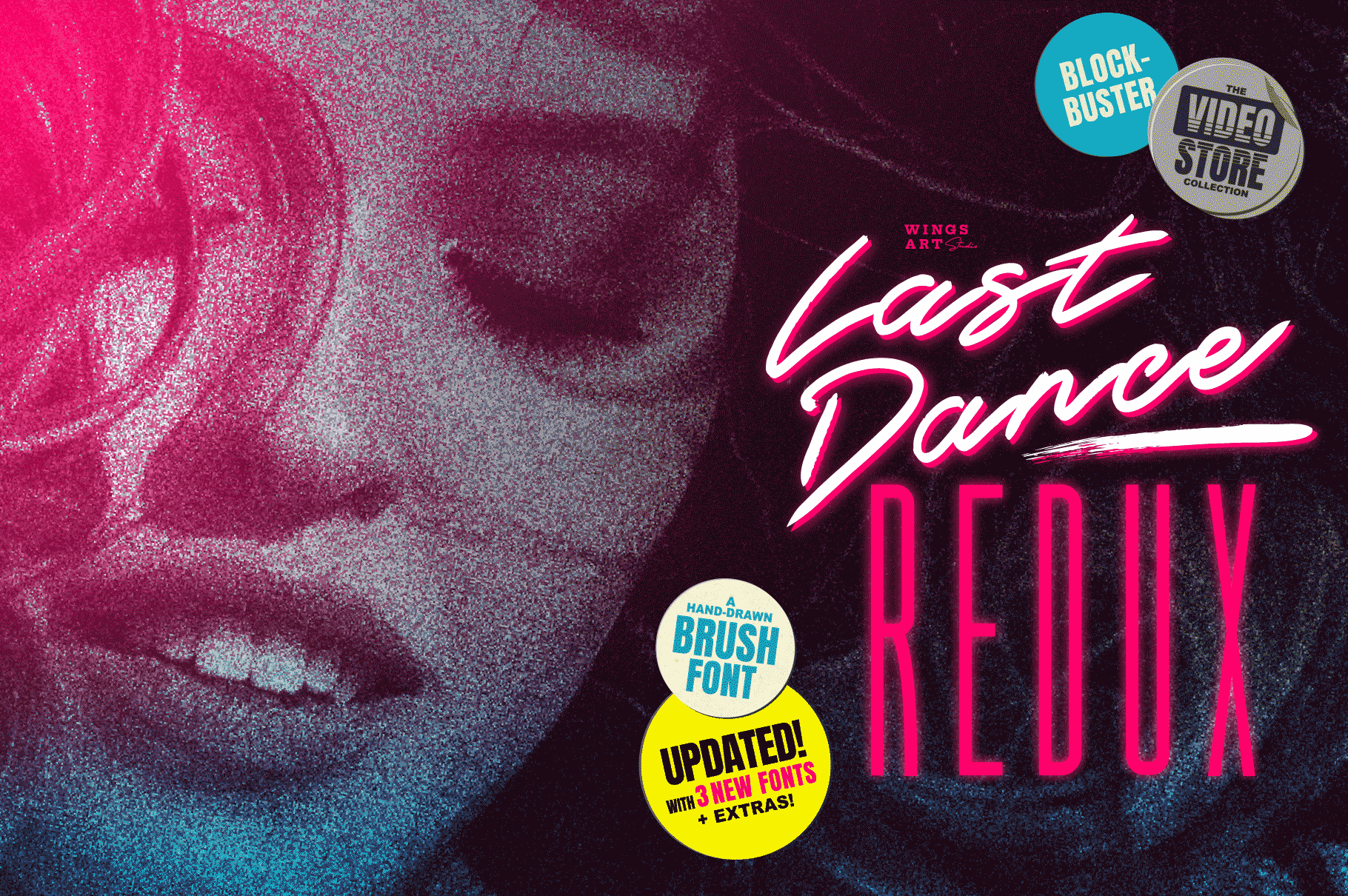
1. Last Dance Redux
This brush-script face is inspired by 80s movie posters, VHS covers, and Friday nights at the video store. It has a feel-good, retro energy that works well when you want a title to look like it belongs on a cassette box or a synthwave playlist cover.
Best for: retro movie posters, VHS-style covers, synthwave playlists. By: wingsart
2. Street Punks
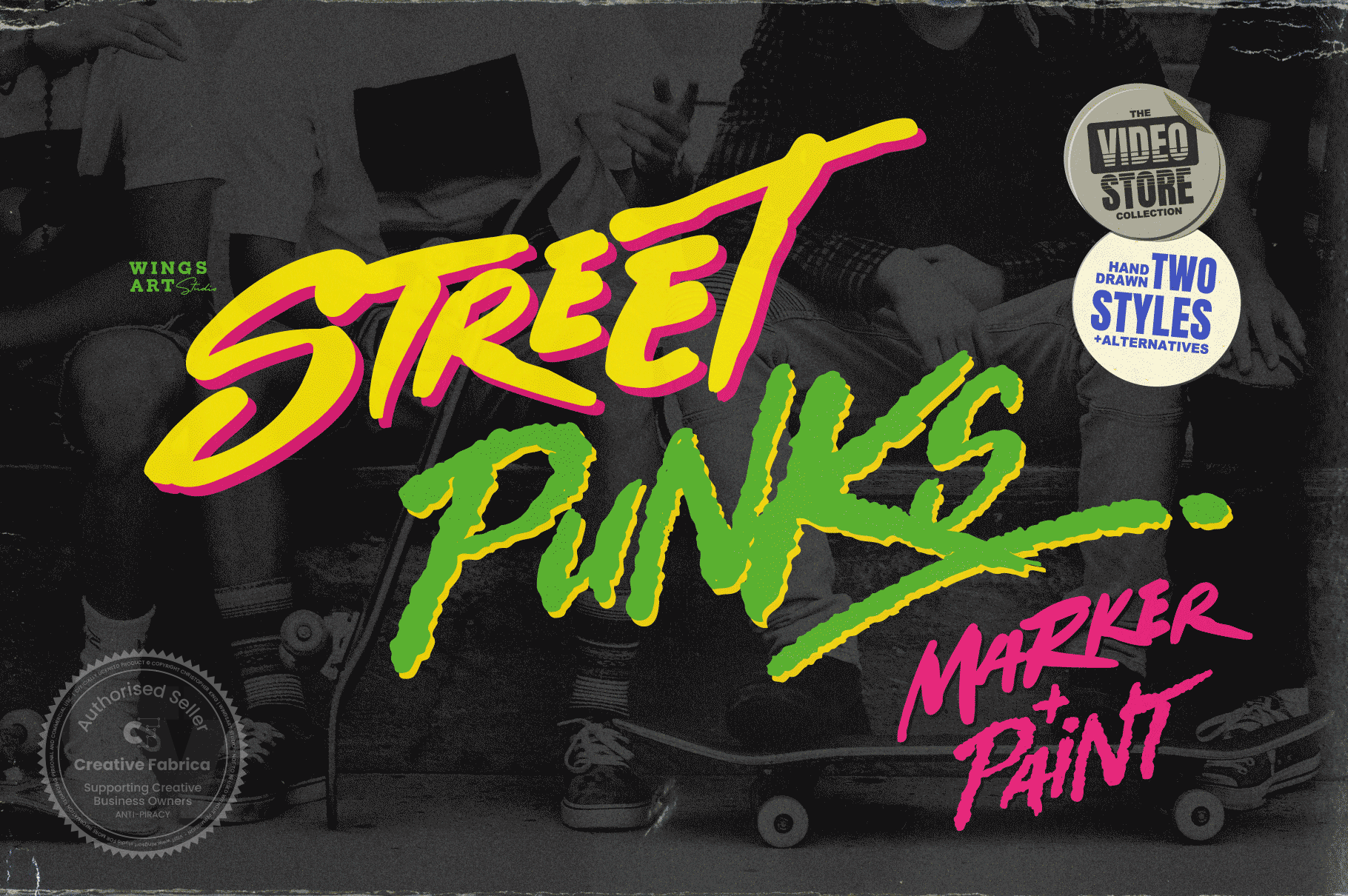
A hand-drawn face inspired by graffiti and skate culture, this one brings a looser street vibe to 80s-style projects. It comes in two pen and paint styles, which gives you options for skate brand tees, graffiti-style posters, and mixtape art.
Best for: skate brand tees, graffiti-style posters, mixtape art. By: wingsart
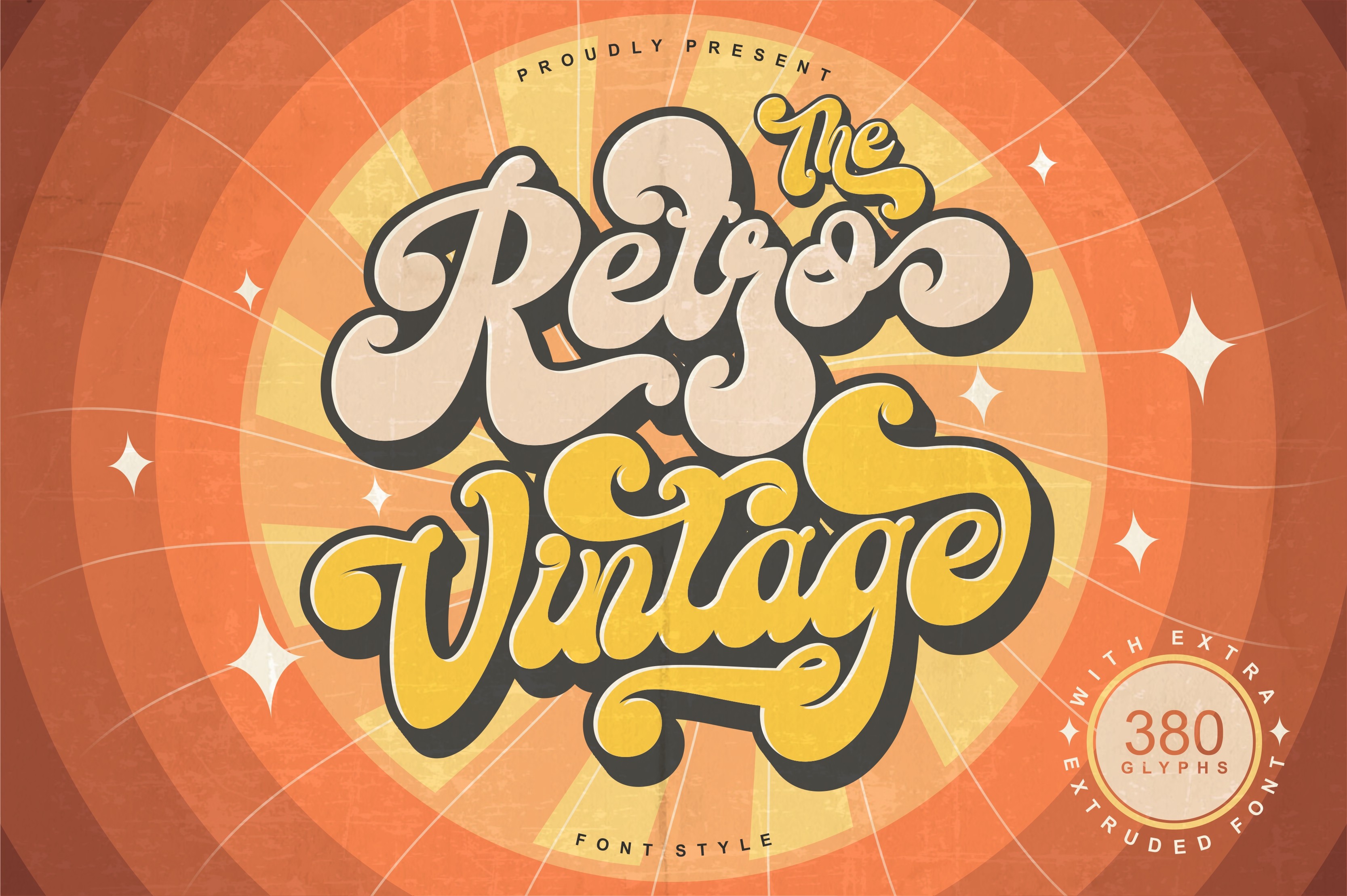
3. Retro Vintage
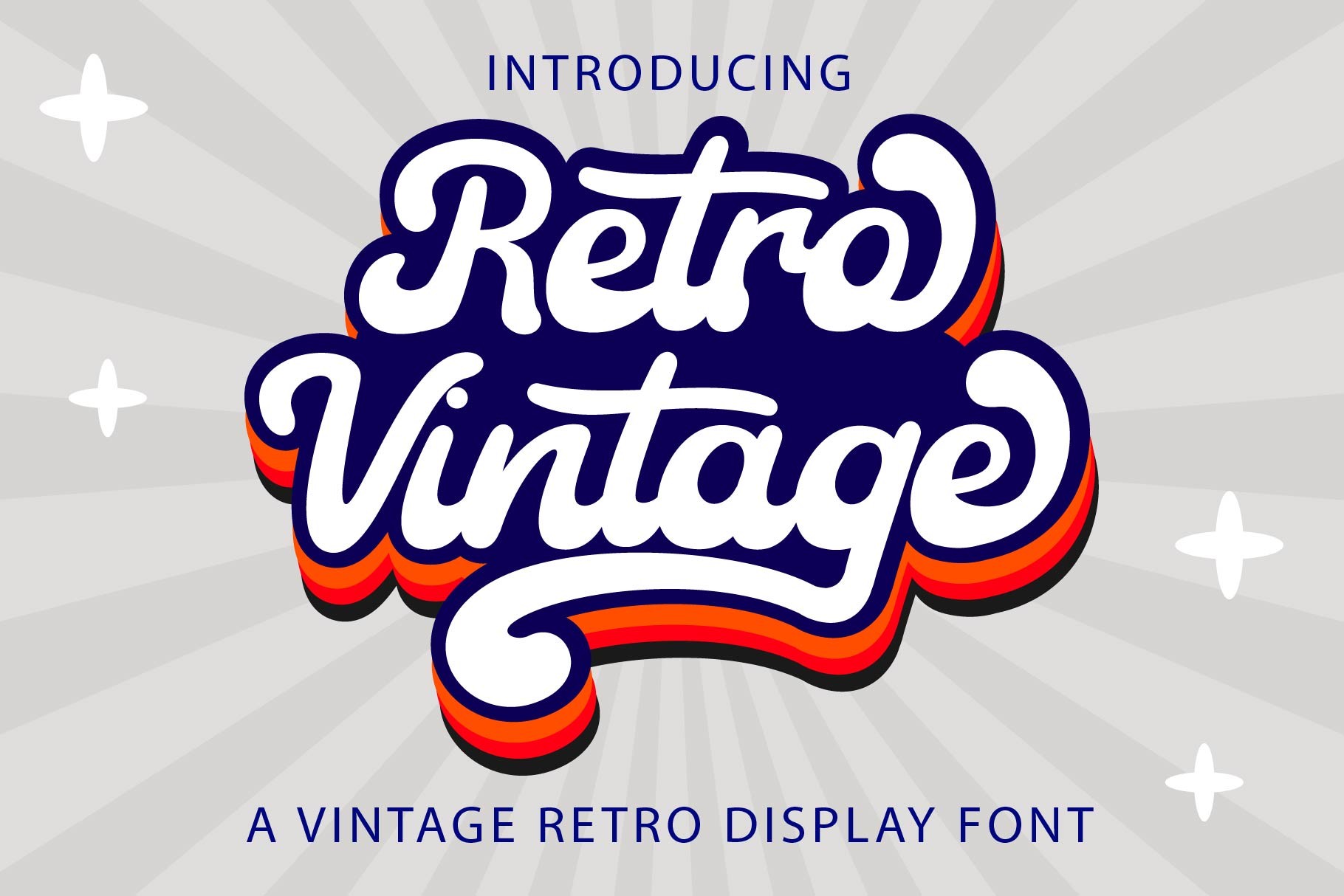
This vintage-style handwritten font adds a retro touch without turning the design into a full neon poster. It is a good choice when you want a casual, nostalgic headline that still feels easy to read on stickers, covers, and social posts.
Best for: retro stickers, mixtape covers, casual headlines. By: Densu Creative
4. Miami
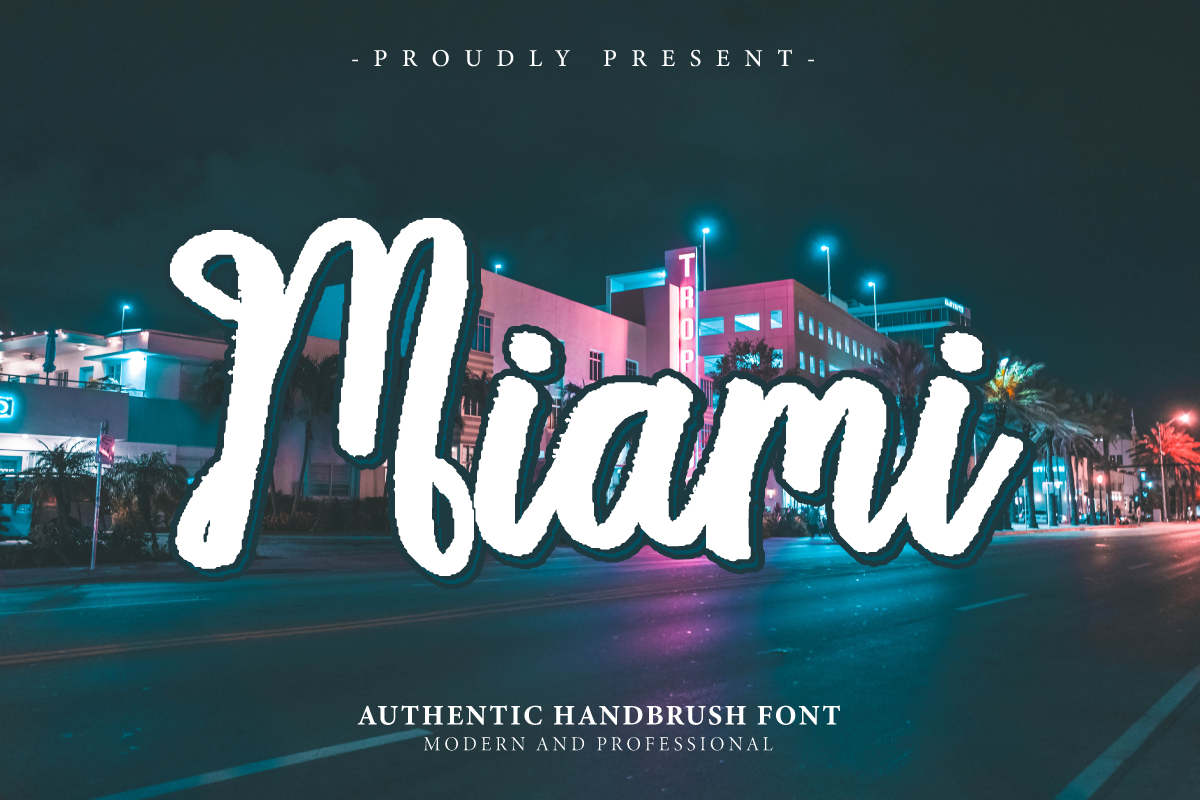
A brush handwritten face with a relaxed, beachy feel, this one suits neon-style captions, beach club flyers, and retro tees. It is a useful 80s script font when you want the Miami vibe without making every letter glow.
Best for: neon-style captions, beach club flyers, retro tees. By: Arief Indra Pratama
Chrome & Serif 80s Headline Fonts
Chrome and bold serifs are the headline workhorses of 80s design. They bring the confidence of magazine covers, cassette boxes, film logos, and tech branding.
Tightly spaced serifs from the 80s and 90s are making a comeback, and chrome fonts remain a favorite for sci-fi, gaming, and synthwave titles. If you want more display options, browse our best bold display fonts.
A chrome font can be the star of a synthwave poster, but it works best when the background stays calm. Pair it with a simple grid, a dark sky, or a clean gradient.
The trick is restraint. Chrome already has a lot of visual information, so the background should not compete with it.
5. Qebox Chrome
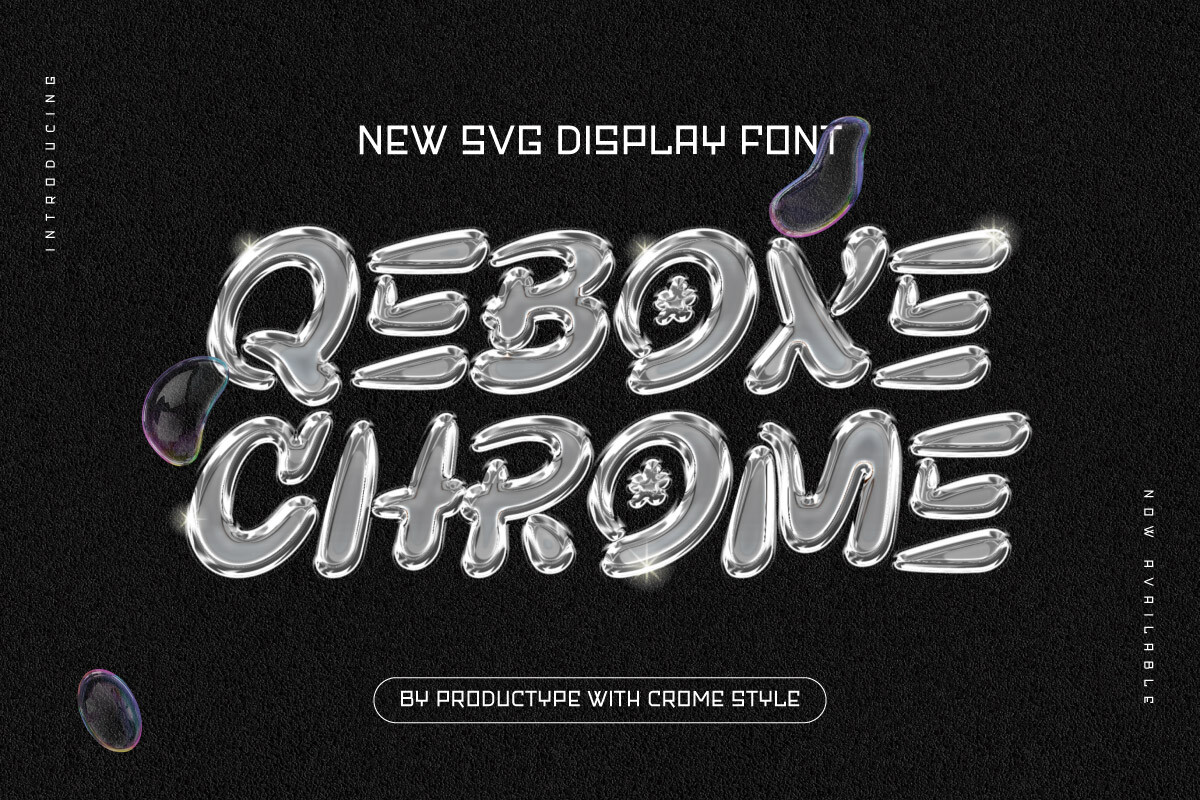
This 3D chrome-style SVG font uses reflective chrome surfaces, making it a strong choice for game titles, sci-fi posters, and tech branding. It is the kind of chrome font that can make a headline feel polished and futuristic, but it needs an app that supports OpenType-SVG color fonts.
Best for: game titles, sci-fi posters, tech branding. By: Productype
6. Retro Cool
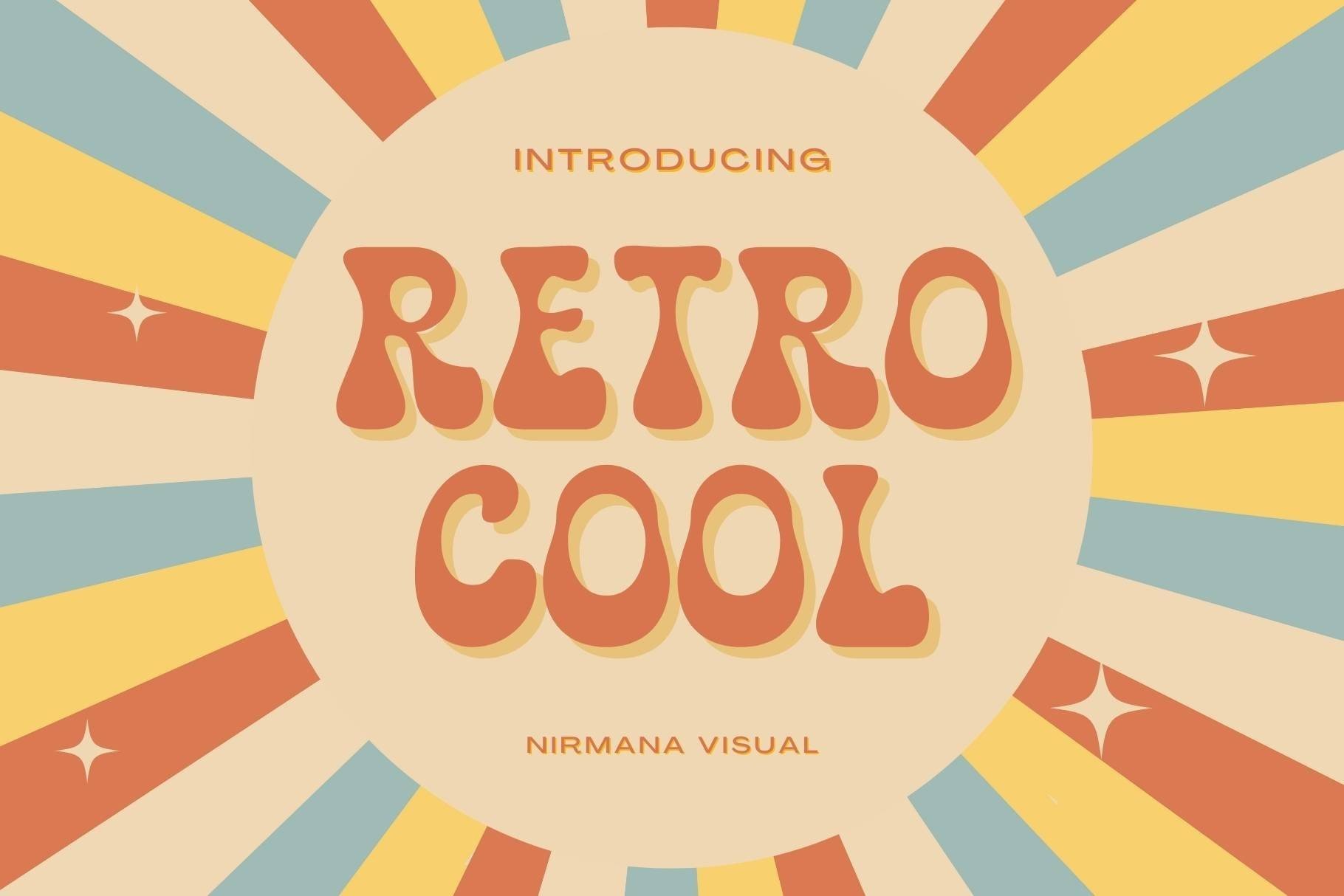
A contemporary serif display face inspired by the 70s and 80s, this one works when you want a retro headline that still feels current. It is a good fit for magazine-style headlines, album covers, and retro logos that need a bit of editorial polish.
Best for: magazine-style headlines, album covers, retro logos. By: Sigit Dwipa
7. Peachy Retro
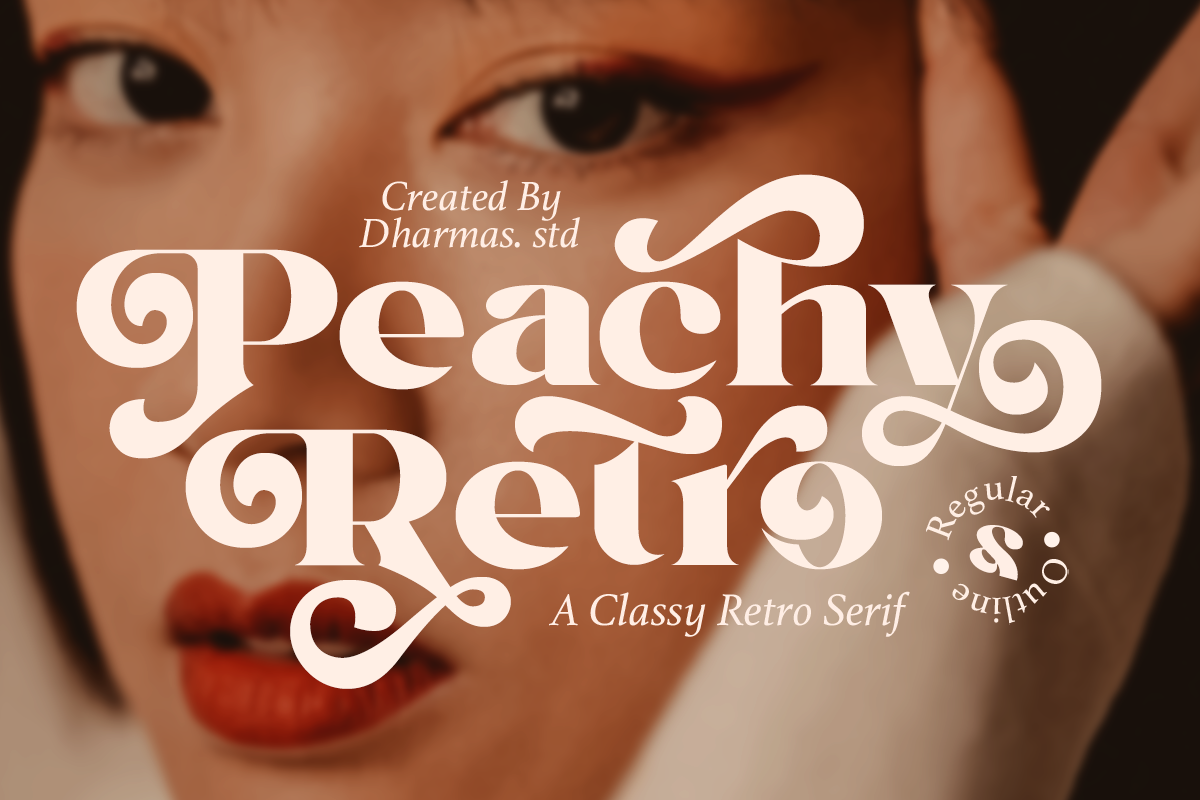
A serif with nostalgic vibes, this face is made to match the classic, tightly spaced serifs of the 80s and 90s that are making a comeback. It suits editorial titles, beauty packaging, and nostalgic branding where the type needs to feel familiar but not dated.
Best for: editorial titles, beauty packaging, nostalgic branding. By: Dharmas Studio
8. Sunday Eighties
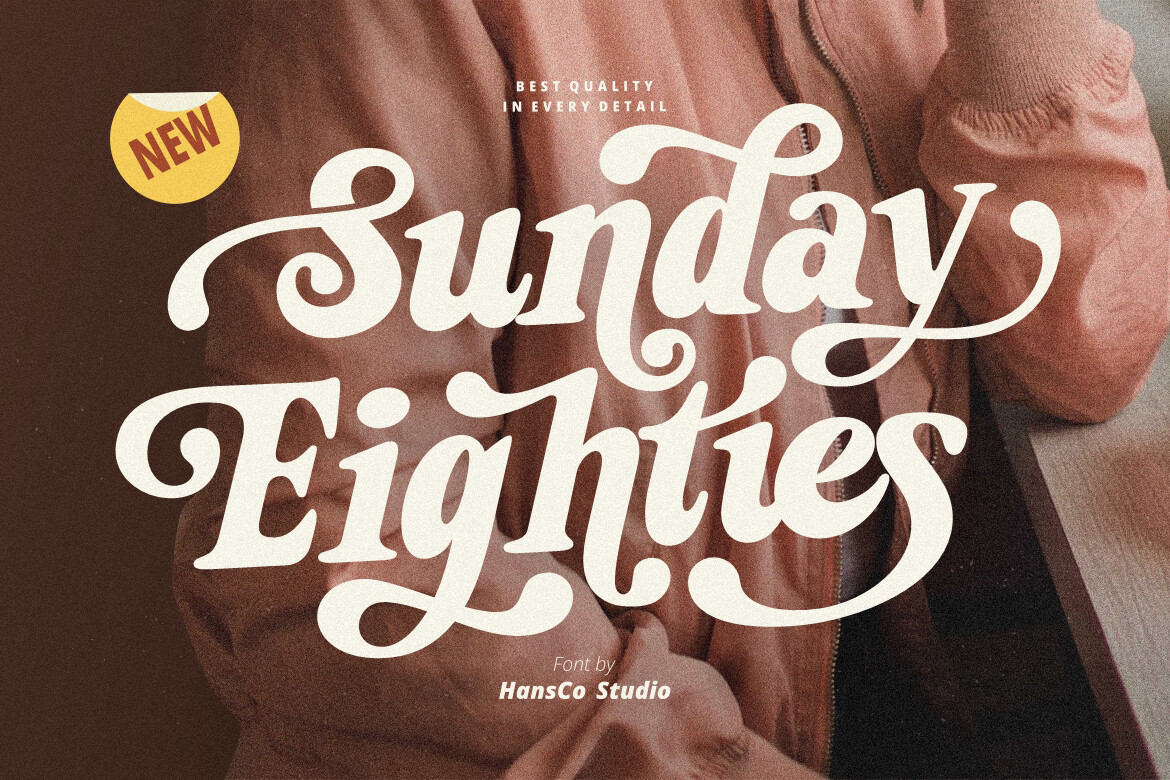
A simple, bold retro vintage serif, this one keeps the 80s feel clean and direct. It is a practical choice for poster headlines, diner menus, and vintage labels where you want strong presence without too many decorative details.
Best for: poster headlines, diner menus, vintage labels. By: HansCo
Sporty & Action 80s Fonts
Sporty and action 80s fonts lean into speed, energy, and movement. Think racing graphics, gym posters, water sports branding, and action movie titles.
These faces are great for 80s fonts for shirts, especially when the design needs to feel fast, bold, and a little competitive. They pair well with diagonal layouts, bold color blocks, and simple action imagery.
I would not pair these with a delicate script unless the design is intentionally mixing moods.
9. Play Setan
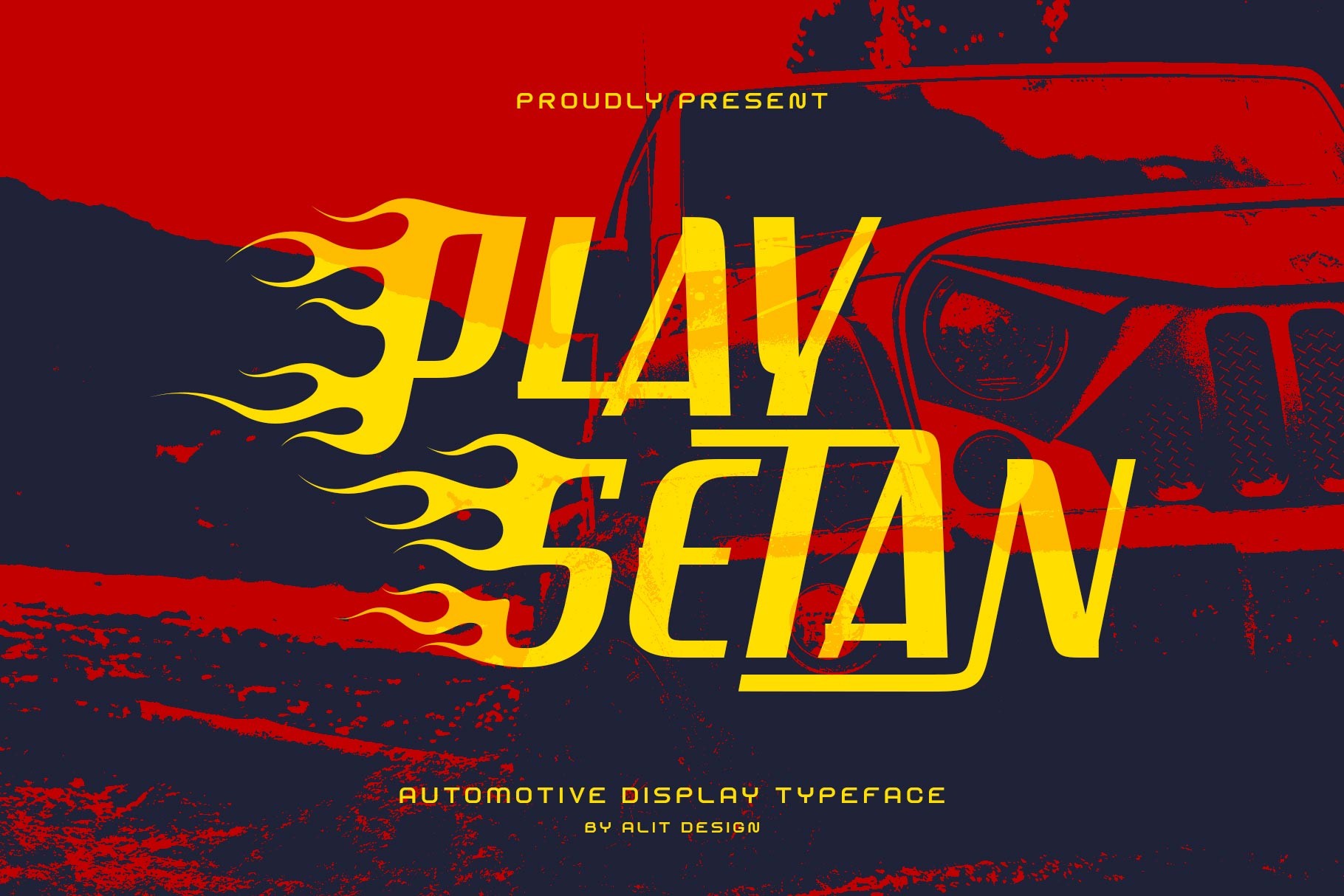
A display face inspired by the racing industry, this one has a bold, strong impression of speed. It works well for racing graphics, sports team merch, and energy drink labels where the type needs to feel like it is moving.
Best for: racing graphics, sports team merch, energy drink labels. By: Alit Design
10. Miami Beach
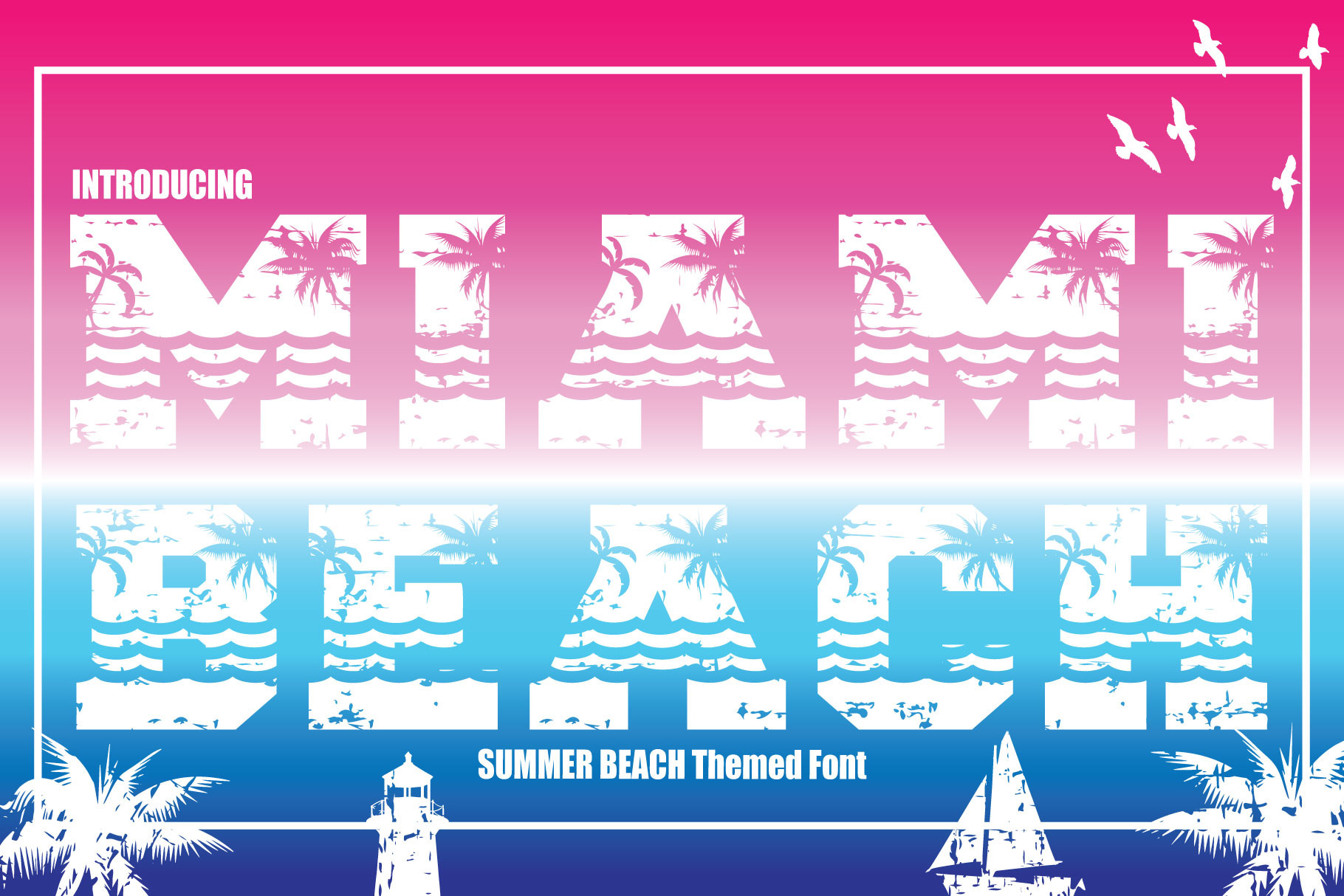
A bold, cool, fun display face aimed at designs related to speed and water sports, this one brings a summer 80s energy to the layout. It is a good fit for water sports branding, summer 80s posters, and surf shop tees.
Best for: water sports branding, summer 80s posters, surf shop tees. By: KtwoP
Memphis, Arcade & Synth 80s Fonts
This group covers the playful, pixelated, and synth side of 80s design. Memphis fonts bring in geometric pop, arcade fonts bring in 8-bit nostalgia, and clean synth faces keep the look modern.
These styles are useful for games, kids’ projects, party flyers, streamer branding, and social posts that need a retro wink without a full VHS treatment.
If your project is more pop than neon, this is the group to start with. A Memphis font can make a flyer feel playful, while an arcade font can make a game title feel instantly retro.
11. Memphis
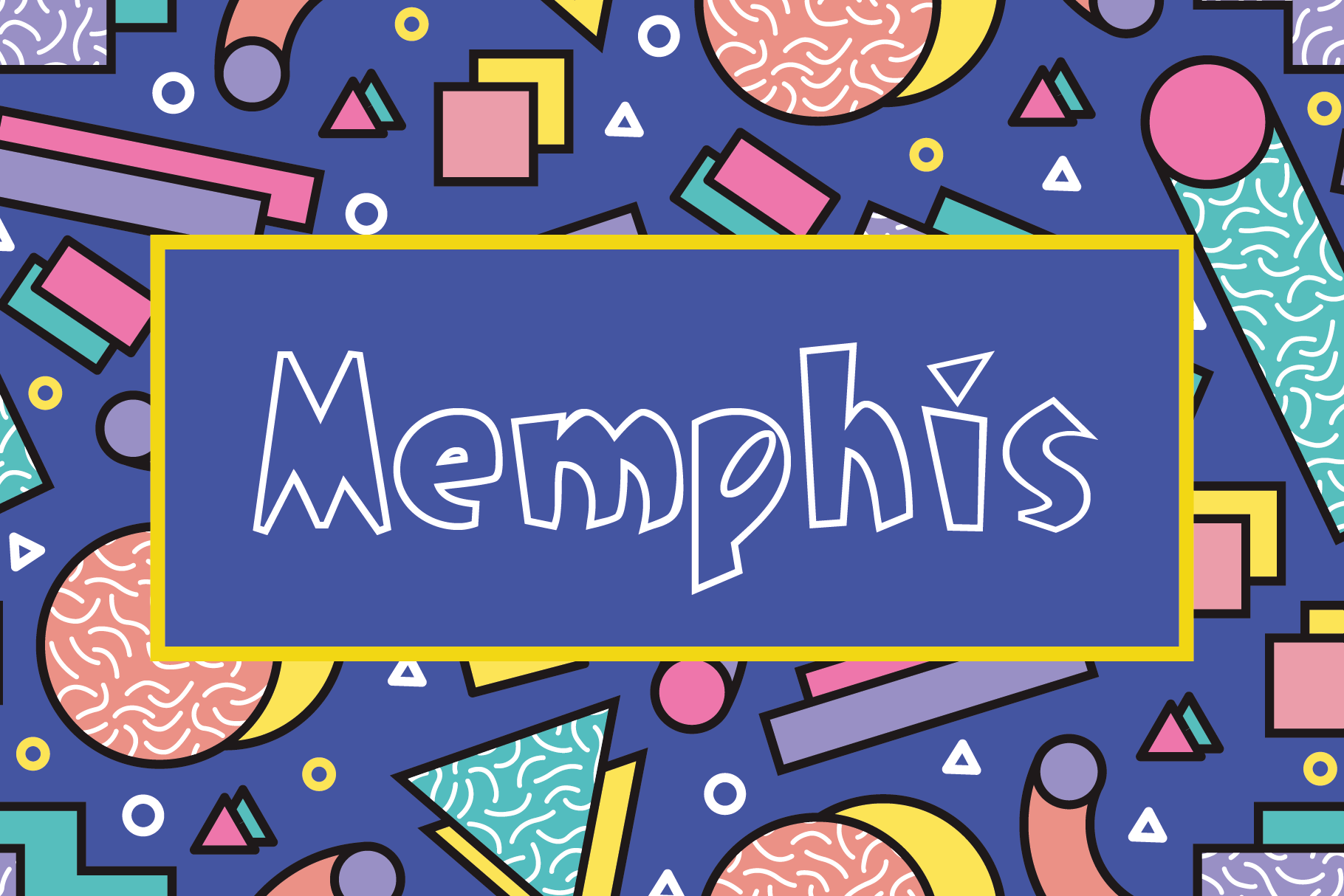
A playful, optimistic display face inspired by the 1980s Memphis design movement, this one brings a bright, pattern-friendly energy to a layout. It includes upper and lowercase letters and works for greeting cards, board games, album covers, children’s books, stickers, and branding.
Best for: greeting cards, board games, album covers. By: HipFonts
12. Cosmo Core
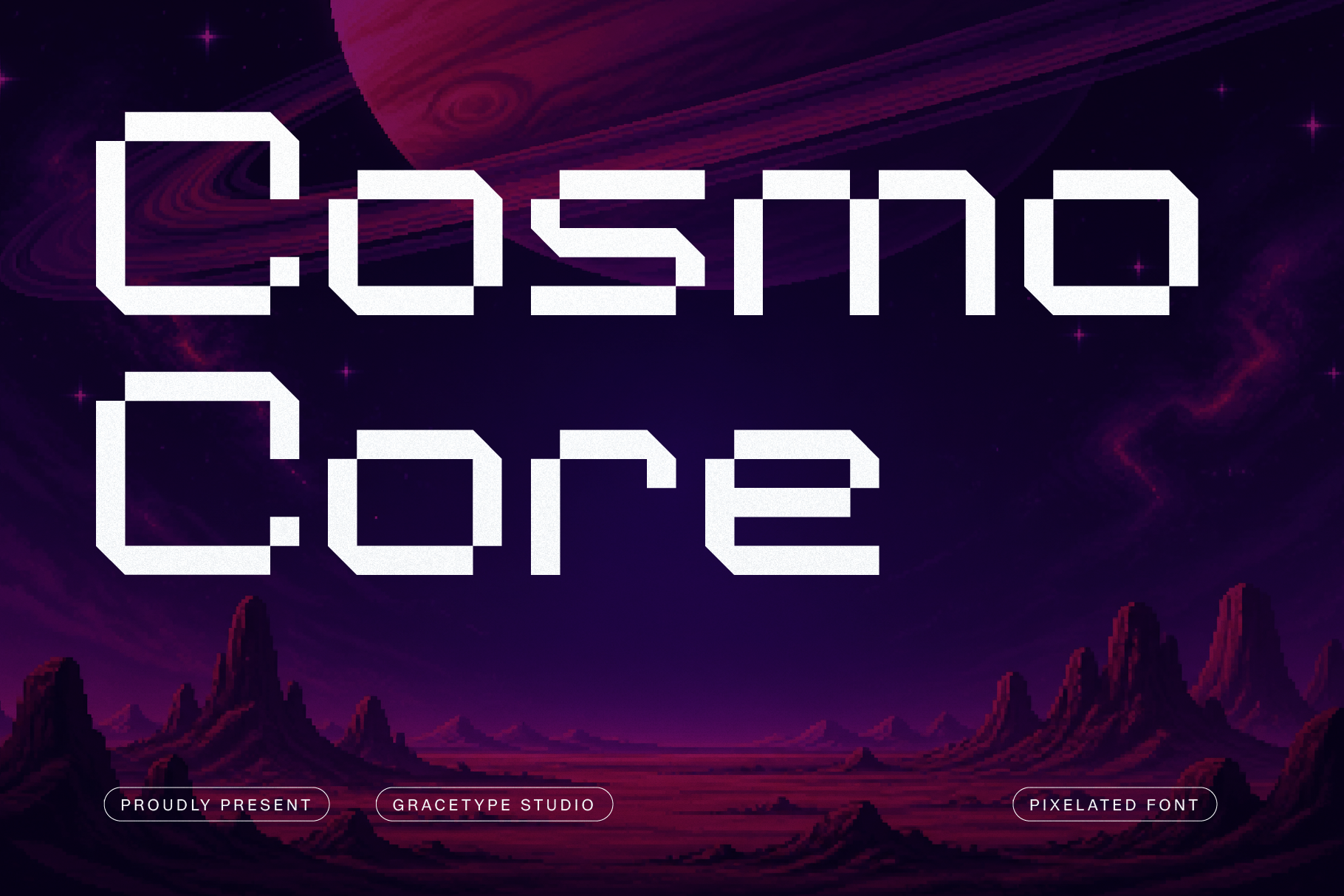
A bold pixelated display face that blends 8-bit nostalgia with wide, angular sci-fi letterforms, this one recalls classic arcade games and synthwave. It is a strong arcade font for game titles, synthwave posters, and streamer branding.
Best for: arcade game titles, synthwave posters, streamer branding. By: Gracetypestudio
13. Synthwave
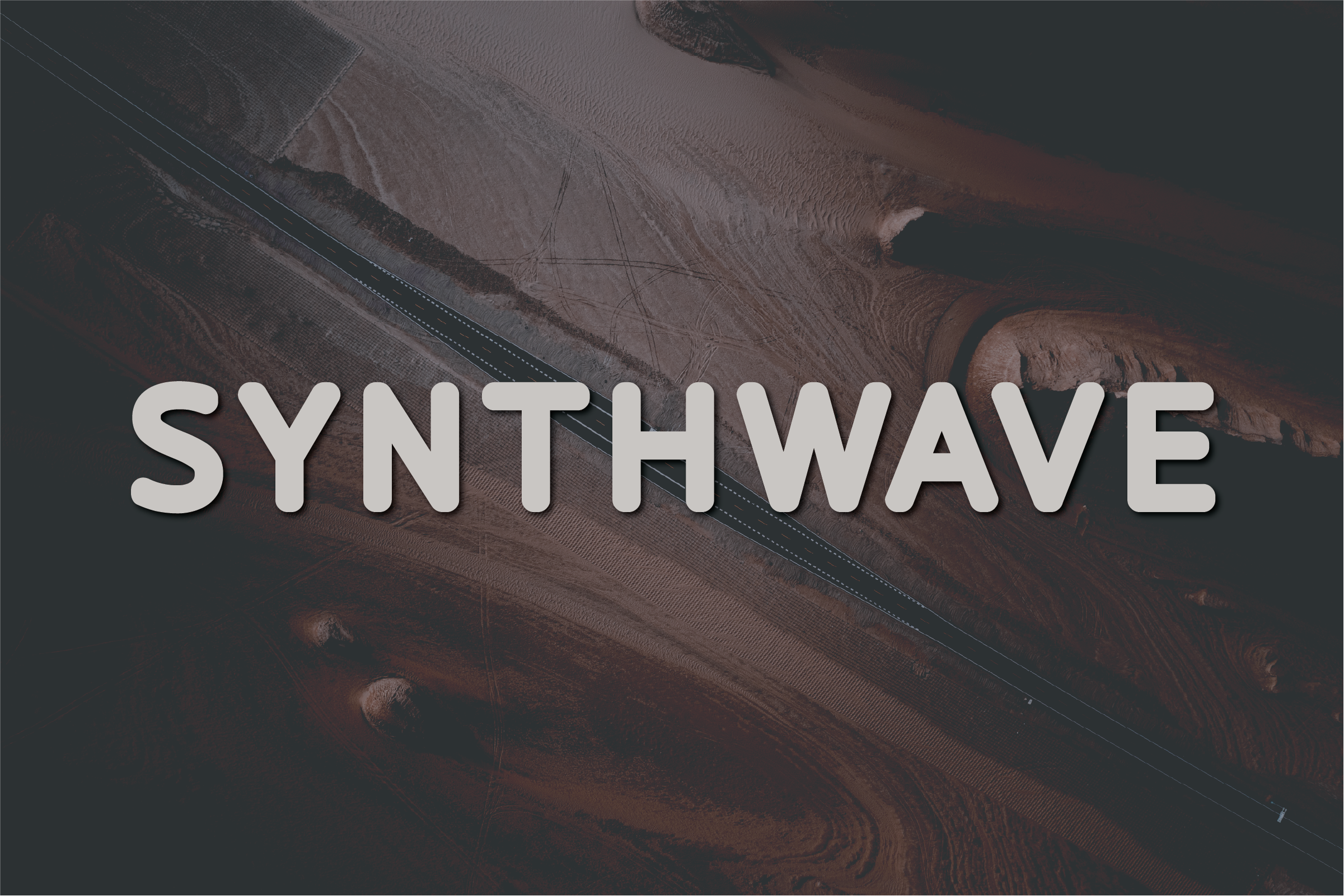
A versatile, modern, classy sans serif, this one can feel clean and retro without going full neon. It is suggested for logos, weddings, invitations, quotes, and advertisements, making it a flexible choice for synthwave projects that need a calmer typeface.
Best for: clean retro logos, event invitations, quote graphics. By: A Christie
14. Retro Display
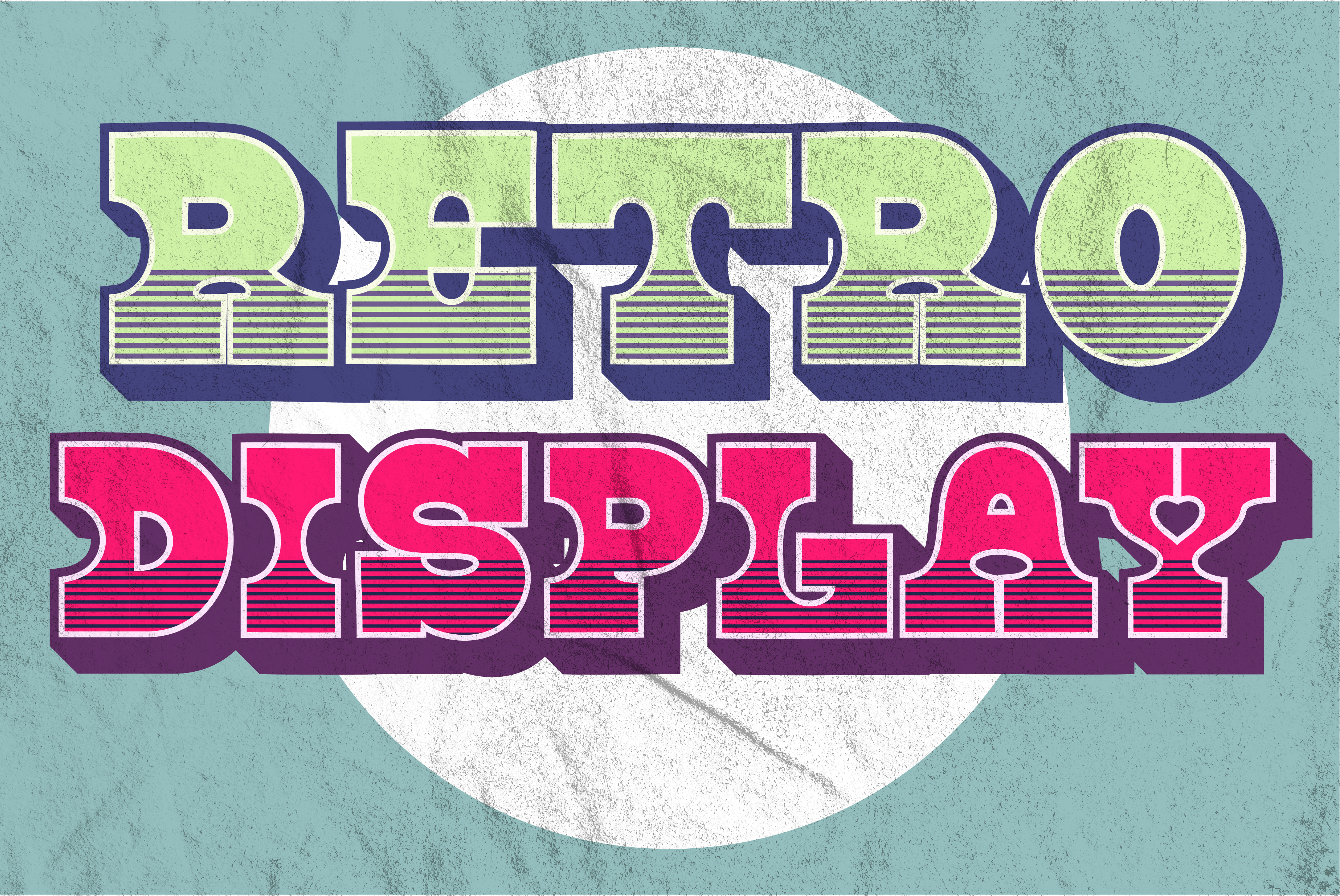
A fun display face with bold letterforms that fuse nostalgia with a modern edge, this one is easy to use for quick retro graphics. It suits party flyers, playful headlines, and retro social posts where you want the 80s feel to be obvious but not cluttered.
Best for: party flyers, playful headlines, retro social posts. By: arnon.021993
How to Use 80s Fonts in Posters, Merch and Social Posts
To make text look like the 80s, start with the palette. Neon blue, vivid purple, and hot pink on dark navy or black are classic combinations.
If you are designing a synthwave poster, a sunset grid and horizon can work as the background, while the type carries the headline. Keep the grid simple so the letters stay readable.
Layering is one of the fastest ways to add depth. Duplicate the text, shift the copy slightly, and use a darker or neon color for the offset layer.
Add an outline or outer glow in Photoshop or Illustrator to create a lifted, glowing effect. For a chrome look, use a chrome gradient on the letters, but keep the gradient direction consistent so the metal effect reads cleanly.
Pairing matters. A good answer to what font pairs well with an 80s script is a bold sans serif or a tight serif.
Use the script for the main title and the second face for dates, labels, or small details. Keep it to two fonts.
For shirts, thicker faces usually cut and print better. If you are using Cricut Design Space, remember that it uses fonts installed on your computer, and connected script letters need to be welded so they cut as one piece.
Canva Pro users can upload custom fonts through Brand Kit. SVG and color fonts only show their effects in apps that support them.
Tip: For a quick VHS look, use a slanted script, a dark background, and a thin white or neon outline. Add glow only if the letters still read clearly.
If you are making 80s fonts for shirts, check the license on the product page before selling. Some fonts may allow commercial use, while others may have restrictions. For more shirt-focused type choices, see our best fonts for t-shirt design.
I would always test the final title at a small size before exporting. If it disappears in a thumbnail, the effect is probably doing too much.
Tips for Choosing the Right 80s Font
First, decide which 80s you are designing for.
- Synthwave or Miami projects usually want a brush script or a clean synth face.
- Movie, magazine, or album cover projects often work better with a serif or chrome font.
- Sports and action designs need a speed italic or bold display face.
- Games and streamer branding can use an arcade font.
- Memphis and pop projects call for a playful Memphis font.
Searches for eighties fonts often return the same families: script, serif, chrome, arcade, and Memphis.
Second, test readability. Glow, chrome, and outlines can make letters harder to read at small sizes. Zoom out, shrink the text, and check it on a phone screen. If the headline disappears in a thumbnail, simplify the effect or increase the contrast.
Also consider the project size. A chrome font can look strong on a poster but too heavy on a small social caption. A Memphis font can be fun on a sticker but harder to read in a long paragraph.
Third, avoid too many styles. Two fonts is usually enough. One can carry the 80s personality, while the other keeps the layout organized. If you are testing free options, Google Fonts has faces like Monoton for a multiline neon look and Press Start 2P for an arcade pixel style. DaFont and Font Squirrel are also worth browsing, but always check the license before using a font in merch, games, or client work.
Where to Download 80s Fonts
Creative Fabrica is the main source for the fonts in this list, and each product page includes the license details you should review before commercial use. Google Fonts is a good place to test free 80s-style options, while DaFont and Font Squirrel can help you find additional retro fonts.
When you download a font, read the license before you use it in a client project, a game, or a product you plan to sell. If it is unclear, contact the designer or choose another face.
For more font recommendations and design resources, visit the FontPro blog.